
การแนะนำ
The TYLT VU Solo is a Qi-enabled wireless charging pad designed to provide convenient and efficient charging for compatible smartphones. This manual provides essential information for setting up, operating, maintaining, and troubleshooting your device to ensure optimal performance.
เนื้อหาแพ็คเกจ
ตรวจสอบว่าแพ็คเกจของคุณมีรายการต่อไปนี้:
- TYLT VU Solo Qi Wireless Charging Pad
- อะแดปเตอร์ไฟฟ้า (ถ้ามี)
- สายเคเบิล Micro-USB
การตั้งค่า
Follow these steps to set up your TYLT VU Solo charging pad:
- เชื่อมต่อสายไฟ: Insert the micro-USB cable into the port on the back of the TYLT VU Solo. Connect the other end of the cable to the provided power adapter, then plug the adapter into a wall outlet.
- การจัดวาง: Place the charging pad on a flat, stable surface. The micro-suction base helps secure the pad to solid surfaces.
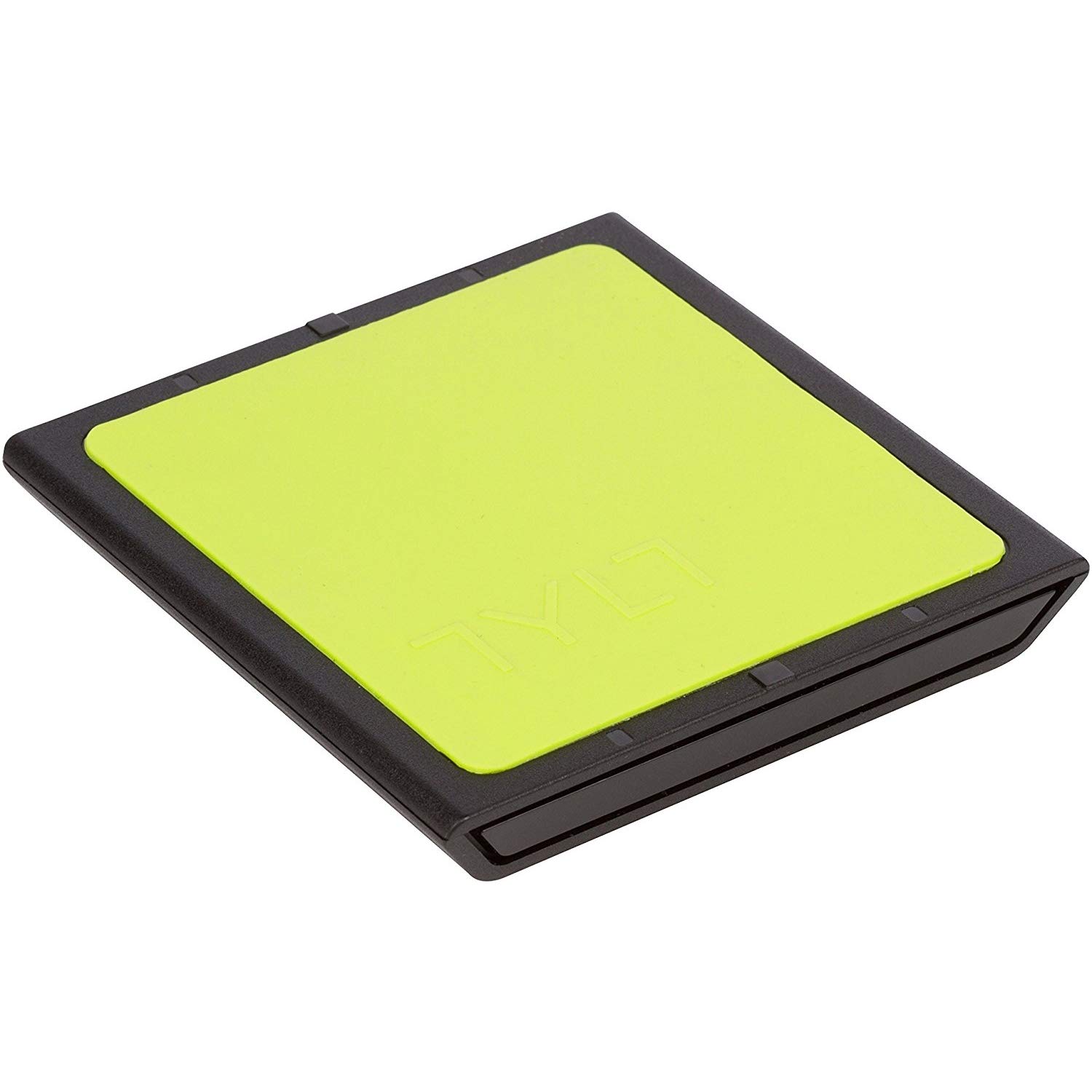
Image: The TYLT VU Solo Qi Wireless Charging Pad, showing its compact design.

ภาพ: ด้านข้าง view of the TYLT VU Solo, illustrating its slim profile.
คำแนะนำการใช้งาน
To charge your Qi-compatible smartphone:
- การจัดวางอุปกรณ์: Place your Qi-enabled smartphone directly onto the silicone surface of the VU Solo charging pad. The VU Solo features an alignment ledge to assist with proper coil alignment. Match the coils once, then set the alignment ledge to touch the top of your device.
- ยืนยันการเรียกเก็บเงิน: Your phone should indicate that it is charging wirelessly. The VU Solo is designed to charge through most phone cases.

Image: A Samsung Galaxy phone positioned on the TYLT VU Solo for wireless charging.

Image: The TYLT VU Solo charging pad in use, with a smartphone receiving a charge.
การซ่อมบำรุง
To ensure the longevity and proper function of your TYLT VU Solo:
- การทำความสะอาด: Use a soft, dry cloth to clean the surface of the charging pad. Avoid using harsh chemicals or abrasive cleaners.
- พื้นที่จัดเก็บ: เมื่อไม่ใช้งาน ควรเก็บแท่นชาร์จไว้ในที่แห้งและเย็น หลีกเลี่ยงแสงแดดโดยตรงและอุณหภูมิที่สูงหรือต่ำเกินไป
- การจัดการ: หลีกเลี่ยงการทำอุปกรณ์หล่นหรือกระแทกอย่างรุนแรง
การแก้ไขปัญหา
If you encounter issues with your TYLT VU Solo, refer to the following common problems and solutions:
- อุปกรณ์ไม่ชาร์จ:
- Ensure the power adapter is securely plugged into a working wall outlet and the micro-USB cable is firmly connected to the charging pad.
- Verify that your smartphone is Qi-compatible.
- Adjust the placement of your phone on the charging pad to ensure proper coil alignment.
- ถอดเคสโทรศัพท์หนาๆ ที่อาจขัดขวางการชาร์จไร้สายออก
- การชาร์จช้า:
- Ensure you are using the original power adapter and cable provided with the VU Solo.
- ตรวจสอบแอปพลิเคชันที่ทำงานอยู่เบื้องหลังในโทรศัพท์ของคุณ ซึ่งอาจใช้พลังงานมากเกินไป
- Compatibility Note for Google Pixel: Google Pixel phones do not have native Qi-enabled charging capabilities without an add-on accessory.
ข้อมูลจำเพาะ
| ยี่ห้อ | ไทล์ท |
| หมายเลขรุ่น | VUSOLOG-T |
| ประเภทขั้วต่อ | USB; Micro-USB |
| อุปกรณ์ที่รองรับ | Smartphones (Qi-enabled) |
| อินพุต Voltage | 9 โวลต์ |
| วัดtage | 5 วัตต์ |
| คุณสมบัติพิเศษ | การชาร์จแบบไร้สาย |
| น้ำหนักสินค้า | 0.16 ปอนด์ |
| ยูพีซี | 781420058245 |
การรับประกัน
TYLT warrants this product to be free of defects in design, assembly, material, or workmanship for a period of หนึ่งปี from the date of purchase. TYLT will repair or replace, at its option, any defective product free of charge, excluding shipping charges.
สนับสนุน
For further assistance or inquiries, please visit the official TYLT website or contact their customer support. Refer to the product packaging or TYLT's webเว็บไซต์สำหรับข้อมูลการติดต่อล่าสุด