
1. บทนำ
This manual provides essential information for the proper setup, operation, and maintenance of your D-Link 2K Pan & Tilt Wi-Fi Camera (DCS-6501LH). Please read these instructions carefully to ensure optimal performance and safety.
คุณสมบัติหลัก:
- Crisp 2K Resolution: 2K 1296p for sharp, detailed video.
- Pan & Tilt Coverage: 360 องศา view พร้อมรีโมทคอนโทรล
- การมองเห็นกลางคืนอันทรงพลัง: IR night vision up to 8 meters (26 feet).
- ระบบติดตามการเคลื่อนไหวอัตโนมัติ: ติดตามการเคลื่อนไหวที่ตรวจพบโดยอัตโนมัติ
- Sound & Motion Detection: Receive alerts for detected activity.
- เสียงสองทาง: มีไมโครโฟนและลำโพงในตัวสำหรับใช้ในการสื่อสาร
- Cloud & Local Recording: Supports cloud storage and local microSD card recording.
- การรวมระบบบ้านอัจฉริยะ: เข้ากันได้กับ Google Assistant และ Amazon Alexa
- Enhanced Wi-Fi Security: Supports WPA3 encryption.
เนื้อหาแพ็คเกจ:
- D-Link 2K Pan & Tilt Wi-Fi Camera (DCS-6501LH)
- อะแดปเตอร์แปลงไฟ
- คู่มือการติดตั้งแบบด่วน

ภาพที่ 1.1: ด้านหน้า view of the D-Link 2K Pan & Tilt Wi-Fi Camera (DCS-6501LH).
2. การตั้งค่า
Follow these steps to set up your D-Link DCS-6501LH camera.
2.1 การติดตั้งแอพ
- ดาวน์โหลดฟรี มายด์ลิงค์ app from the App Store (for iOS devices) or Google Play (for Android devices).
- ติดตั้งแอพบนสมาร์ทโฟนหรือแท็บเล็ตของคุณ
- Launch the mydlink app and follow the on-screen instructions to create an account or log in.
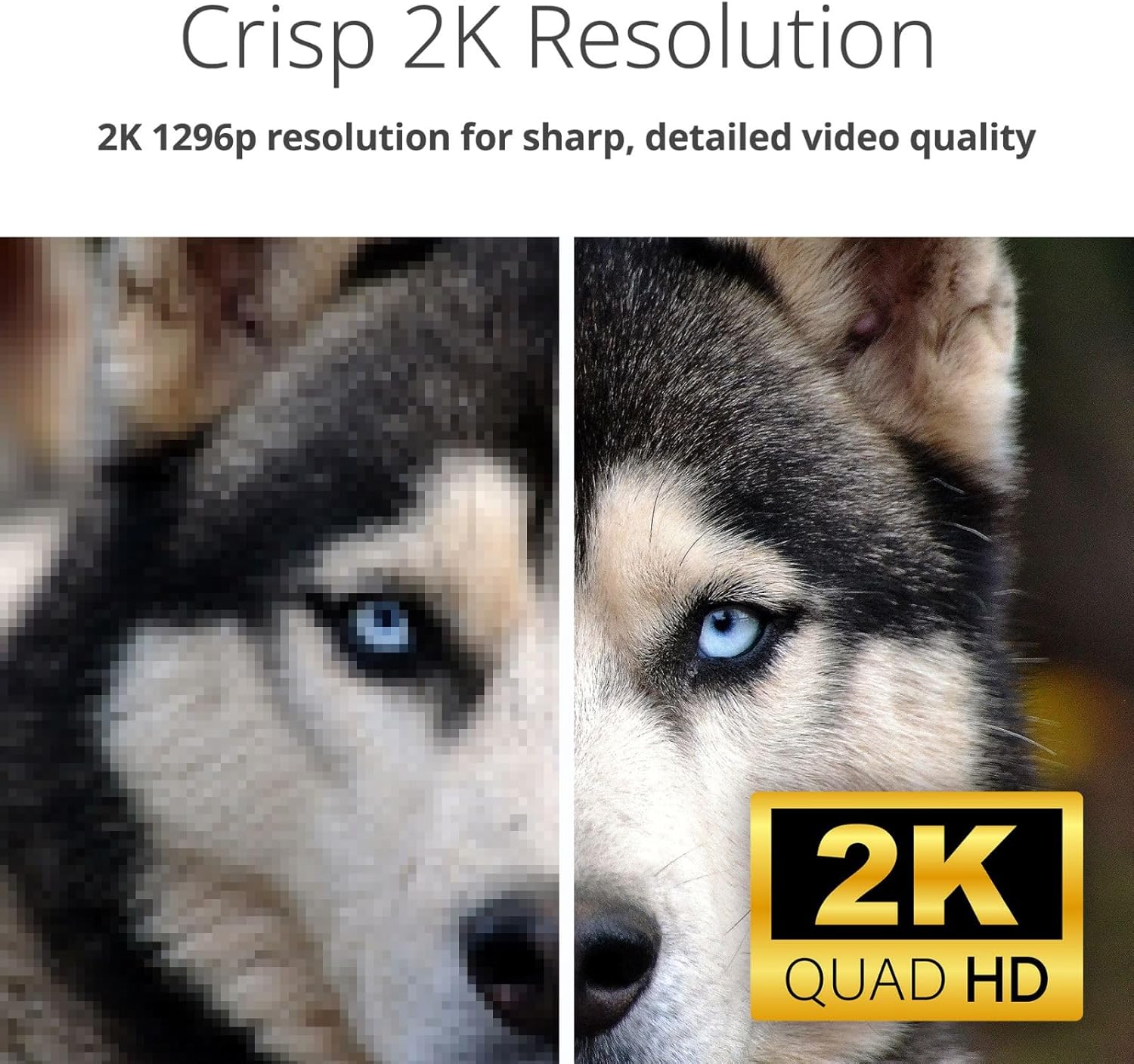
Image 2.1: Screenshot of the mydlink app interface on a smartphone, showing camera listings and app store download options.
2.2 การเปิดเครื่องและการเชื่อมต่อครั้งแรก
- Connect the provided power adapter to the camera's power port (located at the back/bottom of the camera).
- Plug the power adapter into a wall outlet. The camera's LED indicator will light up.
- Within the mydlink app, tap the '+' icon to add a new device and follow the guided setup process to connect your camera to your home Wi-Fi network.

ภาพที่ 2.2: ด้านหลัง view of the D-Link camera, highlighting the power port and speaker grille.
2.3 การติดตั้งกล้อง
The DCS-6501LH camera is designed for indoor use and can be placed on a flat surface or mounted on a wall.
- ตำแหน่งบนโต๊ะ: วางกล้องบนพื้นผิวที่มั่นคงและเรียบ โดยให้มีพื้นผิวที่ใส view ของพื้นที่ที่คุณต้องการติดตาม
- ติดผนัง: Use the included mounting kit (if applicable) to securely attach the camera to a wall. Ensure the camera is positioned at an optimal height and angle for desired coverage.

Image 2.3: The D-Link camera discreetly placed on a shelf, demonstrating typical indoor placement.
3. การใช้งานกล้อง
Understand the various functions and features of your DCS-6501LH camera.
3.1 ฟังก์ชันแพนและเอียง
The camera offers a 360-degree panoramic view. Use the mydlink app to remotely control the camera's pan (horizontal) and tilt (vertical) movements. Tap on a specific area in the panorama view to quickly move the camera to that spot.

Image 3.1: Visual representation of the camera's pan and tilt capabilities, showing multiple camera angles.
3.2 2K Video Resolution
The camera records and streams video in 2K 1296p resolution, providing clear and detailed images for enhanced monitoring.

Image 3.2: A side-by-side comparison demonstrating the superior clarity of 2K resolution compared to a lower resolution image.
3.3 การมองเห็นตอนกลางคืน
Equipped with infrared (IR) LEDs, the camera provides clear night vision up to 8 meters (26 feet), allowing you to monitor your space even in complete darkness.

Image 3.3: A split image showing the difference between a well-lit day view and a clear infrared night view of an indoor space.
3.4 เสียงสองทาง
The built-in microphone and speaker enable two-way communication. You can listen to what's happening in the camera's vicinity and speak through the camera using the mydlink app.

Image 3.4: An illustration of the two-way audio feature, depicting a user speaking through the camera to a pet.
3.5 Motion and Sound Detection with Auto Tracking
The camera can detect motion and sound, sending instant alerts to your mydlink app. With auto motion tracking, the camera will automatically follow detected movement within its field of view.

Image 3.5: A visual demonstrating sound and motion detection alerts, along with the auto-motion tracking feature following a person.
3.6 Video Recording (Cloud & Local)
The DCS-6501LH supports both cloud recording (subscription may be required) and local recording to a microSD/SDHC/SDXC card (up to 256 GB, not included). This allows for flexible video storage and playback options.
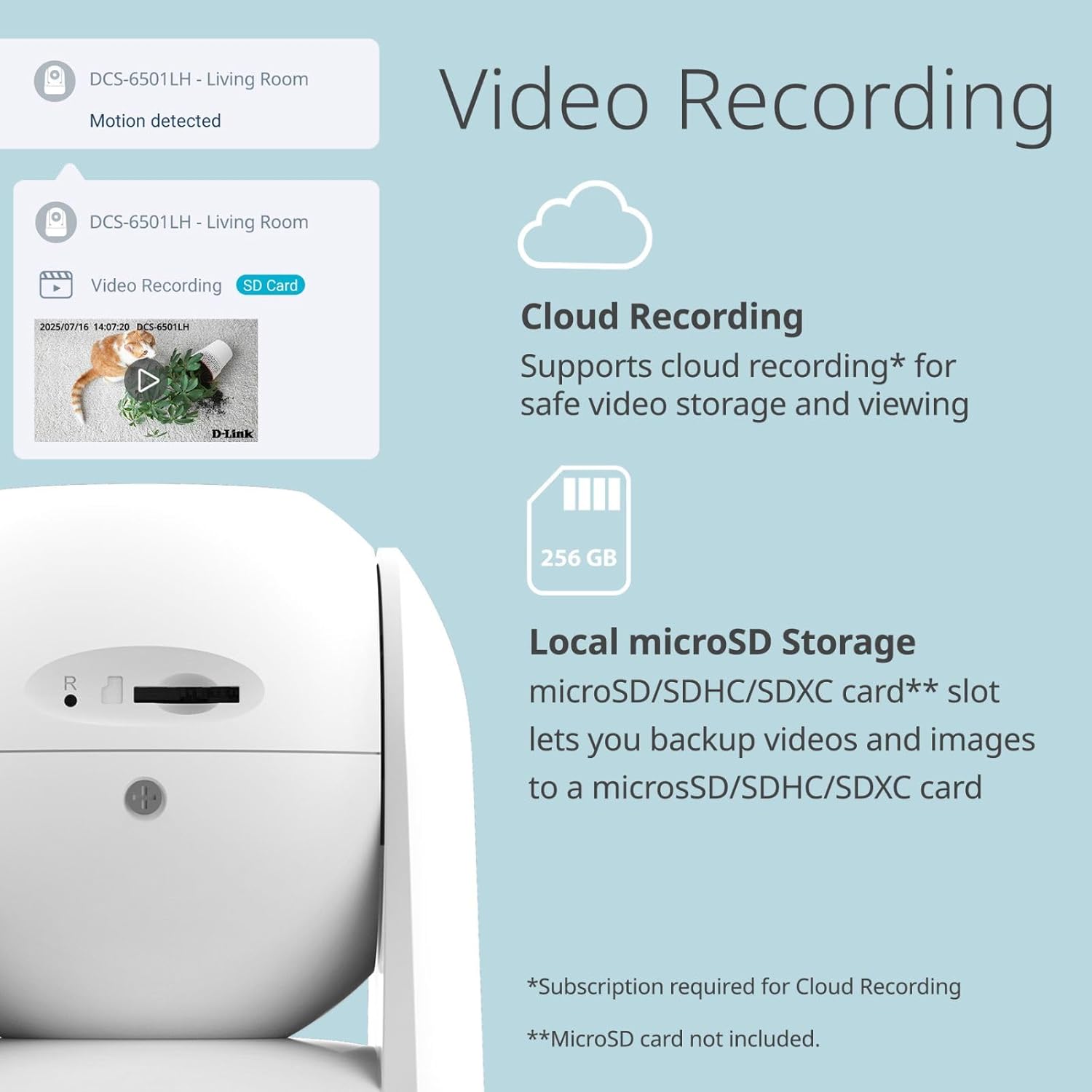
Image 3.6: The camera's side view revealing the microSD card slot, alongside icons for cloud and local storage options.
3.7 การรวมระบบบ้านอัจฉริยะ
Integrate your camera with Google Assistant and Amazon Alexa for voice control and smart home automation. For example, you can ask your smart assistant to display the camera feed on compatible devices.

ภาพที่ 3.7: อดีตamples of smart home integration, showing a user interacting with Google Assistant and an Alexa-enabled device displaying camera footage.
3.8 Enhanced Wi-Fi Security
The camera supports WPA3 encryption, providing a more secure connection to your Wi-Fi network and protecting your privacy.

Image 3.8: The D-Link camera accompanied by a security shield icon, representing enhanced Wi-Fi security features.
4. การบำรุงรักษา
Regular maintenance helps ensure the longevity and optimal performance of your camera.
4.1 การทำความสะอาด
- เช็ดเลนส์และตัวกล้องเบาๆ ด้วยผ้าแห้งนุ่มที่ไม่เป็นขุย
- Do not use liquid cleaners, aerosols, or abrasive solvents, as these can damage the camera.
การอัปเดตเฟิร์มแวร์ 4.2 รายการ
D-Link periodically releases firmware updates to improve performance, add features, and enhance security. Check the mydlink app or the D-Link support website for available updates and follow the instructions to install them.
4.3 การจัดการการ์ด MicroSD
If using a microSD card for local storage, periodically check its status in the mydlink app. Format the card as needed to maintain optimal recording performance. Ensure the camera is powered off before inserting or removing the microSD card.
5 การแก้ไขปัญหา
This section addresses common issues you might encounter with your D-Link DCS-6501LH camera.
5.1 กล้องไม่เชื่อมต่อกับ Wi-Fi
- ตรวจสอบให้แน่ใจว่าเครือข่าย Wi-Fi ของคุณเป็น 2.4 GHz เนื่องจากกล้องอาจไม่รองรับเครือข่าย 5 GHz
- Verify that the Wi-Fi password entered in the mydlink app is correct.
- ขยับกล้องให้ใกล้กับเราเตอร์ Wi-Fi มากขึ้นเพื่อเพิ่มความแรงของสัญญาณ
- รีสตาร์ทเราเตอร์และกล้องของคุณ
5.2 คุณภาพวิดีโอไม่ดี
- ตรวจสอบความเร็วการเชื่อมต่ออินเทอร์เน็ตของคุณ การเชื่อมต่อที่เสถียรและรวดเร็วเป็นสิ่งจำเป็นสำหรับการสตรีมวิดีโอ 2K
- ตรวจสอบให้แน่ใจว่าเลนส์กล้องสะอาดและปราศจากฝุ่นหรือคราบสกปรก
- Adjust the camera's position to avoid direct glare or backlighting.
5.3 Motion/Sound Alerts Not Working
- Verify that motion and sound detection are enabled in the mydlink app settings for your camera.
- Check the sensitivity settings for motion and sound detection; adjust them as needed.
- Ensure app notifications are enabled on your smartphone or tablet.
5.4 กล้องไม่ตอบสนอง
- Unplug the power adapter from the camera, wait 10 seconds, and then plug it back in to restart the device.
- If the issue persists, perform a factory reset (refer to the Quick Installation Guide for specific instructions). Note that a factory reset will erase all settings and require re-setup.
6. ข้อมูลจำเพาะ
Detailed technical specifications for the D-Link 2K Pan & Tilt Wi-Fi Camera (DCS-6501LH).
| คุณสมบัติ | ข้อมูลจำเพาะ |
|---|---|
| ชื่อรุ่น | DCS-6501LH |
| ความละเอียดในการจับภาพวิดีโอ | 1296p (2K) |
| อัตราเฟรม | 30 เฟรมต่อวินาที |
| Viewอิงแองเกิล | 89 องศา (เลนส์) |
| ช่วงการมองเห็นตอนกลางคืน | สูงถึง 8 เมตร (26 ฟุต) |
| เทคโนโลยีการเชื่อมต่อ | ไร้สาย (Wi-Fi, Bluetooth) |
| การสื่อสารแบบไร้สาย | Wi-Fi (2.4 GHz), บลูทูธ |
| คุณสมบัติพิเศษ | 2-Way Audio, Motion Detection, Night Vision, Pan & Tilt, Auto Motion Tracking |
| การใช้งานภายใน/ภายนอกอาคาร | ในร่ม |
| อุปกรณ์ที่รองรับ | สมาร์ทโฟน, อเมซอน อเล็กซา, กูเกิล แอสซิสต์ |
| แหล่งพลังงาน | สายไฟ |
| ตัวเลือกการจัดเก็บข้อมูล | Cloud, Local (microSD/SDHC/SDXC up to 256 GB) |
| ประเภทการติดตั้ง | ติดผนัง, โต๊ะ |
| ขนาดสินค้า (กว้าง x ยาว x สูง) | 8.61 x 8.61 x 11.4 ซม. |
| น้ำหนักสินค้า | 273.97 กรัม |
7. การรับประกันและการสนับสนุน
For warranty information, please refer to the warranty card included with your product or visit the official D-Link website. D-Link provides technical support for its products.
7.1 การสนับสนุนด้านเทคนิค
If you encounter issues that cannot be resolved using this manual, please contact D-Link technical support through their official website or the contact information provided in your product packaging. Have your model number (DCS-6501LH) and serial number ready when contacting support.
Visit the D-Link support page for FAQs, firmware downloads, and further assistance: www.dlink.com/support