
การแนะนำ
Welcome to the instruction manual for your PDP Afterglow Nur PS4/PS3 Headset. This headset is designed to provide an immersive audio experience for your PlayStation 4 and PlayStation 3 consoles. It features a unique industrial design, a comfortable split cushion headband, boom-less microphone technology, and customizable audio modes. The included wireless transmitter and conductive charging dock offer convenient charging and connectivity. Please read this manual thoroughly to ensure proper setup and operation of your headset.

Image: The PDP Afterglow Nur Headset illuminated with blue lighting, showcasinก. การออกแบบของมัน
การตั้งค่า
เนื้อหาแพ็คเกจ
- Afterglow Nur Wireless Headset
- Wireless Transmitter and Charging Dock
- สายชาร์จ USB
- คู่มือการใช้งาน (เอกสารนี้)
การชาร์จหูฟัง
Before initial use, fully charge your Afterglow Nur headset. The headset uses a conductive charging system via its included dock.
- Connect the USB charging cable to the charging dock and then to a powered USB port (e.g., on your console or a USB wall adapter).
- Place the headset onto the charging dock. Ensure the charging pins on the headset align with the contacts on the dock.
- The headset will begin charging. A voice cue will indicate charging status, and the headset's lighting may change to indicate charging.

Image: The Afterglow Nur Headset resting on its charging stand, illuminated with blue light.

ภาพ: ภาพระยะใกล้ view of the charging pins located on the headset's headband, which connect to the charging dock.
The charging dock can be placed on a flat surface or mounted on a wall to save space.
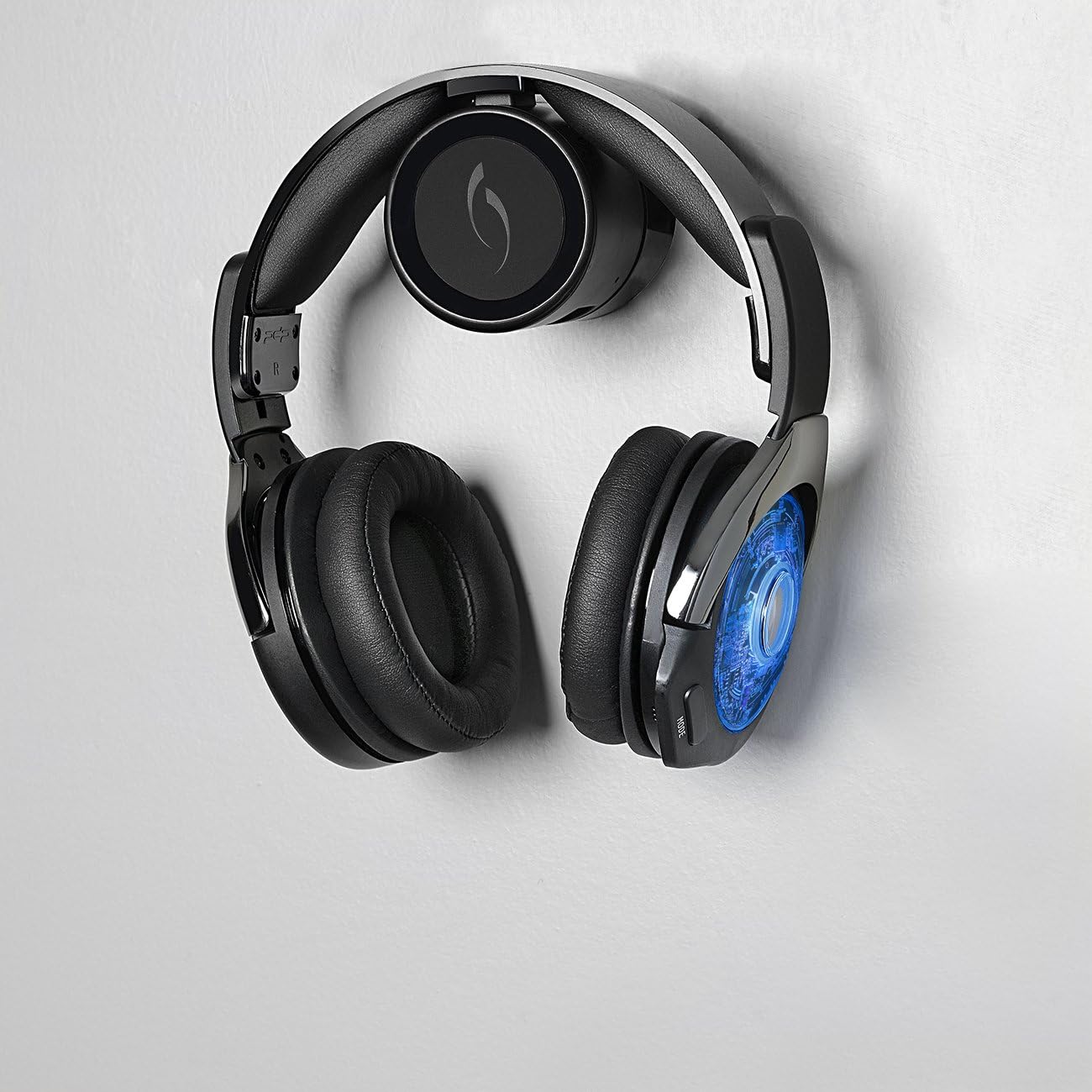
Image: The Afterglow Nur Headset conveniently mounted on a wall using its charging dock, demonstrating a space-saving setup.
Connecting to PlayStation 4 / PlayStation 3
The Afterglow Nur headset connects wirelessly to your console via the included transmitter.
- Plug the wireless transmitter (integrated into the charging dock) into an available USB port on your PlayStation 4 or PlayStation 3 console.
- เปิดคอนโซลของคุณ
- Power on the Afterglow Nur headset by pressing and holding the power button (location detailed in the Operating section).
- The headset and transmitter should automatically pair. A voice cue will confirm successful connection. If pairing does not occur automatically, refer to the Troubleshooting section for manual pairing instructions.
การใช้งานชุดหูฟัง
เปิด/ปิดเครื่อง
- การเปิดเครื่อง: Press and hold the Power button located on the ear cup until you hear a power-on voice cue.
- วิธีปิดเครื่อง: Press and hold the Power button until you hear a power-off voice cue.
โหมดเสียง
The Afterglow Nur headset offers two distinct audio modes for customized sound.
- โหมดเพิ่มเบส: Enhances low-frequency sounds for a more impactful audio experience.
- Clarity Mode: Optimizes mid and high frequencies for clear dialogue and detailed sound.
To switch between audio modes, press the "MODE" button on the ear cup. A voice cue will announce the currently active audio mode.
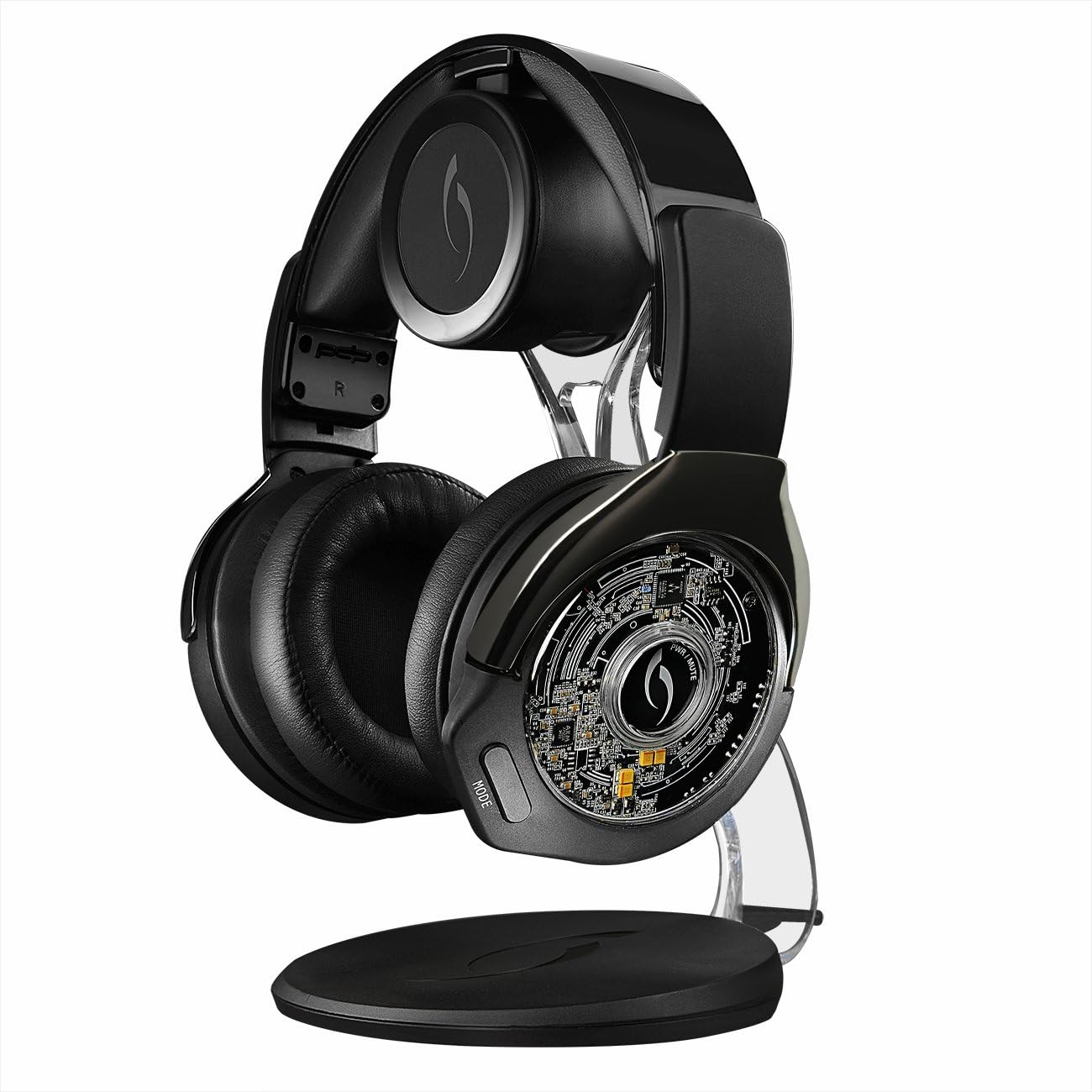
ภาพ: รายละเอียด view of the Afterglow Nur headset's earcups, highlighting the comfortable cushioning and potential control locations.
Boom-less Microphone Technology
The headset features integrated boom-less microphone technology for clear communication without an external boom mic. Ensure the microphone is enabled in your console's audio settings for in-game chat.
การปรับระดับเสียง
Use the volume controls located on the ear cup to adjust the game audio and chat volume independently or simultaneously, depending on the specific control layout.
Voice Cue Interface
The headset provides voice cues to inform you about important statuses, including:
- Current audio mode (Bass Boost, Clarity)
- Remaining battery life (e.g., "Battery Low," "Battery Full")
- Power on/off status
- สถานะการเชื่อมต่อ
การซ่อมบำรุง
การทำความสะอาด
- Wipe the headset and charging dock with a soft, dry cloth.
- ห้ามใช้น้ำยาทำความสะอาดที่มีฤทธิ์กัดกร่อน ตัวทำละลาย หรือสารเคมีรุนแรง
- หลีกเลี่ยงไม่ให้ความชื้นเข้าไปในช่องเปิดต่างๆ
การดูแลแบตเตอรี่
The headset contains a Lithium Ion battery. To prolong battery life:
- หลีกเลี่ยงการปล่อยแบตเตอรี่จนหมดบ่อยครั้ง
- ควรชาร์จหูฟังเป็นประจำ แม้ว่าจะไม่ได้ใช้งานตลอดเวลาก็ตาม
- เก็บหูฟังไว้ในที่แห้งและเย็น ห่างจากอุณหภูมิที่สูงหรือต่ำเกินไป
- อย่าพยายามเปลี่ยนแบตเตอรี่ด้วยตนเอง หากมีปัญหาเกี่ยวกับแบตเตอรี่ โปรดติดต่อฝ่ายสนับสนุน
พื้นที่จัดเก็บ
When not in use, store the headset on its charging dock or in a safe place to prevent damage. Avoid placing heavy objects on the headset.
การแก้ไขปัญหา
No Audio / Disconnected Headset
- Ensure the wireless transmitter is securely plugged into a USB port on your console.
- ตรวจสอบให้แน่ใจว่าชุดหูฟังเปิดใช้งานอยู่และชาร์จแบตเตอรี่เต็มแล้ว
- Check your console's audio output settings to ensure audio is directed to the headset.
- Try re-pairing the headset:
- ปิดชุดหูฟัง
- Unplug the wireless transmitter from the console, wait 10 seconds, then plug it back in.
- Power on the headset. It should attempt to re-pair automatically.
ไมโครโฟนไม่ทำงาน
- Confirm the headset is connected to the console.
- Check your console's microphone input settings to ensure the headset is selected as the input device and the microphone volume is not muted or too low.
- Ensure the boom-less microphone is not obstructed.
หูฟังไม่ชาร์จ
- Ensure the USB charging cable is securely connected to both the charging dock and a powered USB port.
- Verify the headset is correctly seated on the charging dock, with the charging pins making proper contact.
- ลองใช้พอร์ต USB หรือสายชาร์จอื่น
ข้อมูลจำเพาะ
| คุณสมบัติ | รายละเอียด |
|---|---|
| หมายเลขรุ่น | 051-003-BK |
| ความเข้ากันได้ | เพลย์สเตชั่น 4, เพลย์สเตชั่น 3 |
| การเชื่อมต่อ | Wireless (via USB transmitter) |
| ประเภทแบตเตอรี่ | แบตเตอรี่ลิเธียมไอออน 2 ก้อน |
| วิธีการชาร์จ | Conductive charging dock |
| ขนาด (สินค้า) | 21.41 x 16.69 x 27.89 ซม. |
| น้ำหนัก (สินค้า) | 1.32 กก. |
| วันที่วางจำหน่าย | วันที่ 20 ธันวาคม 2014 |
ข้อมูลการรับประกัน
PDP products typically come with a limited manufacturer's warranty. For specific details regarding the warranty period and coverage for your Afterglow Nur PS4/PS3 Headset, please refer to the warranty card included with your product or visit the official PDP webไซต์นี้ โปรดเก็บหลักฐานการซื้อไว้เพื่อใช้ยืนยันการรับประกัน
การสนับสนุนลูกค้า
If you encounter any issues not covered in this manual or require further assistance, please contact PDP customer support.
- การสนับสนุนทางออนไลน์: Visit the official PDP webไซต์สำหรับคำถามที่พบบ่อย บทความสนับสนุน และแบบฟอร์มติดต่อ
- ข้อมูลติดต่อ: Refer to the product packaging or the PDP website for current customer service phone numbers or email addresses.