
การแนะนำ
This manual provides instructions for the Technaxx TX-28 Extra Bullet Camera, designed to expand your existing Technaxx TX-28 wireless security camera system. It features motion detection, PIR day and night vision, and a waterproof design for outdoor surveillance. This camera is an accessory to the main TX-28 system, which includes a 7-inch TFT LCD monitor and recorder.
คุณสมบัติหลัก
- PIR-Activated Sensors: Detects motion up to approximately 8m day and night. When suspicious objects are detected, the camera illuminates the area to deter intruders and records clear color videos, even at night.
- การขยายระบบ: This extra camera is designed to expand your existing Technaxx TX-28 wireless CCTV system, which features an integrated recorder, receiver, and 7-inch TFT LCD monitor. The system supports up to 4 Technaxx cameras.
- HD Monitoring & Audio: Infrared LEDs provide up to 15m night vision. The IP65 waterproof housing allows for indoor and outdoor use. The system also supports remote audio monitoring and recording.
- ระบบไร้สาย: The camera offers plug & play functionality. It automatically pairs with the main monitor, eliminating the need for cables between them, providing a stable and clear viewการสร้างประสบการณ์
- การสนับสนุนแอปมือถือ: View อยู่ footage on iPhone and Android devices. Connect to your camera system via your phone to monitor your property. Supports MicroSD cards up to 32GB for recording.
เนื้อหาแพ็คเกจ
Ensure all items are present and in good condition before proceeding with installation.
- 1 x Technaxx Extra Bullet Camera for Easy Security Camera Kit TX-28
- อะแดปเตอร์ไฟฟ้า 1 ตัว
- สกรู 3 ตัว
- 3 x ปลั๊กติดผนัง
การตั้งค่า
1. การวางตำแหน่งกล้อง
Choose a suitable location for your extra bullet camera. The camera is designed for outdoor use with an IP65 rating, making it resistant to dust and water jets. Consider areas that provide optimal surveillance coverage and are within range of your existing Technaxx TX-28 monitor for wireless connection.

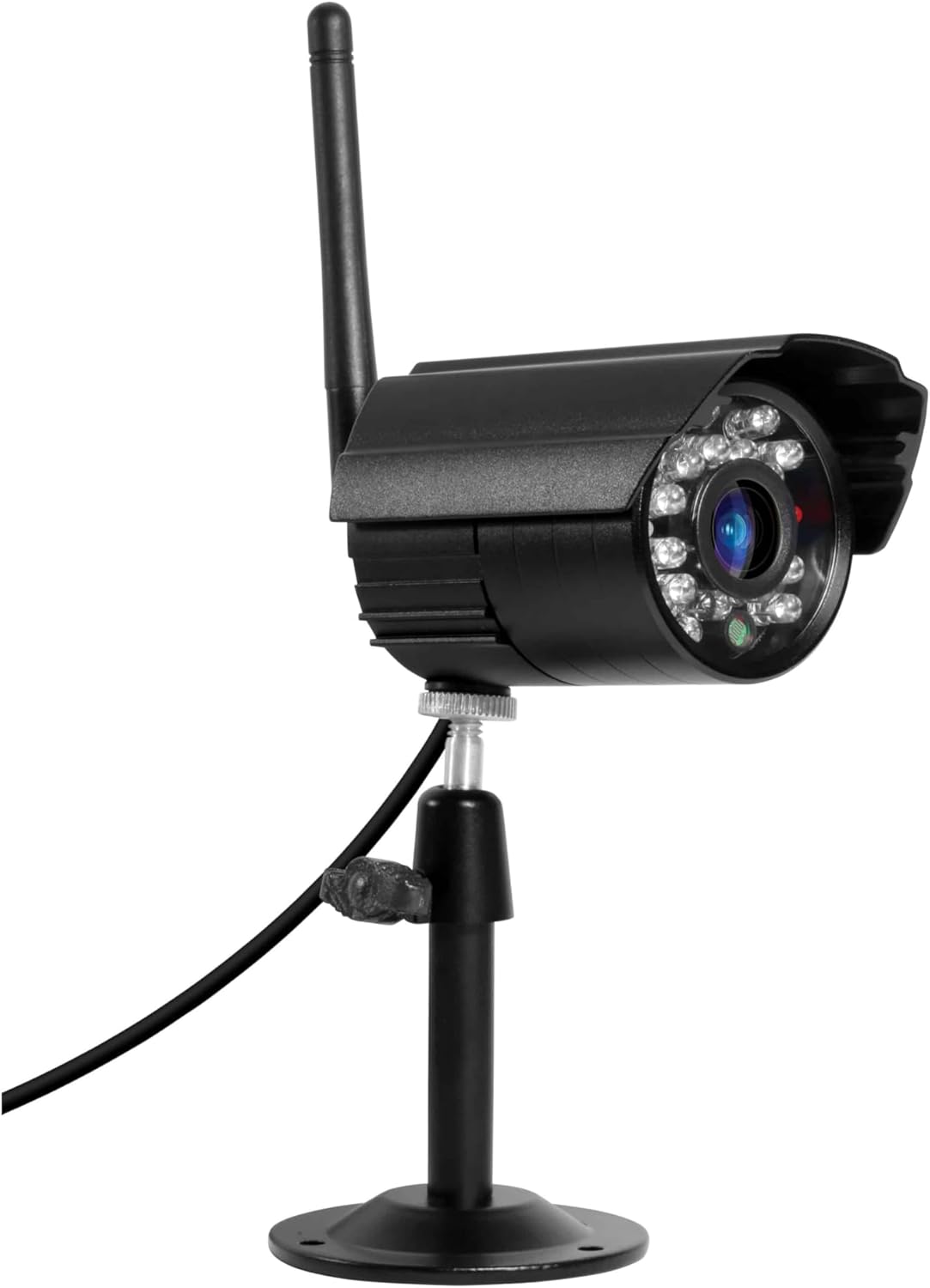
Image: The Technaxx TX-28 Extra Bullet Camera, showing its bullet-style design, antenna, and adjustable mounting stand. This camera is designed for versatile placement.
2. การติดตั้งกล้อง
- Mark the desired drilling points on the wall using the camera's mounting base as a template.
- Drill holes at the marked positions. Insert the provided wall plugs into the holes.
- ยึดฐานติดตั้งกล้องเข้ากับผนังโดยใช้สกรูที่ให้มา
- ปรับมุมกล้องเพื่อให้ครอบคลุมพื้นที่เฝ้าระวังที่ต้องการ
3. การเชื่อมต่อไฟฟ้า
Connect the included power adapter to the camera and then plug it into a suitable power outlet. Ensure the power cable is routed safely and securely to prevent damage or tripping hazards.
4. Pairing with the Main System
The Technaxx TX-28 extra camera is designed for automatic pairing with your existing TX-28 monitor. Once the camera is powered on, it should automatically connect to the main system. If automatic pairing does not occur, refer to your main TX-28 system's manual for manual pairing instructions, which typically involve a pairing button on both the camera and the monitor.
การใช้งานกล้อง
1. สด View
Access the live feed from your camera via the main TX-28 monitor or through the dedicated mobile application on your smartphone (iPhone or Android). The mobile app allows remote viewไอเอ็นจีและการควบคุม
2. การตรวจจับการเคลื่อนไหวและการแจ้งเตือน
The camera features PIR-activated motion detection. When motion is detected, the system can trigger alerts on your mobile device and begin recording. The camera also illuminates the area with infrared LEDs for enhanced night vision recording.
ภาพ: รายละเอียด view of the camera's front, highlighting the lens and the array of infrared LEDs for night vision capabilities.
3. การมองเห็นในเวลากลางคืน
The integrated infrared LEDs provide clear night vision up to 15 meters, allowing for continuous surveillance even in complete darkness. The camera is capable of recording color video at night when motion is detected and the area is illuminated.
4. Audio Monitoring and Recording
The camera supports audio capture, allowing you to listen to sounds from the monitored area and record audio along with video footage. This feature can be accessed through the main monitor or the mobile app.
5. การบันทึกและจัดเก็บข้อมูล
Recordings are managed by the main TX-28 system. The system supports MicroSD cards up to 32GB for local storage of video and audio. Consult your main system's manual for detailed recording settings and playback options.
การซ่อมบำรุง
1. การทำความสะอาด
ทำความสะอาดเลนส์และตัวเรือนกล้องเป็นประจำด้วยผ้านุ่มๆamp cloth. Avoid using harsh chemicals or abrasive materials that could scratch the lens or damage the casing. Ensure the camera is powered off before cleaning.
2. Connection Check
Periodically check all cable connections (power) to ensure they are secure and free from damage. For wireless connections, ensure the camera is within the effective range of the main monitor.
3. การอัปเดตเฟิร์มแวร์
Check the Technaxx website or your mobile app for any available firmware updates for your TX-28 system, including the camera. Keeping the firmware updated ensures optimal performance and security.
การแก้ไขปัญหา
No Image on Monitor/App
- ตรวจสอบพลังงาน: Ensure the camera is properly connected to its power adapter and the adapter is plugged into a working outlet.
- ตรวจสอบการเชื่อมต่อ: Verify that the camera is within range of the main TX-28 monitor and that the wireless connection is stable. Try moving the camera closer to the monitor temporarily.
- ซ่อมแซมกล้อง: If the camera was previously working, try re-pairing it with the main monitor according to the main system's instructions.
คุณภาพของภาพไม่ดี
- ทำความสะอาดเลนส์: Ensure the camera lens is clean and free from dirt, dust, or smudges.
- ตรวจสอบแสงสว่าง: Ensure there is adequate lighting in the monitored area, especially at night. The night vision range is up to 15m.
- สัญญาณรบกวน: Other wireless devices or thick walls might interfere with the signal. Try repositioning the camera or the main monitor.
การตรวจจับความเคลื่อนไหวไม่ทำงาน
- ตรวจสอบการตั้งค่า: Verify that motion detection is enabled in the system settings (via monitor or app).
- ความไว PIR: Adjust the PIR sensor sensitivity. High sensitivity might trigger false alarms, while low sensitivity might miss events.
- สิ่งกีดขวาง: Ensure there are no physical obstructions blocking the PIR sensor's view.
ข้อมูลจำเพาะ
| คุณสมบัติ | ข้อมูลจำเพาะ |
|---|---|
| ยี่ห้อ | เทคแนกซ์ |
| ชื่อรุ่น | ทีเอ็กซ์-28 |
| เทคโนโลยีการเชื่อมต่อ | ไร้สาย |
| คุณสมบัติพิเศษ | เซ็นเซอร์ตรวจจับความเคลื่อนไหว |
| การใช้งานในร่ม/กลางแจ้ง | กลางแจ้ง |
| อุปกรณ์ที่รองรับ | สมาร์ทโฟน |
| แหล่งพลังงาน | อะแดปเตอร์แปลงไฟ |
| โปรโตคอลการเชื่อมต่อ | โฮมปลั๊ก |
| ประเภทตัวควบคุม | แอนดรอยด์ |
| ประเภทการติดตั้ง | ติดผนัง |
| สี | สีดำ |
| ฟอร์มแฟกเตอร์ | กระสุน |
| วัสดุ | โลหะ |
| ระดับความต้านทานต่อน้ำ | กันน้ำ (IP65) |
| ประเภทการแจ้งเตือน | การเคลื่อนไหวเท่านั้น |
| แหล่งกำเนิดแสง | อินฟราเรด |
| ความละเอียดในการบันทึกวิดีโอ | 720p |
| รูปแบบการบันทึกวิดีโอ | MPEG-4 |
| ช่วงการมองเห็นตอนกลางคืน | 200 Meters (IR LEDs provide up to 15m effective range) |
| การมองเห็นตอนกลางคืน | การมองเห็นกลางคืนแบบสี |
| เล่มที่tage | 5 โวลต์ |
| วัดtage | 5 วัตต์ |
| จำเป็นต้องใช้แบตเตอรี่หรือไม่? | เลขที่ |
| ประเภทโฟกัส | โฟกัสแบบแมนนวล |
| ประเภทการซูม | ซูมออปติคอล |
| เทคโนโลยีโฟโต้เซนเซอร์ | ซีมอส |
| ขนาดรายการ (ยาว x กว้าง x สูง) | 9.5 x 6.8 x 5.7 ซม. |
| น้ำหนักสินค้า | 300 กรัม |
| ประเทศต้นกำเนิด | จีน |
ข้อมูลการรับประกัน
This Technaxx TX-28 Extra Bullet Camera comes with a รับประกัน 2 ปี from the date of purchase. Please retain your proof of purchase for any warranty claims. The warranty covers manufacturing defects and malfunctions under normal use. It does not cover damage caused by misuse, accidents, unauthorized modifications, or improper installation.
สนับสนุน
For further assistance, technical support, or to inquire about additional accessories, please contact Technaxx customer service or visit the official Technaxx website. You may also refer to the full instruction manual for your main Technaxx TX-28 security camera system for comprehensive details on system operation and advanced features.

ภาพ: ไซด์โปรfile of the Technaxx TX-28 camera, showing its robust build and the wireless antenna for connectivity.