
การแนะนำ
The Treemote Wireless Remote Switch provides a convenient solution for controlling indoor holiday lighting and other hard-to-reach light fixtures. This system allows you to turn your lights on and off from up to 100 feet away, eliminating the need to crawl under or behind your Christmas tree or other furniture.
The package includes a unique Christmas tree-shaped remote control and a compact receiver unit that plugs into any standard wall outlet.

Image: The Treemote Wireless Remote Switch in its original packaging, displaying both the green Christmas tree-shaped remote and the white receiver unit. The packaging highlights its wireless capability and ease of use.
ข้อมูลด้านความปลอดภัยที่สำคัญ
Please read and understand all safety instructions before using the Treemote Wireless Remote Switch. Failure to follow these instructions may result in electric shock, fire, or serious injury.
- For indoor use only. Do not expose the device to water or moisture.
- Do not exceed the maximum electrical rating of the receiver unit. Refer to the product specifications for details.
- Ensure the receiver is securely plugged into a grounded outlet.
- Unplug the receiver from the wall outlet before cleaning or when not in use for extended periods.
- เก็บรีโมทคอนโทรลและเครื่องรับสัญญาณให้พ้นมือเด็ก
- ห้ามถอดประกอบหรือซ่อมแซมอุปกรณ์ด้วยตนเอง โปรดติดต่อฝ่ายบริการลูกค้าเพื่อขอความช่วยเหลือ
เนื้อหาแพ็คเกจ
ตรวจสอบว่ามีรายการทั้งหมดอยู่ในแพ็คเกจของคุณ:
- 1 x Treemote Christmas Tree-Shaped Remote Control
- 1 x Treemote Receiver Unit
- 1 x CR2032 Battery (pre-installed in remote, with protective cover)
คำแนะนำการตั้งค่า
1. การเปิดใช้งานแบตเตอรี่
The CR2032 battery is pre-installed in the remote control. Before first use, you must remove the clear plastic protective cover from the battery compartment to activate the battery.
- Locate the battery compartment on the back of the Treemote remote control.
- Gently pull out the small, clear plastic tab protruding from the battery compartment. This tab prevents battery drain during shipping.
- Ensure the battery is seated correctly after removing the tab.
2. การเชื่อมต่อตัวรับ
- Plug the Treemote receiver unit into a standard indoor wall outlet.
- Plug your Christmas lights, or any other compatible electrical device, into the receptacle on the front of the Treemote receiver unit.
- Ensure both the receiver and your device are securely plugged in.
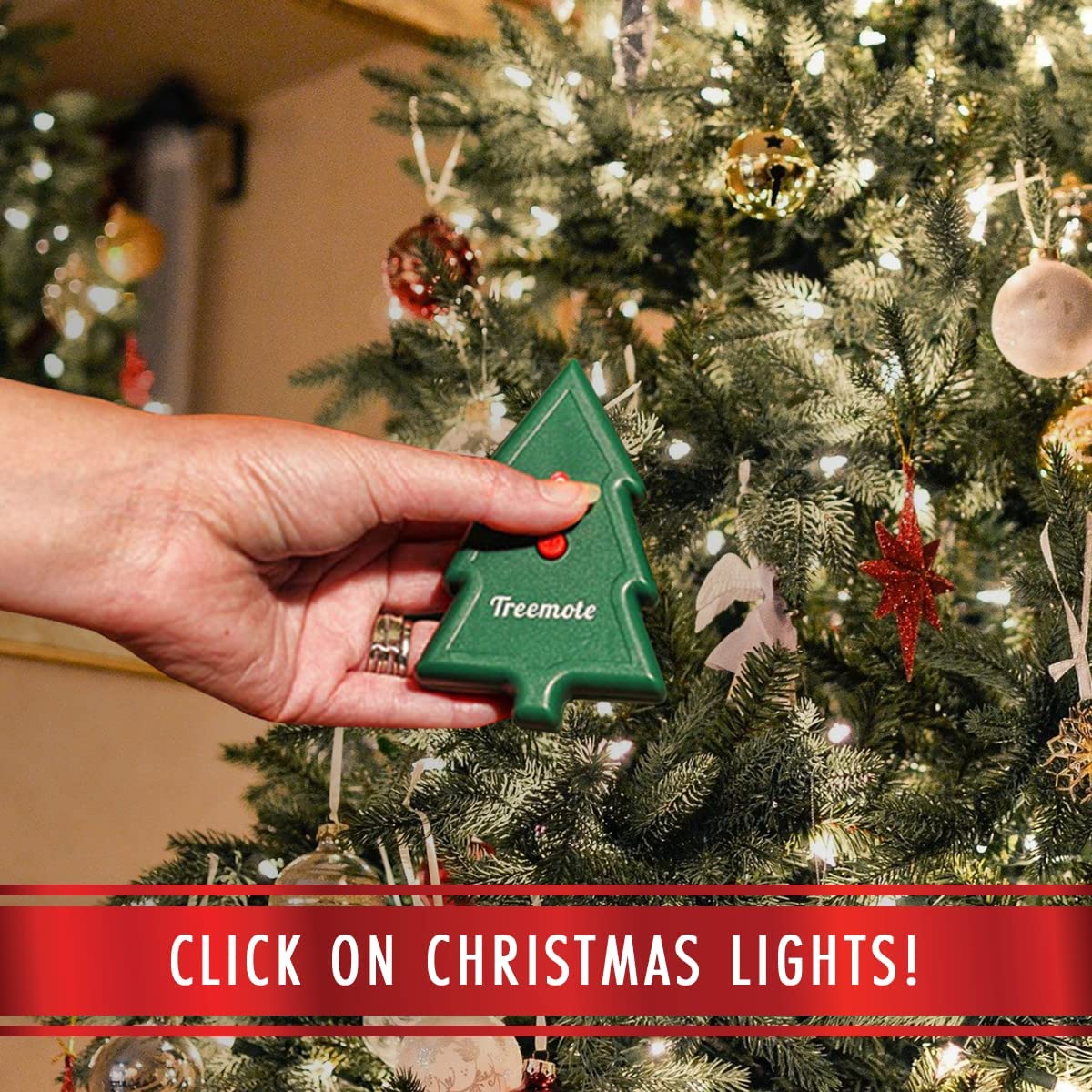
Image: A user's hand holding the Treemote remote control, demonstrating its compact size and how it can be easily held while operating lights near a decorated Christmas tree.
คำแนะนำการใช้งาน
Using the Treemote Wireless Remote Switch is simple:
- To turn on the connected lights: Press the red button on the Treemote remote control once. The lights will illuminate.
- To turn off the connected lights: Press the red button on the Treemote remote control again. The lights will turn off.
The Treemote operates wirelessly and can control your lights from up to 100 feet away, allowing you to manage your lighting from across the room or even from another area of your home.
Recommended Use Cases:
- ต้นคริสต์มาส: Easily turn your Christmas tree lights on and off without bending or reaching for the plug.
- การตกแต่งวันหยุด: Control lights on stairways, fireplaces, wreaths, and other festive displays.
- Hard-to-Reach Fixtures: Use year-round for lamps or other devices plugged into inconveniently located outlets.

Image: A user's hand holding the Treemote remote, with a large, illuminated Christmas tree visible in the background, emphasizing the product's effective operating range of up to 100 feet.
การซ่อมบำรุง
การเปลี่ยนแบตเตอรี่:
The Treemote remote control uses one CR2032 coin cell battery. If the remote's range decreases significantly or it stops responding, the battery may need replacement.
- ค้นหาช่องใส่แบตเตอรี่ที่ด้านหลังของรีโมท
- ใช้ไขควงขนาดเล็กหรือเหรียญเพื่อเปิดช่องเก็บของ
- ถอดแบตเตอรี่ CR2032 เก่าออก แล้วใส่แบตเตอรี่ใหม่เข้าไป โดยตรวจสอบให้แน่ใจว่าด้านบวก (+) หันขึ้นด้านบน
- ปิดช่องใส่แบตเตอรี่ให้แน่น
การทำความสะอาด:
เช็ดรีโมทและตัวรับสัญญาณด้วยผ้าแห้งเนื้อนุ่ม ห้ามใช้สารทำความสะอาดที่มีฤทธิ์กัดกร่อนหรือแช่ในน้ำ
การแก้ไขปัญหา
If you experience issues with your Treemote Wireless Remote Switch, please refer to the following common problems and solutions:
| ปัญหา | สาเหตุที่เป็นไปได้ | สารละลาย |
|---|---|---|
| ไฟไม่สามารถเปิด/ปิดได้ | Battery protective tab not removed or battery is dead. เครื่องรับไม่ได้เสียบปลั๊ก Lights not plugged into receiver. ไม่อยู่ในขอบเขต. | Remove plastic tab from battery. Replace battery if needed. Ensure receiver is firmly plugged into a live wall outlet. Ensure lights are firmly plugged into the receiver. ขยับเข้าไปใกล้ตัวรับ |
| ระยะการใช้งานลดลง | แบตเตอรี่ในรีโมทอ่อน Obstacles between remote and receiver. | เปลี่ยนแบตเตอรี่ CR2032 ในรีโมท Ensure a clear line of sight or fewer obstructions between the remote and receiver. |
| เครื่องรับไม่ตอบสนอง | พลังแห่งโอtagหรือเบรกเกอร์ตัดวงจร เครื่องรับสัญญาณทำงานผิดปกติ | Check your home's power supply. Try plugging the receiver into a different outlet. If the issue persists, contact customer support. |
ข้อมูลจำเพาะ
| คุณสมบัติ | รายละเอียด |
|---|---|
| ยี่ห้อ | TREEMOTE |
| หมายเลขรุ่น | TR-020 |
| ขนาดสินค้า | 2.25 x 6 x 8 inches (Remote and Receiver combined, approximate) |
| น้ำหนักสินค้า | 5.93 ออนซ์ |
| สี | Green (Remote) |
| ระยะการทำงานสูงสุด | สูงถึง 100 ฟุต (30 เมตร) |
| ประเภทแบตเตอรี่ระยะไกล | 1 x CR2032 (รวม) |
| จำนวนอุปกรณ์ที่รองรับสูงสุด | 1 (one device plugged into the receiver) |
| Compatible Devices (as per data) | Fan (and other indoor lighting/appliances within electrical rating) |
การรับประกันและการสนับสนุน
For warranty information or technical support regarding your Treemote Wireless Remote Switch, please contact TREEMOTE customer service. Details on warranty coverage and how to obtain support are typically provided with your purchase documentation or can be found on the official TREEMOTE webเว็บไซต์.
Please have your model number (TR-020) and purchase details ready when contacting support.