
1. บทนำ
The Cooler Master CM Storm QuickFire Rapid-i is a mechanical gaming keyboard designed for performance and durability. It features full LED backlighting with ActivLite Technology, allowing for dynamic lighting effects and per-key customization. This keyboard is equipped with a 32-bit ARM processor for advanced lighting control without the need for software. Its tenkeyless form factor provides a compact design, ideal for gaming setups and travel.
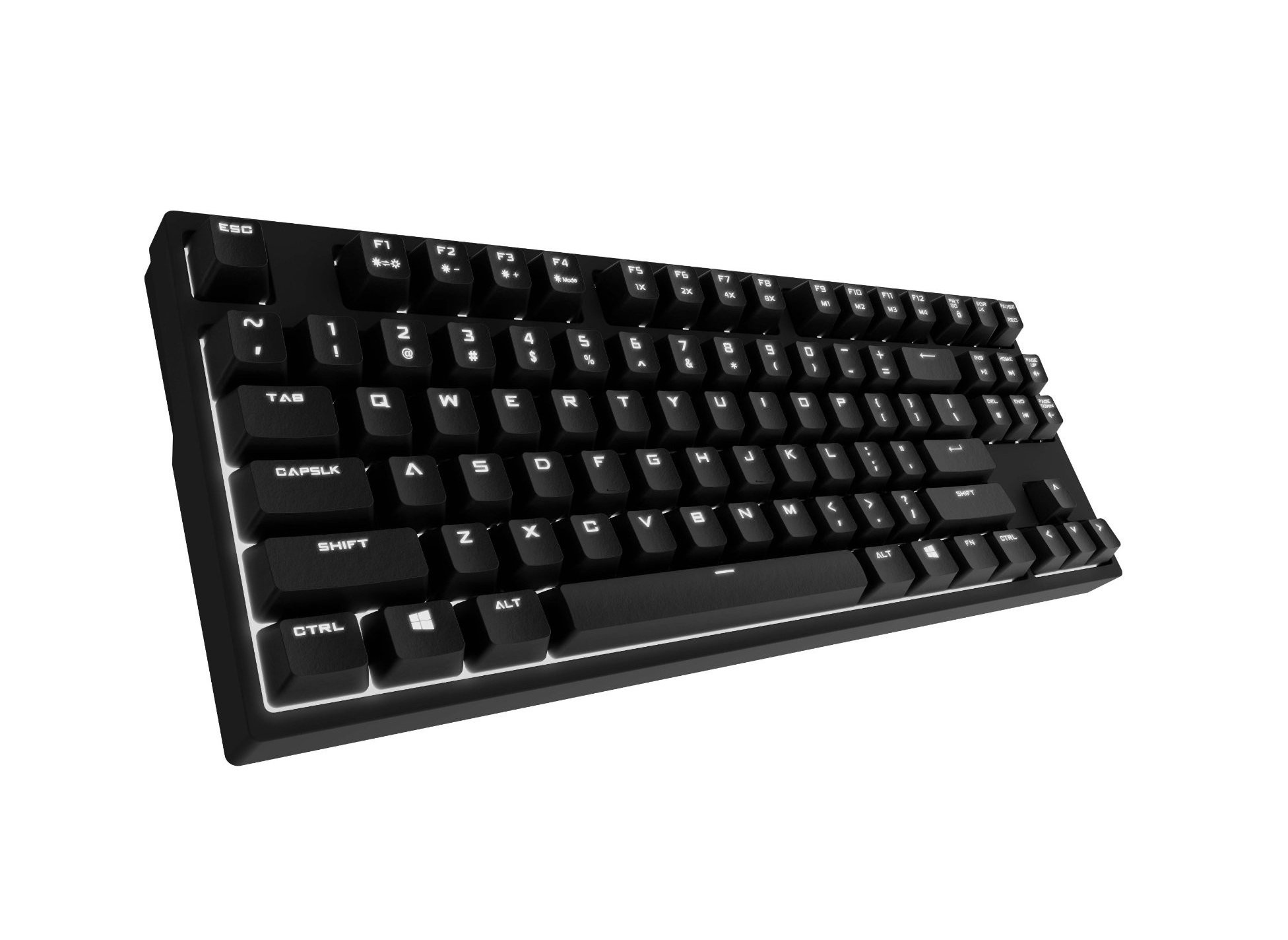
Image 1.1: Cooler Master CM Storm QuickFire Rapid-i Mechanical Gaming Keyboard.
2. เนื้อหาบรรจุภัณฑ์
ตรวจสอบว่ามีรายการทั้งหมดอยู่ในแพ็คเกจของคุณ:
- Cooler Master CM Storm QuickFire Rapid-i Keyboard
- 1.8m Detachable Braided USB Cable
- คู่มือการใช้งาน (เอกสารนี้)
3. คุณสมบัติของผลิตภัณฑ์
- Fully Mechanical CHERRY MX Brown Keyswitches: Provides tactile feedback with low noise, optimized for gaming.
- Tenkeyless Form Factor: Compact and ergonomic design for portability and improved mouse positioning.
- Fully White LED Backlit: Ensures visibility in low-light environments.
- ActivLite Technology: Features instant response and trailing light effects, powered by a 32-bit ARM processor.
- Individual Key Lighting: Allows saving up to 4 different lighting profileสำหรับแอปพลิเคชันหรือเกมต่างๆ
- 1.8m Detachable Braided Cable: Durable and convenient for transport.
- N-คีย์โรลโอเวอร์: Registers an unlimited number of simultaneous keypresses, preventing ghosting.
4. การตั้งค่า
4.1 การเชื่อมต่อคีย์บอร์ด
- Locate the detachable 1.8m braided USB cable.
- Connect the micro-USB end of the cable to the port on the back of the QuickFire Rapid-i keyboard.
- เชื่อมต่อปลายสาย USB-A มาตรฐานเข้ากับพอร์ต USB ที่ว่างอยู่บนคอมพิวเตอร์ของคุณ
- The keyboard is plug-and-play compatible with Windows operating systems and should be recognized automatically.

Image 4.1: Connecting the detachable USB cable to the keyboard.
5. คู่มือการใช้งาน
5.1 ฟังก์ชันพื้นฐานของแป้นพิมพ์
The QuickFire Rapid-i functions as a standard QWERTY keyboard. All keys perform their labeled actions. Special functions are typically accessed via the Function (Fn) key combined with other keys.
5.2 ActivLite Technology and LED Backlighting
The keyboard features fully white LED backlighting with ActivLite Technology, offering various lighting modes and effects. These effects are controlled directly from the keyboard using key combinations, without requiring software.
- ตอบกลับทันที: Keys light up immediately upon press.
- Trailing Effect: Keys remain lit for a short duration after being pressed, creating a trailing light effect.
- การปรับความสว่าง: ใช้ Fn+F1 (ลดความสว่าง) และ Fn+F2 (increase brightness) to adjust the LED intensity.
- โหมดแสงสว่าง: Cycle through various pre-programmed lighting modes using Fn+F3 ถึง Fn+F8. Refer to the keyboard's keycap legends for specific mode indicators.

ภาพที่ 5.1: อดีตample of LED backlighting on the QuickFire Rapid-i.
5.3 Per-Key Lighting and Profiles
The QuickFire Rapid-i allows users to customize individual key lighting and save up to 4 different profiles directly on the keyboard's onboard memory.
- Entering Customization Mode: กด Fn+F9 to enter the per-key lighting customization mode. The keyboard LEDs may flash to indicate this mode.
- Selecting Keys: Press any key you wish to toggle its LED on or off.
- Saving a Profile: Once your desired lighting pattern is set, press Fn+F10, Fn+F11, Fn+F12, หรือ Fn + Print Screen to save the current lighting pattern to one of the four available profiles. The keyboard will confirm the save.
- กำลังโหลด Profile: To load a saved profileเพียงแค่กด Fn+F10, Fn+F11, Fn+F12, หรือ Fn + Print Screen corresponding to the desired profile.
- Exiting Customization Mode: กด Fn+F9 again to exit customization mode.

Image 5.2: Customizing individual key lighting for a personalized profile.
5.4 การหมุนปุ่ม N-Key (NKRO)
The QuickFire Rapid-i supports N-Key Rollover, meaning every single keypress is registered accurately, regardless of how many keys are pressed simultaneously. This feature is crucial for fast-paced gaming where multiple commands might be executed at once.
6. การบำรุงรักษา
6.1 การทำความสะอาดแป้นพิมพ์
- ถอดแป้นพิมพ์ออกจากคอมพิวเตอร์ของคุณก่อนทำความสะอาด
- ใช้ผ้านุ่มไม่เป็นขุยเช็ดเล็กน้อยampชุบน้ำหรือน้ำยาทำความสะอาดอ่อนๆ เพื่อเช็ดปุ่มและตัวเครื่อง
- หลีกเลี่ยงการฉีดของเหลวลงบนแป้นพิมพ์โดยตรง
- สำหรับฝุ่นละอองและเศษต่างๆ ระหว่างคีย์ ให้ใช้ลมอัด
- Do not use harsh chemicals, abrasives, or solvents as they may damage the keyboard's finish or keycap legends.
6.2 การดูแลสายเคเบิล
- Avoid sharp bends or kinks in the detachable braided cable.
- When disconnecting, pull from the connector head, not the cable itself.
7 การแก้ไขปัญหา
7.1 แป้นพิมพ์ไม่ตอบสนอง
- ตรวจสอบให้แน่ใจว่าสาย USB เชื่อมต่อกับคีย์บอร์ดและคอมพิวเตอร์อย่างแน่นหนา
- ลองเชื่อมต่อคีย์บอร์ดกับพอร์ต USB อื่นบนคอมพิวเตอร์ของคุณ
- ทดสอบแป้นพิมพ์บนคอมพิวเตอร์เครื่องอื่นเพื่อตัดปัญหาเฉพาะระบบออกไป
- รีสตาร์ทเครื่องคอมพิวเตอร์ของคุณ
7.2 LED Backlighting Not Working or Flickering
- Check if the brightness is set to minimum using Fn+F1. Increase brightness with Fn+F2.
- หมุนเวียนผ่านโหมดแสงโดยใช้ Fn+F3 ถึง Fn+F8 to see if other modes function.
- Ensure you are not in a custom profile with all LEDs turned off. Try loading a different profile or resetting the lighting.
- ถอดและเสียบคีย์บอร์ดใหม่อีกครั้ง
7.3 Keys Not Registering Correctly (Ghosting)
- The QuickFire Rapid-i features N-Key Rollover, which should prevent ghosting. If you experience this, ensure the keyboard is connected directly to a USB port on your computer, not through a hub.
- Clean the affected keys as described in the Maintenance section.
- หากปัญหายังคงอยู่ โปรดติดต่อฝ่ายสนับสนุนของ Cooler Master
8. ข้อมูลจำเพาะ
| ยี่ห้อ | คูลเลอร์มาสเตอร์ |
| ชื่อรุ่น | SGK-4040-GKCB1 (CHERRY MX Brown switch) |
| หมายเลขรุ่น | SGK-4040-GKCM1-US |
| ประเภทสวิตซ์ | สวิตช์ Cherry MX สีน้ำตาล (แบบสัมผัส) |
| เทคโนโลยีการเชื่อมต่อ | Wired (Detachable USB Cable) |
| เค้าโครงแป้นพิมพ์ | QWERTY, Tenkeyless Form Factor |
| การแบ็คไลท์ | Fully White LED, ActivLite Technology, Per-Key Lighting |
| โปรเซสเซอร์ | 32-bit ARM Processor |
| การพลิกแป้น N | รองรับ |
| ความยาวสายเคเบิล | 1.8 meters (Braided, Detachable) |
| ระบบปฏิบัติการที่รองรับ | หน้าต่าง |
| ขนาดสินค้า (กว้าง x ยาว x สูง) | 14.13" x 5.43" x 1.54" (35.89 ซม. x 13.79 ซม. x 3.91 ซม.) |
| น้ำหนักสินค้า | 2.05 ปอนด์ (0.93 กก.) |
| วัสดุของตู้หุ้ม | พลาสติก |
9. การรับประกันและการสนับสนุน
9.1 ข้อมูลการรับประกัน
The Cooler Master CM Storm QuickFire Rapid-i Mechanical Gaming Keyboard comes with a รับประกัน 12 เดือน นับจากวันที่ซื้อ การรับประกันนี้ครอบคลุมข้อบกพร่องในการผลิตและปัญหาต่างๆ ที่เกิดขึ้นจากการใช้งานตามปกติ แต่ไม่ครอบคลุมความเสียหายที่เกิดจากการใช้งานผิดวิธี อุบัติเหตุ การดัดแปลงโดยไม่ได้รับอนุญาต หรือการบำรุงรักษาที่ไม่เหมาะสม
โปรดเก็บหลักฐานการซื้อของคุณไว้เพื่อเรียกร้องการรับประกัน
9.2 การสนับสนุนด้านเทคนิค
For technical assistance, troubleshooting beyond this manual, or warranty inquiries, please visit the official Cooler Master support website or contact their customer service department. Contact information can typically be found on the Cooler Master official webเว็บไซต์.
Note: Product specifications and warranty terms are subject to change without prior notice.