
การแนะนำ
This manual provides essential information for the proper use and maintenance of your VCOM Cat5e Molded Patch Cable, model NP511-150. This cable is designed for reliable network connectivity, facilitating data transfer between devices such as computers, routers, switches, and modems.
Please read this manual thoroughly before installation and use to ensure optimal performance and longevity of the product.
คุณสมบัติผลิตภัณฑ์
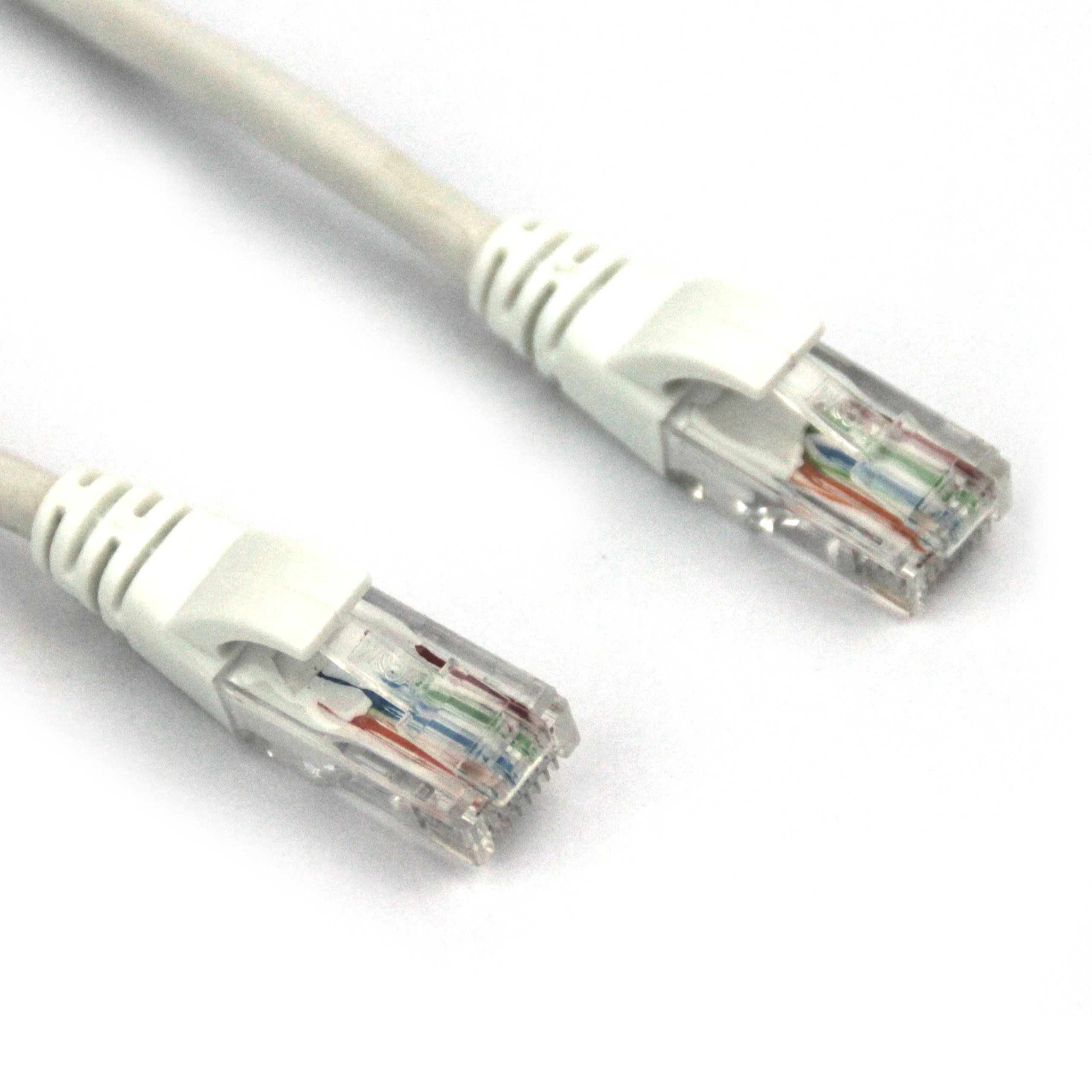
This image displays the VCOM Cat5e molded patch cable. It features two RJ45 connectors, one at each end, with clear plastic housings revealing the twisted pair wires inside. The connectors have white molded strain relief boots. The cable itself is white and appears durable.
- ประเภทสายเคเบิล: Cat5e UTP Molded Patch Cable 0.4CCA.
- ความยาวสายเคเบิล: 150 feet (approximately 45.72 meters).
- Molded Connectors: The RJ45 (8P8C) connectors feature injection-molded joint plastic for enhanced durability and ease of use.
- High-Quality Conductors: Metal wipers within the RJ45 connectors are stamped from Oxygen-Free Copper (OFC) pieces, ensuring optimal signal transmission.
- การปฏิบัติตามมาตรฐาน: Wire conduct adheres to Cat5e standards with 4 tight twisted pairs (8 cores).
- ฉนวนกันความร้อน: Core wires are insulated with HDPE material for superior insulation and minimal signal loss.
การตั้งค่า
- ระบุพอร์ต: Locate the Ethernet ports (RJ45) on the devices you wish to connect (e.g., router, modem, computer, network switch).
- Connect First Device: Insert one end of the VCOM Cat5e cable into an available Ethernet port on your first device. Ensure the connector clicks securely into place.
- เชื่อมต่ออุปกรณ์เครื่องที่สอง: Insert the other end of the VCOM Cat5e cable into an available Ethernet port on your second device. Again, ensure a secure click.
- ตรวจสอบการเชื่อมต่อ: Most devices will have an indicator light (LED) near the Ethernet port that illuminates or blinks when a successful connection is established.
Ensure that both devices are powered on and configured for network communication. Refer to the individual device manuals for specific network settings.
คำแนะนำการใช้งาน
The VCOM Cat5e Molded Patch Cable operates passively, transmitting data signals between connected devices. Once properly connected, the cable facilitates network communication without requiring any user interaction.
- การถ่ายโอนข้อมูล: The cable supports data transfer speeds up to 100 Mbps (Fast Ethernet) and is suitable for 10BASE-T and 100BASE-TX networks.
- Network Applications: Use for connecting to the internet, local area networks (LANs), streaming media, online gaming, and other network-dependent activities.
- ความเข้ากันได้: Compatible with any device featuring a standard RJ45 Ethernet port.
การซ่อมบำรุง
Proper care extends the life of your VCOM Cat5e cable. Follow these guidelines:
- หลีกเลี่ยงการดัด: Do not excessively bend, kink, or sharply fold the cable, as this can damage the internal wires and impair performance.
- ป้องกันขั้วต่อ: Handle the RJ45 connectors by the molded housing, not by the cable itself. Avoid pulling the cable by the wire when disconnecting.
- ความสะอาด : Keep the connectors free from dust and debris. If necessary, gently clean with a dry, lint-free cloth.
- พื้นที่จัดเก็บ: When not in use, coil the cable loosely and store it in a dry, temperate environment away from direct sunlight or extreme temperatures.
- การใช้สิ่งแวดล้อม: This cable is rated for both indoor and outdoor usage. However, for outdoor applications, ensure it is protected from direct exposure to harsh weather conditions to maximize longevity.
การแก้ไขปัญหา
| ปัญหา | สาเหตุที่เป็นไปได้ | สารละลาย |
|---|---|---|
| ไม่มีการเชื่อมต่อเครือข่าย | Cable not fully seated; damaged cable; incorrect port. | Ensure both RJ45 connectors are securely clicked into their respective ports. Try a different port on the device. Inspect the cable for visible damage (kinks, cuts). Test with another known-good cable if available. |
| ความเร็วเครือข่ายช้า | Cable damage; network congestion; device issues. | While Cat5e supports up to 1 Gbps over short distances, its typical performance for longer runs is 100 Mbps. Ensure your network devices are configured correctly. Check for other factors affecting network speed (e.g., router performance, internet service provider). Inspect the cable for damage. |
| การเชื่อมต่อเป็นระยะ | Loose connection; cable interference; faulty port. | Reseat both ends of the cable. Ensure the cable is not running parallel to power lines or other sources of electromagnetic interference. Test with another port or device. |
If troubleshooting steps do not resolve the issue, consider contacting VCOM customer support or consulting a network professional.
ข้อมูลจำเพาะ
| คุณลักษณะ | รายละเอียด |
|---|---|
| ยี่ห้อ | วีคอม |
| หมายเลขรุ่น | NP511-150 |
| ประเภทสายเคเบิล | Cat5e UTP Molded Patch Cable |
| ประเภทขั้วต่อ | RJ45 |
| เพศของตัวเชื่อมต่อ | ชายกับชาย |
| ความยาว | 150 ฟุต (ประมาณ 45.72 เมตร) |
| สี | สีขาว |
| Wire Conduct | 4 tight twisted pairs (8 cores), 0.4CCA |
| วัสดุฉนวน | เอชดีพีอี |
| การใช้งานภายใน/ภายนอกอาคาร | ในร่ม, กลางแจ้ง |
| น้ำหนักสินค้า | 2.58 ปอนด์ (ประมาณ 1.17 กก.) |
| ขนาดสินค้า (กxยxส) | 11.02 x 0.02 x 9.84 นิ้ว (บรรจุภัณฑ์) |
| ยูพีซี | 840273101192 |
การรับประกันและการสนับสนุน
VCOM products are manufactured to high-quality standards. For specific warranty information, please refer to the documentation included with your purchase or visit the official VCOM website. General support inquiries can often be resolved by consulting the troubleshooting section of this manual or by contacting VCOM customer service.
หากต้องการความช่วยเหลือเพิ่มเติม โปรดไปที่ VCOM Store on Amazon หรือช่องทางการสนับสนุนอย่างเป็นทางการของพวกเขา