
การแนะนำ
The Adesso AKB-132UB Multimedia Desktop Keyboard is designed to enhance your computing experience with its 104-key layout and integrated multimedia and internet hotkeys. This keyboard features quiet membrane key switches for a comfortable and responsive typing experience. It connects to your computer via a USB interface.
เนื้อหาแพ็คเกจ
โปรดตรวจสอบว่าสินค้าทั้งหมดมีอยู่ในแพ็คเกจของคุณ:
- Adesso AKB-132UB Multimedia Desktop Keyboard
- คู่มือเริ่มต้นอย่างรวดเร็ว
การตั้งค่า
- ปิดเครื่องคอมพิวเตอร์ของคุณ: For optimal installation, it is recommended to power off your computer before connecting the keyboard.
- เชื่อมต่อสาย USB: Locate an available USB port on your computer. Plug the USB connector of the Adesso AKB-132UB keyboard firmly into the USB port. Note: Some USB keyboards may be sensitive to the specific port used. If the keyboard does not function, try a different USB port, preferably one directly on the computer's motherboard (e.g., at the back of a desktop PC) rather than a USB hub.
- เปิดเครื่องคอมพิวเตอร์ของคุณ: Turn on your computer. The operating system should automatically detect and install the necessary drivers for the keyboard.
- ตรวจสอบการทำงาน: Once the drivers are installed, test the keyboard by typing in a text editor or navigating your system. The Num Lock, Caps Lock, and Scroll Lock indicator lights should function correctly.
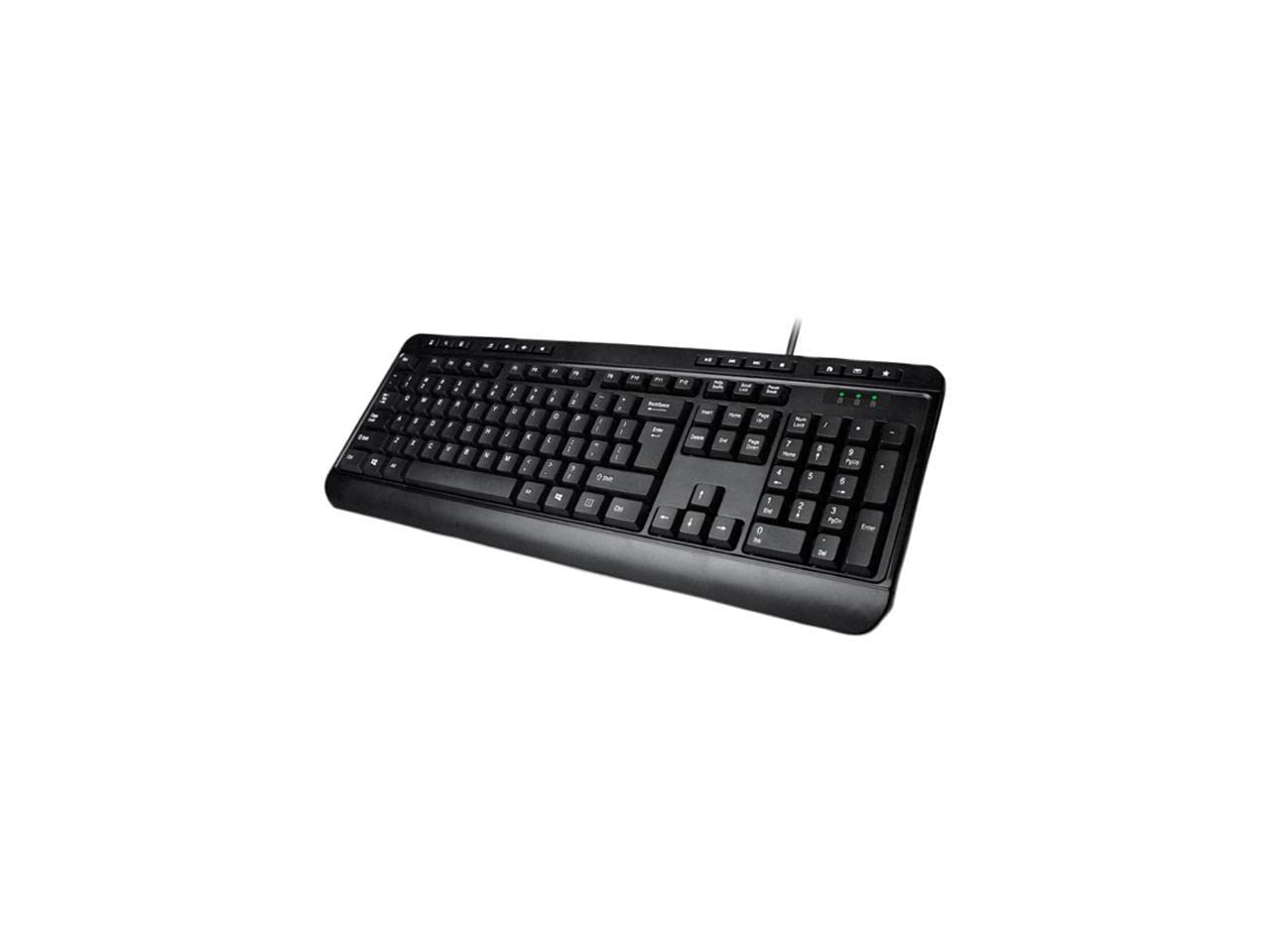
Image: Adesso AKB-132UB Multimedia Desktop Keyboard. This image shows the full keyboard with its standard 104-key layout and the attached USB cable for connection.
คำแนะนำการใช้งาน
ฟังก์ชันแป้นพิมพ์มาตรฐาน
The Adesso AKB-132UB features a standard 104-key US layout. Keys operate as labeled. The keyboard utilizes membrane switches, providing a quiet and tactile typing experience.
- ไฟแสดงสถานะ: Located above the numeric keypad, these lights indicate the status of Num Lock, Caps Lock, and Scroll Lock.
- ปรับความเอียงได้: The keyboard includes foldable feet on the underside to adjust the typing angle for comfort.
ปุ่มลัดมัลติมีเดีย
The keyboard includes 8 dedicated multimedia hotkeys for quick access to media player controls:
- เครื่องเล่นสื่อ: Opens your default media player application.
- ลดเสียงลง: ลดปริมาตรของระบบลง
- ปรับระดับเสียงขึ้น: เพิ่มปริมาตรของระบบ
- ปิดเสียง: Toggles the system sound on or off.
- เล่น/หยุดชั่วคราว: เล่นหรือหยุดการเล่นสื่อชั่วคราว
- แทร็กก่อนหน้า: Skips to the previous track in your media player.
- เพลงถัดไป: Skips to the next track in your media player.
- หยุด: หยุดการเล่นสื่อ
Windows & Internet Hotkeys
The keyboard also features 6 hotkeys for common Windows and Internet functions:
- คอมพิวเตอร์ของฉัน: Opens the "This PC" or "My Computer" window.
- ค้นหา: Opens the system search utility.
- เครื่องคิดเลข: Launches the Windows Calculator application.
- เมล: เปิดโปรแกรมอีเมลเริ่มต้นของคุณ
- บ้าน: เปิดค่าเริ่มต้นของคุณ web เบราว์เซอร์จะพาคุณไปยังหน้าแรกของเว็บไซต์
- รายการโปรด: เปิดของคุณ web browser's favorites/bookmarks.
ข้อมูลจำเพาะ
| คุณสมบัติ | รายละเอียด |
|---|---|
| ยี่ห้อ | อาเดสโซ |
| หมายเลขรุ่น | AKB-132UB |
| เทคโนโลยีการเชื่อมต่อ | สาย (USB) |
| เค้าโครงแป้นพิมพ์ | 104-Key US Layout (QWERTY) |
| ประเภทกุญแจ | สวิตซ์เมมเบรน |
| ปุ่มลัดมัลติมีเดีย | 8 (เครื่องเล่นมีเดีย, ลดระดับเสียง, เพิ่มระดับเสียง, ปิดเสียง, เล่น/หยุดชั่วคราว, เพลงก่อนหน้า, เพลงถัดไป, หยุด) |
| Windows & Internet Hotkeys | 6 (คอมพิวเตอร์ของฉัน, ค้นหา, เครื่องคิดเลข, อีเมล, หน้าแรก, รายการโปรด) |
| ตัวบ่งชี้ | ล็อคตัวเลข, ล็อค Caps, ล็อคการเลื่อน |
| วงจรชีวิต | การกดแป้น 5 ล้านครั้ง |
| สี | สีดำ |
| วัสดุ | พลาสติก |
| น้ำหนักสินค้า | 1.5 ปอนด์ |
การแก้ไขปัญหา
- แป้นพิมพ์ไม่ตอบสนอง:
- ตรวจสอบให้แน่ใจว่าสาย USB เชื่อมต่อกับพอร์ต USB ที่ใช้งานได้บนคอมพิวเตอร์ของคุณอย่างแน่นหนา
- Try plugging the keyboard into a different USB port, especially a direct port on the computer's rear, bypassing any USB hubs.
- Restart your computer to allow the operating system to re-detect the device.
- ลองทดสอบแป้นพิมพ์กับคอมพิวเตอร์เครื่องอื่นเพื่อตรวจสอบว่าปัญหาเกิดจากแป้นพิมพ์หรือการตั้งค่าของคอมพิวเตอร์ของคุณ
- Keys Not Functioning Correctly or Unexpected Characters:
- ตรวจสอบให้แน่ใจว่าได้เลือกรูปแบบแป้นพิมพ์ที่ถูกต้องในการตั้งค่าระบบปฏิบัติการของคุณแล้ว
- ตรวจสอบให้แน่ใจว่าไม่มีวัตถุแปลกปลอมติดอยู่ใต้กุญแจ
- For specific keys like the 'Enter' key, be aware that some keyboard layouts may place the backslash key adjacent to it. Familiarization with the physical layout is key.
- Wobbly Keyboard:
- Ensure the keyboard is placed on a flat, stable surface.
- Check if the adjustable tilt feet are fully extended or retracted evenly.
การซ่อมบำรุง
To maintain the performance and longevity of your Adesso AKB-132UB keyboard:
- การทำความสะอาด: ใช้แปรงนุ่มๆ ปัดเบาๆamp cloth to wipe the surface of the keyboard. Avoid using harsh chemicals or abrasive cleaners. For cleaning between keys, use compressed air to remove dust and debris.
- หลีกเลี่ยงการหกเลอะ: เก็บของเหลวให้ห่างจากแป้นพิมพ์เพื่อป้องกันไม่ให้ส่วนประกอบภายในได้รับความเสียหาย
- พื้นที่จัดเก็บ: เมื่อไม่ได้ใช้งานเป็นเวลานาน ควรเก็บแป้นพิมพ์ไว้ในที่สะอาดและแห้ง
การรับประกันและการสนับสนุน
The Adesso AKB-132UB Multimedia Desktop Keyboard comes with a รับประกันจำกัด 1 ปี ตั้งแต่วันที่ซื้อ การรับประกันนี้ครอบคลุมถึงข้อบกพร่องในวัสดุและฝีมือการผลิตภายใต้การใช้งานปกติ
For technical support, warranty claims, or further assistance, please contact Adesso customer service. Refer to the official Adesso webเว็บไซต์สำหรับข้อมูลการติดต่อล่าสุด
หมายเหตุ: ผลิตภัณฑ์นี้มีสารเคมีที่รัฐแคลิฟอร์เนียระบุว่าอาจก่อให้เกิดมะเร็ง ความพิการแต่กำเนิด หรืออันตรายต่อระบบสืบพันธุ์อื่นๆ