
การแนะนำ
The Sitecom CN-071 4-Port USB 3.0 Hub expands your desktop or laptop computer with four additional USB 3.0 ports. This hub utilizes the USB 3.0 standard, offering data transfer speeds up to 5 Gbps, which is significantly faster than USB 2.0. It also provides increased bandwidth, allowing for simultaneous data transmission and reception. This makes the USB 3.0 hub suitable for connecting external hard drives and copying large files, such as high-definition movies or music.
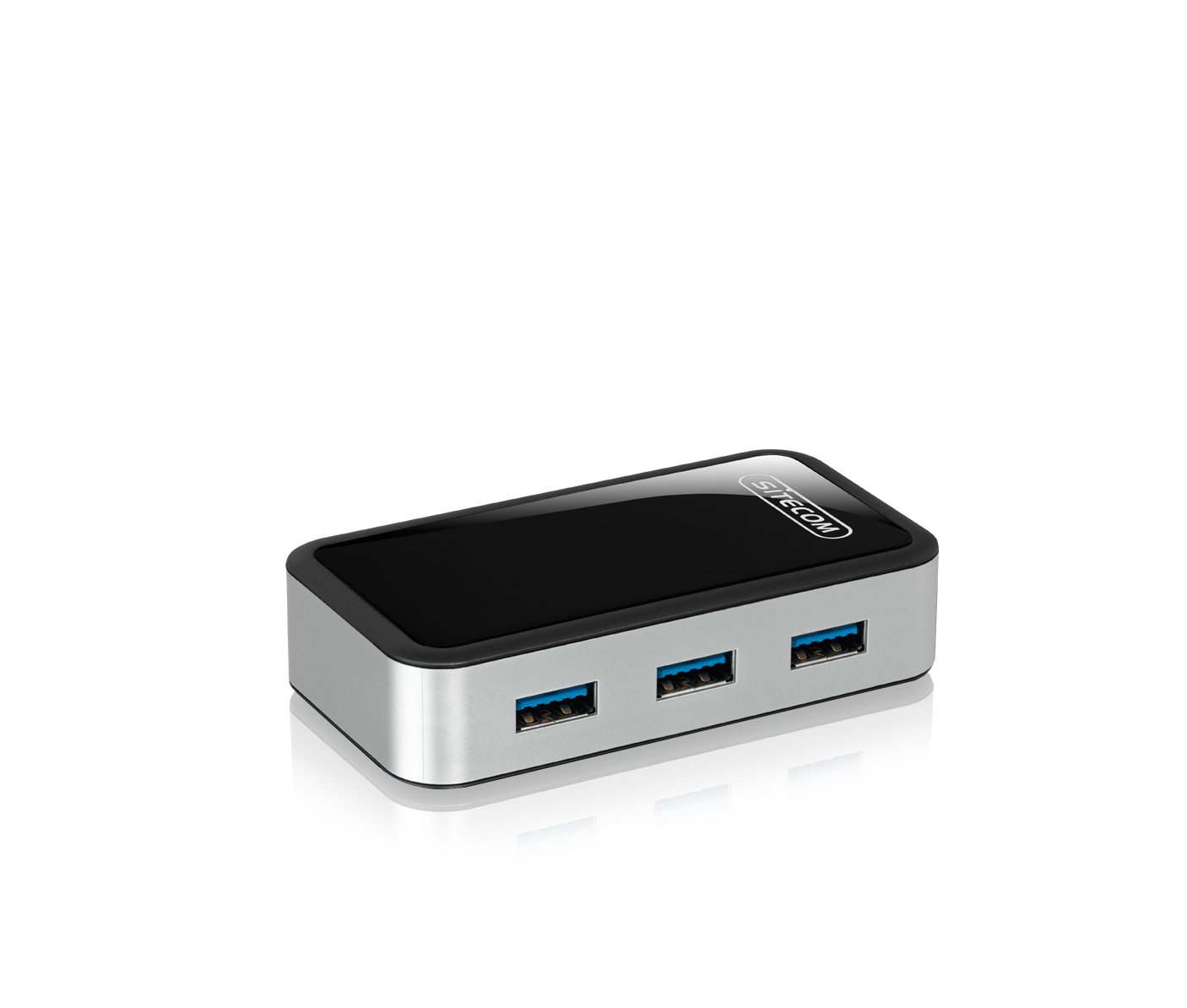
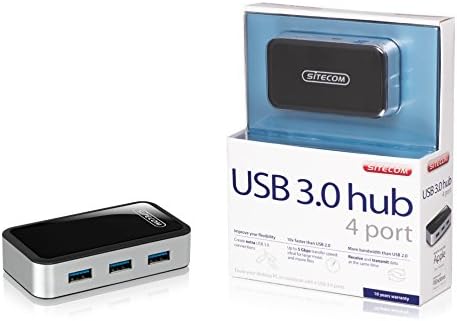
Image: The Sitecom CN-071 4-Port USB 3.0 Hub shown alongside its retail packaging.
การตั้งค่า
- แกะกล่อง Hub: Carefully remove the Sitecom CN-071 USB 3.0 Hub and the included USB 3.0 A to Micro B cable from its packaging.
- เชื่อมต่อกับคอมพิวเตอร์: Connect the Micro B end of the included USB 3.0 cable to the corresponding port on the Sitecom CN-071 hub. Connect the standard USB A end of the cable to an available USB 3.0 port on your computer.
- Power Connection (Optional/Recommended): For optimal performance, especially when connecting multiple high-power devices (e.g., external hard drives), it is recommended to use an external 5V power adapter (not included). Connect the power adapter to the DC input port on the hub.
- เชื่อมต่ออุปกรณ์: Plug your USB devices (e.g., flash drives, external hard drives, keyboards, mice) into the available USB 3.0 ports on the hub. Your operating system should automatically detect and install the necessary drivers.
ภาพ: ภาพระยะใกล้ view of the Sitecom CN-071 hub, highlighting its four USB 3.0 ports and sleek design.
คำแนะนำการใช้งาน
- ปลั๊กแอนด์เพลย์: The Sitecom CN-071 hub is designed for plug-and-play operation. Once connected to your computer, it is ready for use without additional software installation.
- การถ่ายโอนข้อมูลความเร็วสูง: Utilize the USB 3.0 ports for devices that support USB 3.0 to achieve data transfer speeds of up to 5 Gbps. This is ideal for transferring large fileได้อย่างรวดเร็ว
- ความเข้ากันได้แบบย้อนกลับ: The hub is fully backward compatible with USB 2.0 and USB 1.1 devices. Older devices will function at their respective maximum speeds.
- การทำงานพร้อมกัน: Connect up to four USB devices simultaneously. The USB 3.0 standard allows for efficient data flow, enabling both data transmission and reception at the same time.
การซ่อมบำรุง
- การทำความสะอาด: To clean the hub, gently wipe it with a soft, dry cloth. Do not use liquid cleaners or abrasive materials, as these can damage the device.
- พื้นที่จัดเก็บ: เมื่อไม่ได้ใช้งาน ให้เก็บฮับไว้ในที่แห้งและเย็น หลีกเลี่ยงแสงแดดโดยตรงและอุณหภูมิที่สูงหรือต่ำเกินไป
- การจัดการ: ควรหลีกเลี่ยงการทำดุมล้อตกหรือการกระแทกอย่างรุนแรง ซึ่งอาจทำให้ชิ้นส่วนภายในเสียหายได้
การแก้ไขปัญหา
- ไม่รู้จักอุปกรณ์:
- Ensure the hub is securely connected to a USB port on your computer.
- Try connecting the device directly to your computer's USB port to verify if the device itself is functioning correctly.
- If connecting high-power devices, ensure an external power adapter is connected to the hub.
- ลองเชื่อมต่อฮับเข้ากับพอร์ต USB อื่นบนคอมพิวเตอร์ของคุณ
- รีสตาร์ทเครื่องคอมพิวเตอร์ของคุณ
- ความเร็วในการถ่ายโอนข้อมูลช้า:
- Ensure both the hub and the connected device are using USB 3.0. If either is USB 2.0, speeds will be limited to USB 2.0 rates.
- Verify that the hub is connected to a USB 3.0 port on your computer. USB 3.0 ports are often blue.
- If multiple high-power devices are connected, ensure an external power adapter is used with the hub. Insufficient power can lead to reduced performance.
- Avoid connecting the hub through other USB hubs or extenders, as this can affect performance.
- ฮับตัดการเชื่อมต่อโดยไม่ทราบสาเหตุ:
- This often indicates insufficient power. Connect an external 5V power adapter to the hub, especially if using multiple or high-power devices.
- Ensure the USB cable connecting the hub to the computer is not damaged and is securely connected.
ข้อมูลจำเพาะ
| หมายเลขรุ่น: | CMPSC-CN071 |
| อินเทอร์เฟซ: | พอร์ต USB 3.0 (สามารถใช้งานร่วมกับ USB 2.0/1.1 ได้) |
| จำนวนพอร์ต: | พอร์ต USB 4 จำนวน 3.0 พอร์ต |
| อัตราการถ่ายโอนข้อมูล: | สูงสุดถึง 5 Gbps |
| สี: | สีดำ |
| ขนาด (สินค้า): | Compact design (Specific dimensions not provided for the hub itself, only packaging) |
| รวมอยู่ในกล่อง: | USB 3.0 A to Micro B Cable |
ข้อมูลการรับประกัน
For detailed warranty information, please refer to the "Terms and Conditions" section on the official Sitecom website or contact Sitecom customer support. Warranty terms may vary by region and purchase date.
สนับสนุน
If you encounter any issues not covered in this manual or require further assistance, please visit the official Sitecom webไซต์สำหรับทรัพยากรสนับสนุน คำถามที่พบบ่อย และข้อมูลการติดต่อ
Official Sitecom Webเว็บไซต์: www.sitecom.com