การแนะนำ
The JAM XT Extreme Wireless Speaker is designed for robust performance in various environments. Featuring an IP64 rating, it is splash-proof, drop-proof, and dirt-proof, making it suitable for outdoor adventures and demanding work sites. This portable Bluetooth speaker offers high-quality sound and hands-free calling, connecting wirelessly to most Bluetooth-enabled devices up to 30 feet away. Its integrated carabiner clip provides convenient transport and versatile mounting options.
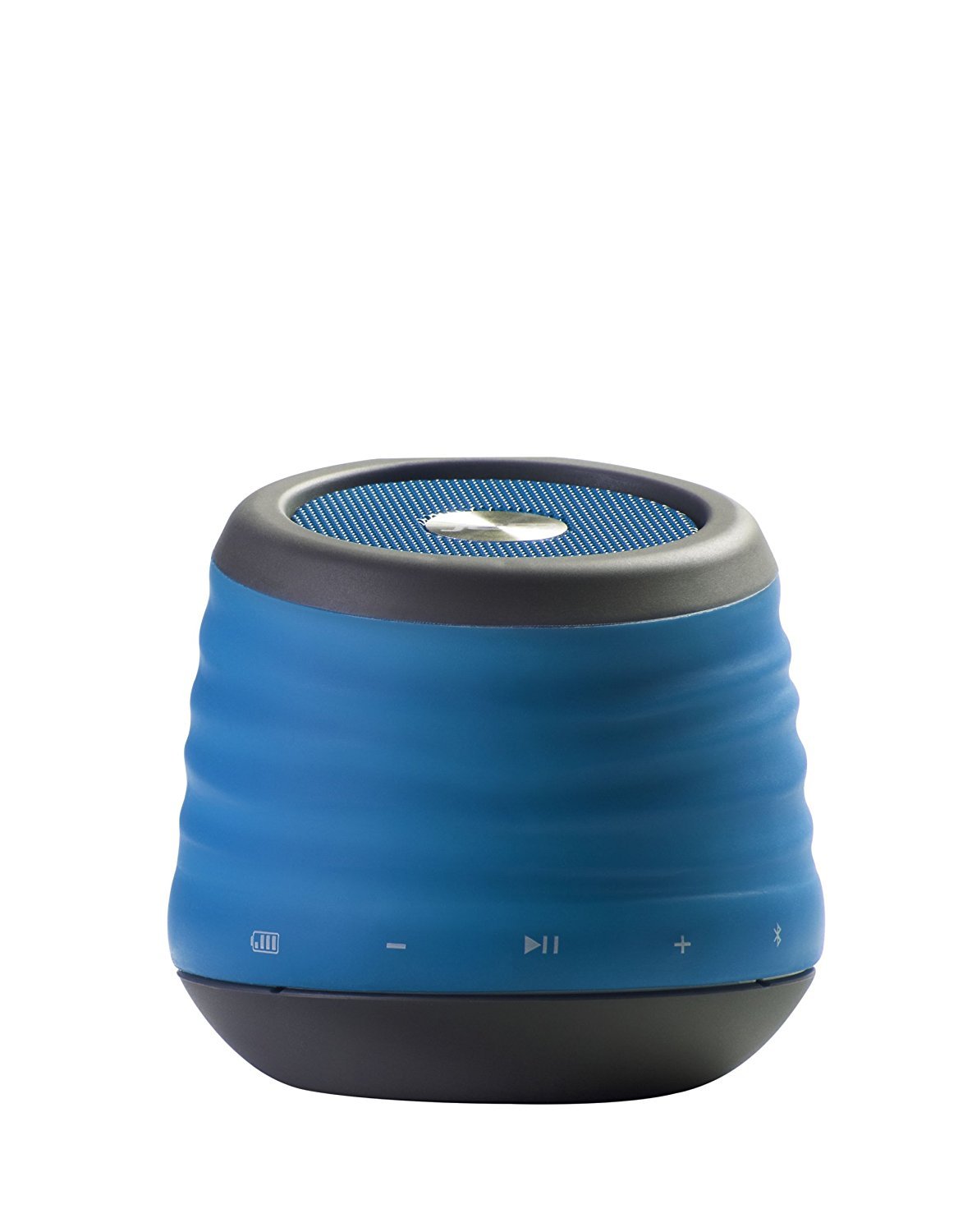
Image: The JAM XT Extreme Wireless Speaker in blue, featuring its durable design and integrated carabiner clip for portability.
มีอะไรอยู่ในกล่อง
- JAM XT Extreme Wireless Speaker (Model: HX-P430BL)
- สายชาร์จ USB
- คู่มือการใช้งาน
การตั้งค่า
1. ชาร์จลำโพง
Before initial use, fully charge your JAM XT Extreme speaker. Connect the included USB charging cable to the speaker's charging port and a compatible USB power source (e.g., computer, wall adapter). The LED indicator will show charging status. A full charge provides up to 8 hours of wireless play.

Image: Visual representation of the speaker's rechargeable battery, indicating its capacity for up to 8 hours of wireless playback.
2. การเปิด/ปิดเครื่อง
Locate the power button on the bottom of the unit. Press and hold the power button for a few seconds to turn the speaker ON or OFF. A sound prompt will indicate the power status.

ภาพ: ภาพระยะใกล้ view of the JAM XT Extreme speaker's base, highlighting the power button for easy access.
3. การจับคู่บลูทู ธ
- Ensure the speaker is powered ON and in pairing mode (indicated by a flashing LED).
- บนอุปกรณ์ของคุณ (สมาร์ทโฟน แท็บเล็ต แล็ปท็อป) เปิดใช้งาน Bluetooth และค้นหาอุปกรณ์ที่มีอยู่
- Select "JAM XT Extreme" from the list of devices.
- Once paired, the speaker will emit a confirmation tone, and the LED will turn solid.
The speaker has a Bluetooth wireless range of up to 30 feet and is compatible with most Bluetooth-enabled devices, including iPhone, Android, iPad, and iPod.

Image: A visual representation of the speaker connecting wirelessly to a device via Bluetooth.
4. การเชื่อมต่อแบบไลน์อิน
For devices without Bluetooth capability, use the line-in port on the speaker with a standard 3.5mm audio cable (not included) to connect your audio source.
การใช้งานลำโพง
1. การควบคุมพื้นฐาน
- เล่น/หยุดชั่วคราว: กดปุ่มเล่น/หยุดชั่วคราวเพื่อเริ่มหรือหยุดการเล่นเสียง
- เพิ่ม/ลดระดับเสียง: ใช้ปุ่ม '+' และ '-' เพื่อปรับระดับเสียง
- ข้ามแทร็ก: Press and hold the '+' button to skip to the next track. Press and hold the '-' button to go to the previous track.
2. ฟังก์ชั่นลำโพงโทรศัพท์
When connected via Bluetooth, the JAM XT Extreme speaker can be used as a speakerphone. Answering and ending calls can typically be done directly from your connected device.
3. การใช้งานคลิปคาราบิเนอร์
The integrated fold-out carabiner clip allows for easy attachment to backpacks, bags, belt loops, or even hanging from a tree branch or tent for optimal sound projection and portability.

Image: The blue JAM XT Extreme speaker securely clipped to a backpack, showcasing its design for convenient outdoor use.

Image: The JAM XT Extreme speaker hanging from a tree branch, illustrating its adaptability for various outdoor settings.
การซ่อมบำรุง
1. การทำความสะอาด
The speaker is IP64 rated for splash, drop, and dirt resistance. To clean, gently wipe the exterior with a soft, damp cloth. Do not use harsh chemicals or abrasive cleaners. Ensure all port covers are securely closed before exposing the speaker to water or dirt.
2. การดูแลแบตเตอรี่
To prolong the life of the rechargeable lithium-ion battery, avoid fully discharging it frequently. Recharge the speaker regularly, especially if it will not be used for an extended period. Store in a cool, dry place.
3. การจัดเก็บ
When not in use, store the speaker in a dry environment away from extreme temperatures and direct sunlight. Ensure the carabiner clip is folded in or secured to prevent damage.
การแก้ไขปัญหา
- ไม่มีไฟฟ้า: Ensure the speaker is fully charged. Connect to a power source and try turning it on again.
- ไม่สามารถจับคู่ผ่านบลูทูธ:
- Ensure Bluetooth is enabled on your device and the speaker is in pairing mode.
- ย้ายลำโพงให้เข้าใกล้อุปกรณ์ของคุณมากขึ้น (ภายในระยะ 30 ฟุต)
- ปิดและเปิดลำโพงและบลูทูธของอุปกรณ์ของคุณ
- If previously paired, try 'forgetting' the device on your phone's Bluetooth settings and re-pairing.
- ไม่มีเสียง:
- ตรวจสอบระดับเสียงทั้งบนลำโพงและอุปกรณ์ที่เชื่อมต่อของคุณ
- Ensure the speaker is correctly paired or connected via line-in.
- If using line-in, ensure the cable is fully inserted into both devices.
- คุณภาพเสียงไม่ดี:
- Move the speaker closer to your device to improve Bluetooth signal strength.
- ตรวจสอบให้แน่ใจว่าไม่มีสิ่งกีดขวางระหว่างลำโพงและอุปกรณ์ของคุณ
- ตรวจสอบแหล่งเสียงเพื่อดูปัญหาด้านคุณภาพ
ข้อมูลจำเพาะ
| คุณสมบัติ | ข้อมูลจำเพาะ |
|---|---|
| ยี่ห้อ | เสียงติดขัด |
| หมายเลขรุ่น | HX-P430BL |
| ชื่อรุ่น | XT Extreme |
| เทคโนโลยีการเชื่อมต่อ | บลูทูธ, ยูเอสบี |
| เทคโนโลยีไร้สาย | บลูทูธ |
| ช่วงบลูทูธ | 30 ฟุต |
| กำลังขับสูงสุดของลำโพง | 3 วัตต์ |
| โหมดเอาต์พุตเสียง | สเตอริโอ |
| อายุการใช้งานแบตเตอรี่ | Up to 8 hours of wireless play |
| แหล่งพลังงาน | ใช้พลังงานจากแบตเตอรี่ (รวมแบตเตอรี่ลิเธียมไอออน 1 ก้อน) |
| ระดับความทนทาน | IP64 (Splash proof, Drop proof, Dirt proof) |
| วิธีการควบคุม | สัมผัส |
| น้ำหนักสินค้า | 8.8 ออนซ์ |
| สี | สีฟ้า |
| คุณสมบัติพิเศษ | Carabiner Clip, Built-in Speakerphone, Portable |
การรับประกันและการสนับสนุน
The JAM XT Extreme Wireless Speaker comes with a Limited Warranty. For detailed warranty information, product support, or to register your product, please visit the official Jam Audio Store or refer to the warranty card included with your purchase.