
การแนะนำ
This manual provides essential information for setting up, operating, and maintaining your Nokia 114 Dual SIM mobile phone. Please read these instructions carefully to ensure proper use and to maximize the device's performance and longevity.
การตั้งค่า
1. การติดตั้งซิมการ์ด
The Nokia 114 supports two Mini SIM cards. Follow these steps to install your SIM cards:
- ปิดโทรศัพท์และถอดฝาหลังออก
- Locate the SIM card slots. The phone features an Easy Swap function for convenient SIM management.
- Insert your Mini SIM cards into the designated slots, ensuring the gold contacts face downwards and the cut corner aligns correctly.
- เปลี่ยนฝาหลัง

Image: Nokia 114 with two Mini SIM cards being inserted.
2. การติดตั้งแบตเตอรี่
ในการติดตั้งแบตเตอรี่:
- With the back cover removed, align the Nokia BL-5C 1020 mAh Lithium-Ion battery with the battery compartment.
- ค่อยๆ กดแบตเตอรี่ลงไปจนแน่นสนิท
- เปลี่ยนฝาหลัง
3. การชาร์จแบตเตอรี่
Before first use, fully charge the battery using the provided Nokia Charger AC-11.
- เสียบสายชาร์จเข้ากับพอร์ตชาร์จของโทรศัพท์
- เสียบที่ชาร์จเข้ากับเต้ารับที่ผนัง
- ตัวแสดงสถานะแบตเตอรี่บนหน้าจอจะแสดงความคืบหน้าการชาร์จ
- เมื่อชาร์จเต็มแล้ว ให้ถอดเครื่องชาร์จออก
คำแนะนำการใช้งาน
1. เปิด/ปิดเครื่อง
- ในการเปิดเครื่อง ให้กดปุ่มเปิด/ปิดค้างไว้จนกว่าโทรศัพท์จะสั่นและหน้าจอจะสว่างขึ้น
- To power off, press and hold the Power key, then select 'Power off' from the options.
2. การโทรและการส่งข้อความ
- Use the keypad to dial a number and press the Call key to initiate a call.
- To send a message, navigate to the 'Messages' menu, select 'Create message', type your text using the keypad, and send it to the desired recipient.
3. การแสดงผลและการนำทาง
The Nokia 114 features a 1.8-inch portrait QVGA LCD transmissive display with 128 x 160 pixels resolution. Navigation is primarily done using the physical keypad.
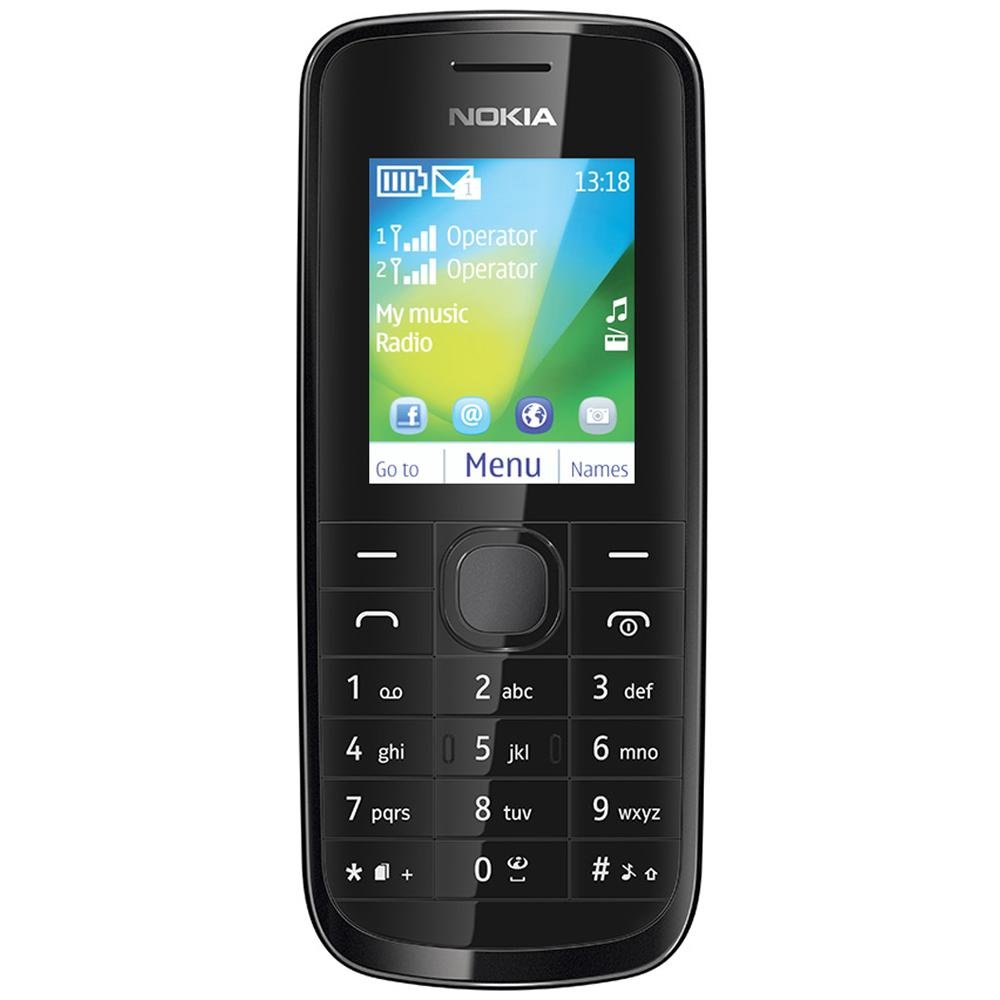
ภาพ: ด้านหน้า view of the Nokia 114 mobile phone.
4. การใช้กล้อง
The phone is equipped with a 0.3 MP rear camera. It supports basic photography features:
- Image Editor: Basic editing functions for captured photos.
- ซูมดิจิตอล 4 เท่า: Magnify subjects before capturing.
- การชดเชยแสง: ปรับระดับความสว่าง
- การวางแนวภูมิทัศน์: Capture photos in a wider format.
- The screen acts as a full-screen viewตัวค้นหา
5. หน่วยความจำและที่เก็บข้อมูล
The Nokia 114 has 16 MB of internal memory and supports expandable memory up to 32 GB via a microSD card (not included). This allows for storage of photos, music, and other files.
6. การเชื่อมต่อ
The device supports 2G networks for calls and basic internet access. It does not support 3G or Wi-Fi connectivity.
7.คุณสมบัติพิเศษ
- อีเมล: Access your email accounts on the go.
- วิทยุ FM: ฟังสถานีวิทยุที่คุณชื่นชอบ
- Video Player & Music Player: Enjoy multimedia content.
- Internet & Facebook: พื้นฐาน web browsing and social media access.
- เกม: Pre-installed games for entertainment.
การซ่อมบำรุง
1. การดูแลทั่วไป
- ควรเก็บโทรศัพท์ให้แห้ง ฝน ความชื้น และของเหลวทุกชนิดอาจมีแร่ธาตุที่กัดกร่อนวงจรไฟฟ้าได้
- Do not use or store the phone in dusty or dirty areas.
- Do not store the phone in high temperatures. High temperatures can shorten the life of electronic devices, damage batteries, and warp or melt certain plastics.
- Do not store the phone in cold temperatures. When the phone returns to its normal temperature, moisture can form inside the phone and damage electronic circuit boards.
- Do not attempt to open the phone other than as instructed in this manual.
- อย่าทำโทรศัพท์ตก กระแทก หรือเขย่า การใช้งานอย่างไม่ระมัดระวังอาจทำให้แผงวงจรภายในและกลไกที่ซับซ้อนเสียหายได้
- อย่าใช้สารเคมีที่รุนแรง ตัวทำละลายในการทำความสะอาด หรือผงซักฟอกชนิดเข้มข้นในการทำความสะอาดโทรศัพท์
2. การดูแลแบตเตอรี่
- Only use original Nokia batteries and chargers.
- อย่าให้แบตเตอรี่ลัดวงจร
- อย่าให้แบตเตอรี่สัมผัสกับอุณหภูมิที่สูงเกินไป
การแก้ไขปัญหา
If you encounter issues with your Nokia 114, try the following basic troubleshooting steps:
- โทรศัพท์ไม่เปิด: ตรวจสอบให้แน่ใจว่าได้ติดตั้งแบตเตอรี่อย่างถูกต้องและชาร์จแบตเตอรี่เรียบร้อยแล้ว ลองชาร์จโทรศัพท์อย่างน้อย 30 นาทีก่อนที่จะลองเปิดเครื่องอีกครั้ง
- คุณภาพการโทรไม่ดี: Check your network signal strength. Move to an area with better reception. Ensure the earpiece/speaker is not obstructed.
- Keypad auto-locks: This is a standard feature. To unlock, follow the on-screen instructions, usually by pressing a specific key combination.
- Dual SIM not functioning: Verify both SIM cards are correctly inserted and activated by your service provider. Check SIM settings in the phone menu.
- Phone freezing or unresponsive: Remove the battery, wait a few seconds, and then reinsert it and power on the phone.
For more complex issues, refer to the visual user guide included in the box or contact Nokia customer support.
ข้อมูลจำเพาะ
| คุณสมบัติ | รายละเอียด |
|---|---|
| ยี่ห้อ | โนเกีย |
| แบบอย่าง | 114 |
| แสดง | 1.8-inch QVGA LCD (128 x 160 pixels) |
| กล้อง | กล้องหลัง 0.3 MP |
| Memory (Internal) | 16MB |
| หน่วยความจำที่ขยายได้ | ความจุสูงสุด 32 GB (microSD) |
| จำนวนช่องใส่ซิมการ์ด | Dual SIM (Mini) |
| เทคโนโลยีเซลลูล่าร์ | 2จี (จีเอสเอ็ม) |
| ระบบปฏิบัติการ | Nokia Series 40 Asha |
| ความจุของแบตเตอรี่ | ลิเธียมไอออน 1020 mAh |
| เวลาสนทนา | สูงสุด 10.5 ชั่วโมง (630 นาที) |
| ขนาด (กว้าง x ยาว x สูง) | 11 x 4.6 x 1.5 ซม. |
| น้ำหนัก | 80 กรัม |
| อินเทอร์เฟซของมนุษย์ | แป้นพิมพ์ตัวเลข |
| วัสดุ | พลาสติก |
มีอะไรอยู่ในกล่อง
Your Nokia 114 package includes the following items:
- Nokia 114 โทรศัพท์มือถือ
- Nokia Charger AC-11
- Nokia Battery BL-5C 1020 mAh
- Nokia Stereo Headset WH-102
- Visual User Guide
สินค้าเกินview วีดีโอ
ดูวิดีโอนี้เพื่อดูภาพรวมอย่างรวดเร็วview of the Nokia 114's features and contents.
วิดีโอ: สั้นๆ สั้นๆview of the Nokia 114 mobile phone, highlighting its display, camera, memory, connectivity, operating system, special features, and included accessories.
การรับประกันและการสนับสนุน
The Nokia 114 comes with a 1-year manufacturer warranty for the device and a 6-month manufacturer warranty for in-box accessories, including batteries, from the date of purchase. For warranty claims or technical support, please refer to the contact information provided in your visual user guide or visit the official Nokia support webเว็บไซต์.