
การแนะนำ
This manual provides essential information for the safe and efficient operation of your Eaton 5PX 3000 2U Rack/Tower LCD Uninterruptible Power Supply (UPS). The Eaton 5PX 3000 is designed to provide reliable power protection for servers, storage, and network equipment. Please read this manual thoroughly before installation and operation.
ข้อมูลด้านความปลอดภัย
โปรดปฏิบัติตามข้อควรระวังด้านความปลอดภัยต่อไปนี้เพื่อป้องกันการบาดเจ็บและความเสียหายต่อเครื่องสำรองไฟ (UPS) หรืออุปกรณ์ที่เชื่อมต่อ:
- ความปลอดภัยทางไฟฟ้า: หน่วยนี้มีปริมาณอันตรายtagหมายเหตุ: ห้ามเปิดฝาครอบ UPS การซ่อมบำรุงควรดำเนินการโดยบุคลากรที่มีคุณสมบัติเท่านั้น
- ความปลอดภัยของแบตเตอรี่: Batteries can present a risk of electrical shock and high short-circuit current. Remove watches, rings, or other metal objects before handling batteries. Use tools with insulated handles.
- สภาพแวดล้อมการติดตั้ง: Install the UPS in a controlled environment, free from excessive dust, moisture, and extreme temperatures. Ensure adequate ventilation.
- การต่อลงดิน: Always connect the UPS to a grounded power outlet.
- น้ำหนัก: The UPS is heavy. Use proper lifting techniques or assistance during installation to avoid injury.
เนื้อหาแพ็คเกจ
ตรวจสอบว่ามีสินค้าทั้งหมดอยู่ในบรรจุภัณฑ์:
- Eaton 5PX 3000 2U Rack/Tower LCD UPS Unit
- Rack mounting kit (rails, screws)
- Tower stand kit
- สาย USB
- สายอนุกรม
- สายไฟเข้า
- Output power cords
- คู่มือการเริ่มต้นฉบับย่อและคำแนะนำเพื่อความปลอดภัย
การตั้งค่า
1. การติดตั้งทางกายภาพ
The Eaton 5PX 3000 can be installed in a standard 19-inch rack or as a tower unit.
การติดตั้งชั้นวาง:
- Attach the rack mounting rails to the rack using the provided hardware.
- Carefully slide the UPS unit onto the installed rails until it is fully seated.
- Secure the front of the UPS to the rack using the provided screws.
การติดตั้งเสา:
- Attach the tower stands to the bottom of the UPS unit.
- Place the UPS on a stable, level surface, ensuring adequate clearance for ventilation.
2. การเชื่อมต่อพลังงาน
Connect the UPS to a dedicated, grounded electrical outlet using the supplied input power cord. Ensure the outlet matches the UPS voltagข้อกำหนดอี (120V)
3. การเชื่อมต่ออุปกรณ์
Connect your critical equipment (servers, network devices) to the output receptacles on the rear of the UPS. The UPS features 7 outlets with various connector types (L5-30P, 5-20R, L5-30R). Distribute the load evenly across the outlets if possible.
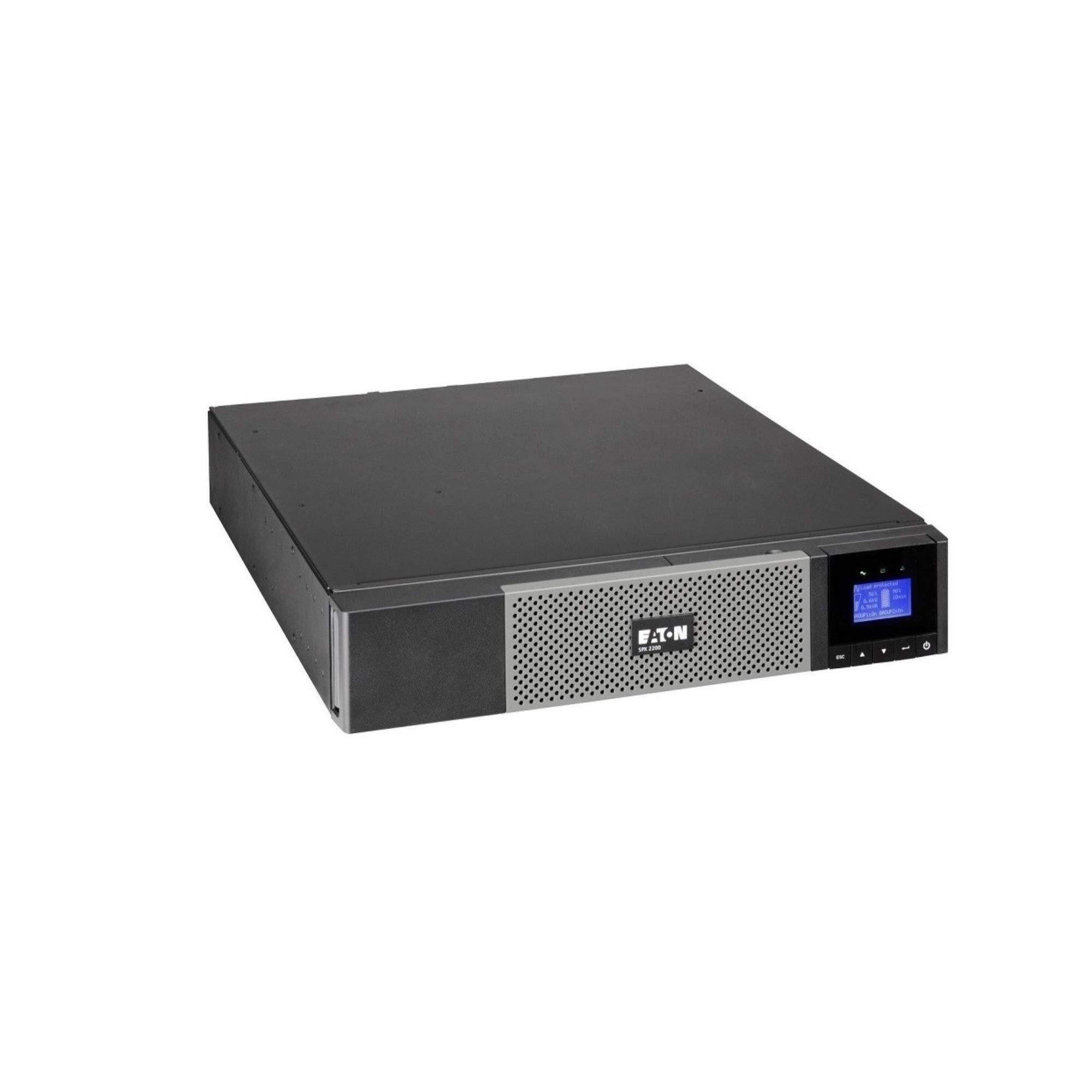
ภาพ: ด้านหน้า view of the Eaton 5PX 3000 2U Rack/Tower LCD UPS, showing the LCD display and front panel controls.
4. การเปิดเครื่องครั้งแรก
- After connecting all equipment and the input power, press and hold the power button on the front panel for a few seconds until the LCD display illuminates.
- The UPS will perform a self-test and then display its operational status.
- Allow the UPS batteries to charge for at least 24 hours before relying on them for extended backup power.
การดำเนินงาน
จอ LCD เกินview
The front panel LCD provides real-time information about the UPS status, battery charge, load level, and various settings. Use the navigation buttons to scroll through menus and adjust parameters.
ฟังก์ชั่นพื้นฐาน
- เปิด/ปิดเครื่อง: Press and hold the power button to turn the UPS on or off.
- ปิดเสียงปลุก: Briefly press any button to silence an active alarm.
- การทดสอบตัวเอง: Initiate a battery self-test through the LCD menu to check battery health.
การจัดการแบตเตอรี่
The UPS automatically manages battery charging and discharge. For optimal battery life, avoid frequent deep discharges. The LCD will indicate battery charge level and estimated runtime.
การรวมซอฟต์แวร์
The Eaton 5PX 3000 supports communication with computers and network management systems via USB or serial ports. Install Eaton's power management software (available from the Eaton website) for advanced monitoring, graceful shutdown of connected devices, and remote management capabilities.
การซ่อมบำรุง
การเปลี่ยนแบตเตอรี่
The batteries in your UPS are user-replaceable. The typical lifespan of UPS batteries is 3-5 years, depending on usage and environmental conditions. The UPS LCD or management software will indicate when battery replacement is recommended. Always use genuine Eaton replacement battery modules to ensure compatibility and performance. Refer to the detailed battery replacement instructions in the full product manual or on the Eaton support webเว็บไซต์.
การทำความสะอาด
Periodically clean the exterior of the UPS with a soft, dry cloth. Ensure ventilation openings are free from dust and obstructions to maintain proper airflow and cooling.
อัพเดตเฟิร์มแวร์
Eaton may release firmware updates to improve performance or add features. Check the Eaton support website periodically for available updates and follow the provided instructions for installation.
การแก้ไขปัญหา
This section addresses common issues you might encounter with your Eaton 5PX 3000 UPS.
| ปัญหา | สาเหตุที่เป็นไปได้ | สารละลาย |
|---|---|---|
| เครื่องสำรองไฟ (UPS) ไม่ทำงาน | ไม่มีไฟเข้า; แบตเตอรี่ไม่ได้เชื่อมต่อหรือหมดไฟ | Check power cord connection and wall outlet. Ensure internal battery connectors are secure. Allow batteries to charge. |
| เครื่องสำรองไฟ (UPS) ส่งเสียงบี๊บอย่างต่อเนื่อง | On battery power; Overload; Battery fault | Check input power. Reduce connected load. Perform a battery self-test or consider battery replacement. |
| ระยะเวลาใช้งานแบตเตอรี่สั้น | Overload; Old batteries; Batteries not fully charged | Reduce connected load. Replace batteries if they are old. Allow batteries to charge for 24 hours. |
| LCD shows an error code | Internal fault; Specific issue | Refer to the full user manual for a list of error codes and their corresponding solutions. Contact technical support if the issue persists. |
ข้อมูลจำเพาะ
Key technical specifications for the Eaton 5PX 3000 2U Rack/Tower LCD UPS (Model: 5PX3000RT2U):
- ยี่ห้อ: อีตัน
- หมายเลขรุ่น: 5PX3000RT2U
- ฟอร์มแฟกเตอร์: แร็ค/ทาวเวอร์ (2U)
- วัดtage: 3000 วัตต์
- กำลังสูงสุด: 2700 วัตต์
- เอาท์พุต วัดtage: 2430 วัตต์
- เล่มที่tage: 120 โวลต์
- อินพุต Voltage: 120 โวลต์ (AC)
- ปริมาณการส่งออกtage: 120 โวลต์ (AC)
- กระแสไฟขาออก: 20.25 Amps
- ช่วงความถี่: 47-53 Hz and 56.5-63.5 Hz
- จำนวนช่องเสียบ : 7
- ประเภทตัวเชื่อมต่อ: L5-30P, 5-20R, L5-30R
- ประเภทปลั๊กไฟ: แบบ B - 3 ขา (แบบอเมริกาเหนือ)
- ส่วนประกอบเซลล์แบตเตอรี่: กรดตะกั่ว
- Runtime (typical): 20 minutes (at half load)
- วัสดุของกล่องหุ้ม: เหล็กอัลลอยด์
- สี: สีดำ
- น้ำหนักสินค้า: 0.01 Pounds (Note: This weight is likely incorrect in the source data and should be verified with actual product specifications)
การรับประกันและการสนับสนุน
ข้อมูลการรับประกัน
Eaton provides a standard warranty for the 5PX 3000 UPS. The specific terms and duration of the warranty may vary by region and purchase date. Please refer to the warranty card included with your product or visit the official Eaton webเว็บไซต์สำหรับข้อมูลการรับประกันและการลงทะเบียนโดยละเอียด
การสนับสนุนด้านเทคนิค
For technical assistance, troubleshooting beyond this manual, or to inquire about replacement parts, please contact Eaton customer support. Support contact information can be found on the official Eaton website or in the documentation provided with your UPS.