
1. สินค้าหมดview
The Walimex Pro 19300 Plus Orange Line Softbox 40x180cm is designed to provide soft and even illumination for various photographic applications, particularly product and portrait photography. Its rectangular shape, often referred to as a stripbox, is ideal for creating distinct light patterns and highlights.
คุณสมบัติที่สำคัญ ได้แก่:
- Soft and Even Illumination: รับประกันคุณภาพแสงที่สม่ำเสมอ
- การหมุน 360 องศา: Allows for flexible positioning and light direction.
- High-Quality, Heat-Resistant Materials: Constructed for durability and longevity.
- Included Light Modifiers: Comes with a grid, a round mask, and a square mask for precise light control and creative effects.
- Aurora/Bowens Mount Compatibility: Designed for seamless integration with Aurora and Bowens mount studio flashes.

Image 1.1: All components of the Walimex Pro 19300 Plus Orange Line Softbox, including the carrying bag, diffusers, speed ring, rods, grid, and masks.
2. คำแนะนำในการตั้งค่า
Follow these steps to correctly assemble your Walimex Pro Softbox:
- แกะส่วนประกอบ: Carefully remove all items from the carrying bag: the softbox fabric, speed ring, support rods, inner diffuser, outer diffuser, grid, round mask, and square mask.
- Attach Speed Ring: Insert the speed ring into the central opening of the softbox fabric. Ensure the correct orientation for your Aurora/Bowens mount. The speed ring features a clever grooved lug and the rods have a locking collet for secure attachment.
- ใส่แท่งรองรับ: Insert the ends of the support rods into the designated holes on the speed ring. Then, gently bend each rod and insert the other end into the pockets located at the corners of the softbox fabric. Apply even pressure to avoid damage.
- Install Inner Diffuser: Attach the inner diffuser to the internal loops or clips inside the softbox. This diffuser helps to further soften and spread the light evenly.
- Install Outer Diffuser: Secure the outer diffuser to the front edge of the softbox using the Velcro strips. This ensures clean light edges and additional light diffusion.
- Mount to Light Stand: Attach the assembled softbox, via its speed ring, to your compatible Aurora or Bowens mount studio flash head. Secure it firmly.
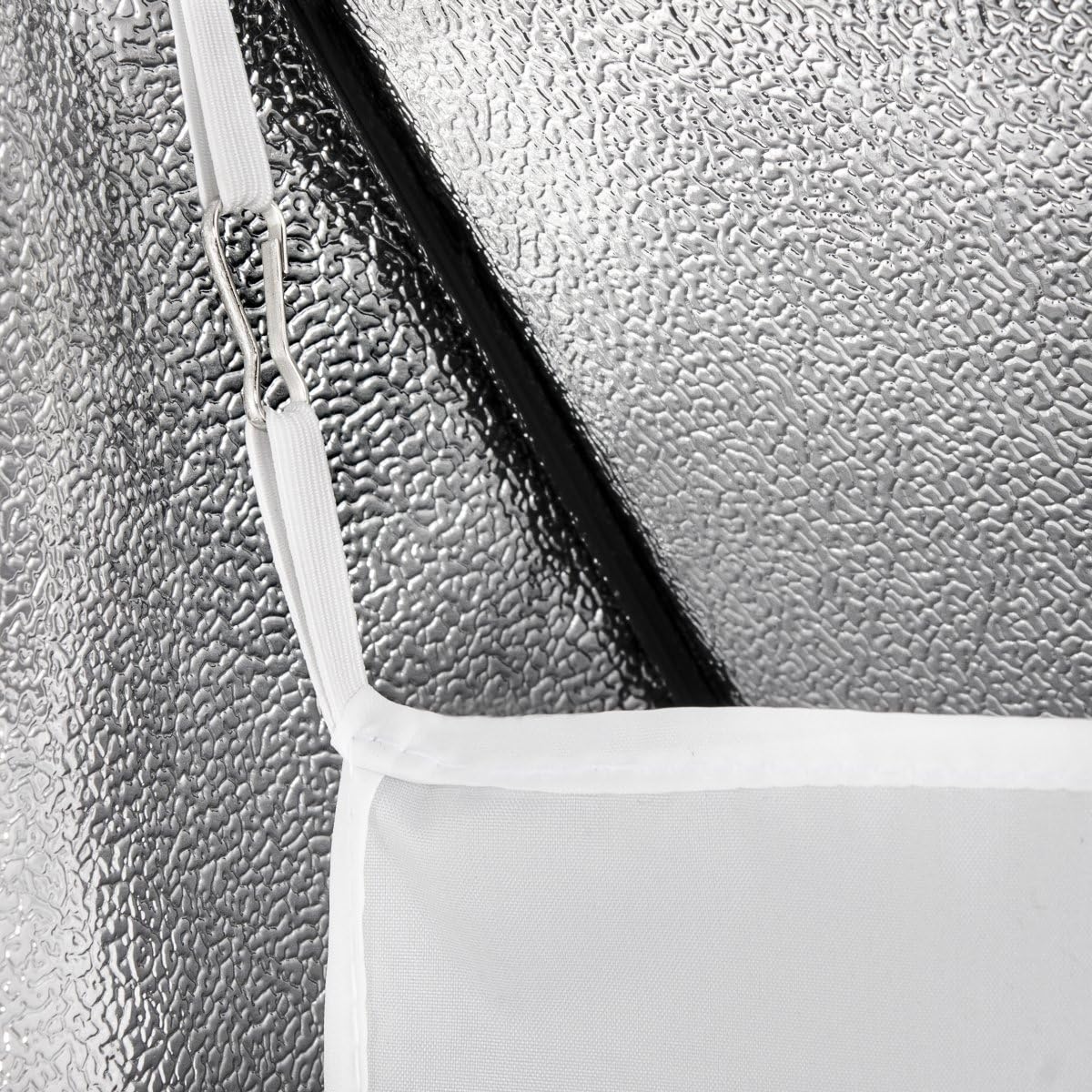
Image 2.1: Detail of the clips used to secure the inner diffuser within the softbox.
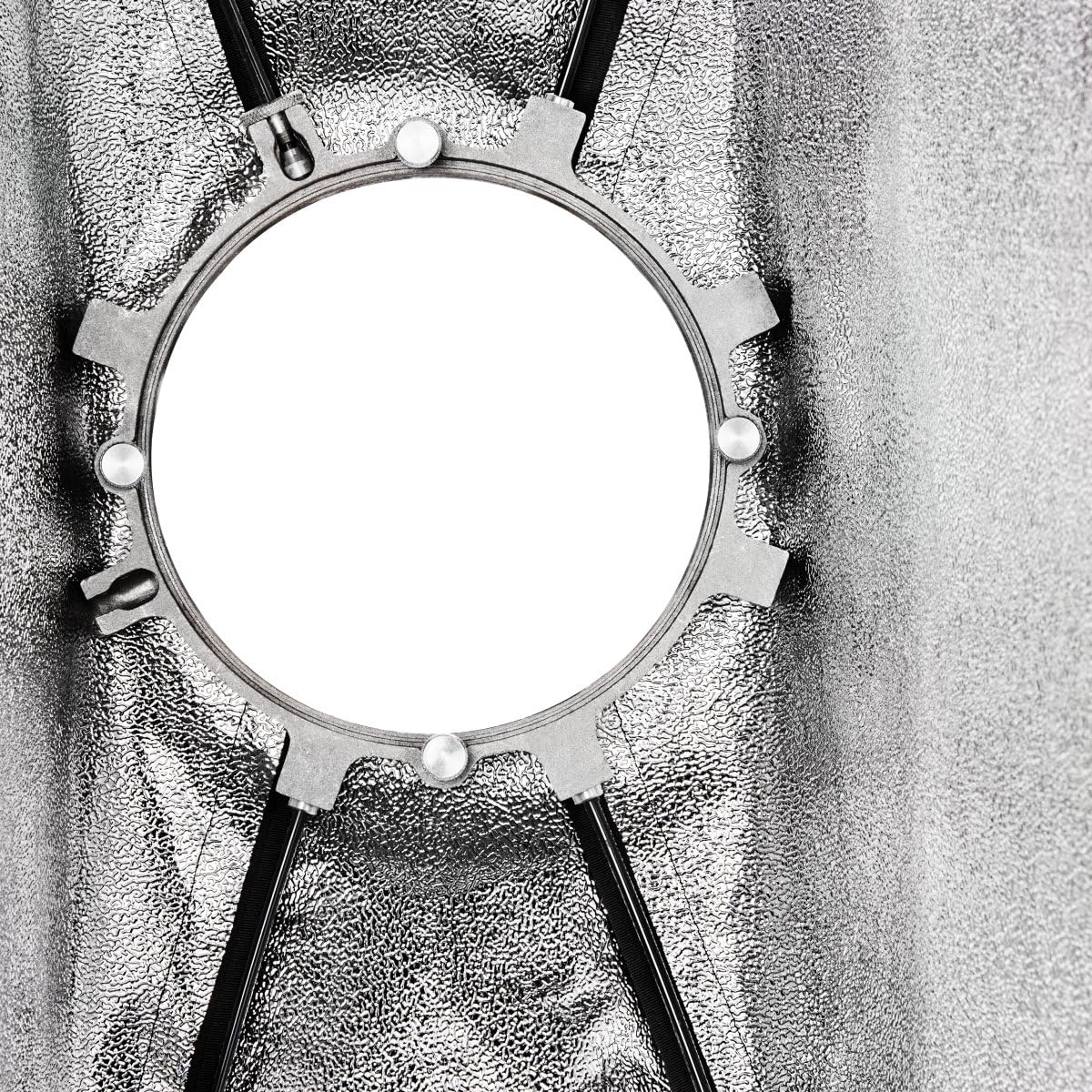
Image 2.2: The speed ring with the support rods correctly inserted, ready for softbox fabric attachment.
3. คู่มือการใช้งาน
The Walimex Pro Softbox offers versatility in light shaping:
- Adjusting Light Softness: The softbox includes both an inner and an outer diffuser. For the softest light, use both diffusers. For slightly more contrast, the inner diffuser can be removed.
- Using the Grid: To direct light more precisely and reduce light spill, attach the included grid to the Velcro strip around the outer edge of the softbox. The grid has a depth of 3 cm.
- Utilizing Masks: The round and square masks allow you to change the shape and size of the light output. The round mask is particularly useful for creating a natural-looking catchlight in the eyes during portrait photography. Attach these masks to the front Velcro of the softbox, over the outer diffuser.
- Rotating the Softbox: The softbox can be rotated 360 degrees on its mount. Loosen the locking mechanism on your light stand or flash head, adjust the softbox to the desired angle, and then re-tighten the mechanism to secure its position.
4. การบำรุงรักษา
Proper maintenance ensures the longevity and performance of your softbox:
- Cleaning Fabric Components: The softbox fabric and diffusers can be gently wiped with a damp cloth and mild soap if necessary. Allow them to air dry completely before storage. Do not machine wash or tumble dry.
- Cleaning Metal Components: The speed ring and rods can be wiped clean with a dry or slightly damp ผ้า. หลีกเลี่ยงน้ำยาทำความสะอาดที่มีฤทธิ์กัดกร่อน
- พื้นที่จัดเก็บ: When not in use, disassemble the softbox and store all components in the provided carrying bag. Store in a cool, dry place away from direct sunlight and extreme temperatures.
- การตรวจสอบ: Periodically inspect the fabric for tears, the rods for bends, and the speed ring for any damage. Replace damaged components as needed.
5 การแก้ไขปัญหา
If you encounter issues with your Walimex Pro Softbox, refer to the following common problems and solutions:
- Difficulty Assembling Rods: The rods are designed to be flexible but require some force to bend and insert into the fabric pockets. Ensure the speed ring is correctly oriented and that you are inserting the rods one by one, applying even pressure.
- Softbox Not Locking onto Flash Head: Verify that the speed ring's bayonet fitting lugs are fully engaged with your flash head's mount. Some users have reported that the Walimex Pro speed ring's lugs might be a slightly different size than standard Bowens mounts, potentially causing a loose fit or preventing full lock. If this occurs, ensure the softbox is securely supported to prevent accidental detachment.
- การกระจายแสงไม่สม่ำเสมอ: Ensure both the inner and outer diffusers are correctly installed and stretched smoothly. Check that the flash tube is centered within the softbox.
- Light Spill: If light is spilling where it shouldn't, ensure the grid is properly attached to the front Velcro of the softbox. Adjust the angle of the softbox to direct light more precisely.
6. ข้อมูลจำเพาะ
| คุณสมบัติ | รายละเอียด |
|---|---|
| หมายเลขรุ่น | 19300 |
| ยี่ห้อ | walimex โปร |
| ขนาด | 40 x 47.5 x 180 ซม. |
| น้ำหนัก | 2.43 กก. |
| Style / Mount Type | for Aurora/Bowens |
| วัสดุ | Velcro, Aluminum |
| ส่วนประกอบที่รวมอยู่ | Grid, Round Mask, Square Mask |
| สี | Silver (interior reflective surface) |
7. การรับประกันและการสนับสนุน
Information regarding product warranty and customer support is not provided within this manual. Please refer to the product packaging, the retailer's website, or the manufacturer's official website for details on warranty coverage, service, and technical support.