
1. บทนำ
This manual provides essential information for the safe and effective use of your ProForm Power 995c Treadmill. Please read all instructions carefully before assembly and operation. Retain this manual for future reference.

Image 1.1: The ProForm Power 995c Treadmill, ready for use.
2. ข้อมูลด้านความปลอดภัย
เพื่อลดความเสี่ยงต่อการบาดเจ็บร้ายแรง โปรดอ่านข้อควรระวังและคำแนะนำที่สำคัญทั้งหมดในคู่มือนี้ก่อนใช้งานลู่วิ่ง ProForm จะไม่รับผิดชอบต่อการบาดเจ็บส่วนบุคคลหรือความเสียหายต่อทรัพย์สินที่เกิดขึ้นจากหรือเนื่องมาจากการใช้ผลิตภัณฑ์นี้
- ควรปรึกษาแพทย์ของคุณเสมอก่อนที่จะเริ่มต้นโปรแกรมการออกกำลังกายใดๆ
- เก็บเด็กและสัตว์เลี้ยงให้ห่างจากลู่วิ่งไฟฟ้า
- วางลู่วิ่งบนพื้นราบ โดยเว้นพื้นที่ว่างด้านหลังอย่างน้อย 6 ฟุต และด้านข้างอย่างน้อย 2 ฟุต
- ควรสวมใส่ชุดออกกำลังกายและรองเท้ากีฬาที่เหมาะสม
- ห้ามใช้งานลู่วิ่งหากเครื่องชำรุดหรือทำงานผิดปกติ
- ควรใช้กุญแจนิรภัยทุกครั้ง ติดคลิปเข้ากับเสื้อผ้าของคุณก่อนเริ่มใช้งานลู่วิ่ง
- ห้ามเกินน้ำหนักผู้ใช้สูงสุด 350 ปอนด์ (159 กก.)

Image 2.1: User preparing to use the treadmill.
3. คำแนะนำในการประกอบ
The ProForm Power 995c Treadmill requires assembly. Due to its weight and size, it is recommended that two or more people assist with the assembly process. Ensure all parts are present before beginning. Refer to the included assembly guide for detailed, step-by-step instructions and diagrams.
3.1 Space Saver Design
This treadmill features a Space Saver design, allowing the walking platform to be folded vertically for storage. To fold, lift the walking platform until the latch pin locks it in the upright position. To unfold, push the latch pin and slowly lower the platform to the floor.

Image 3.1: Folding the treadmill for compact storage.
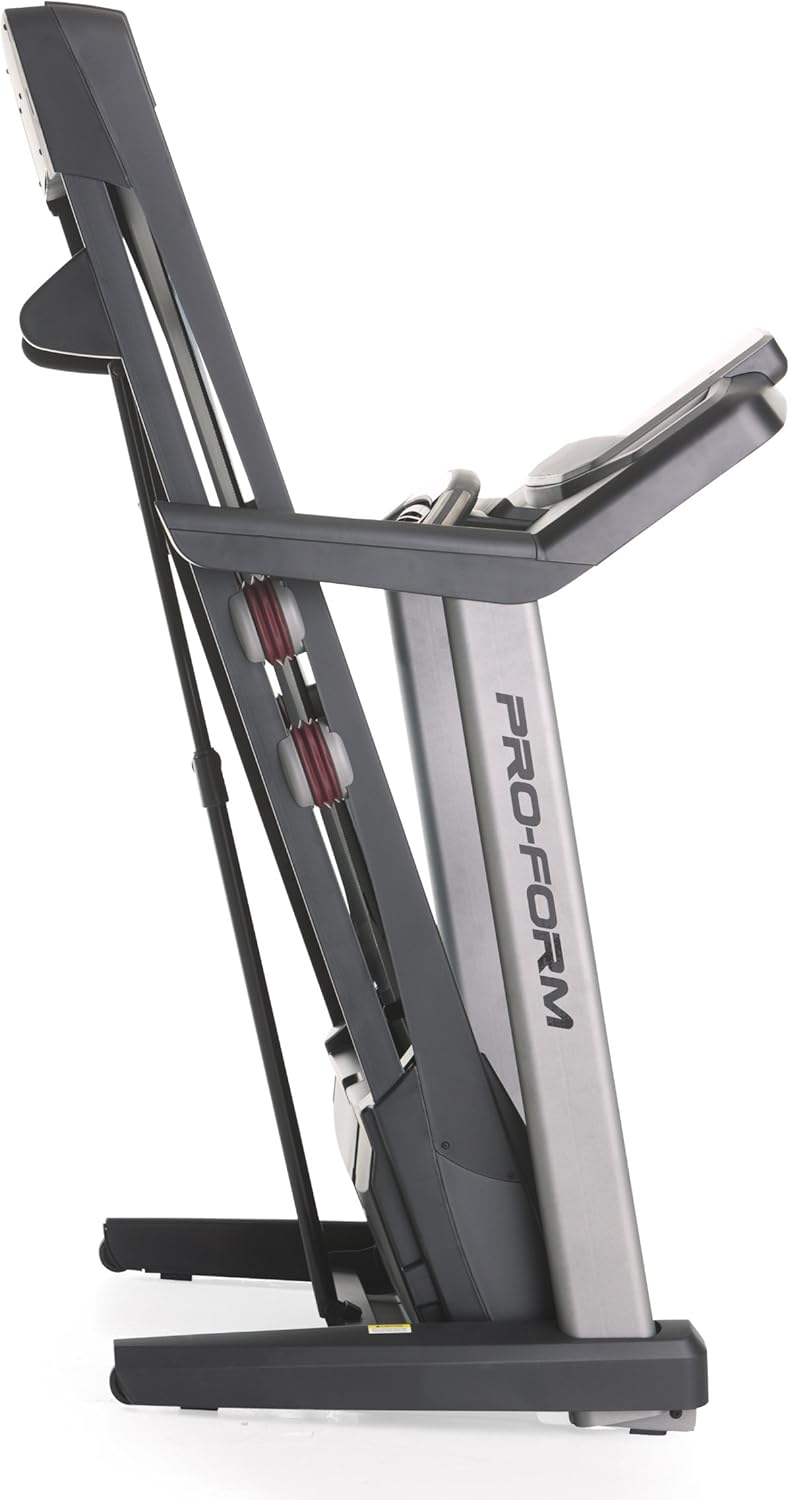
Image 3.2: The treadmill in its folded position.
4. คู่มือการใช้งาน
Familiarize yourself with the console and its functions before starting your workout.
4.1 คอนโซลโอเวอร์view
The treadmill features a 7-inch oversized backlit display that shows your workout metrics. The console includes QuickSpeed and Quick Incline controls for easy adjustments during your exercise.

Image 4.1: Treadmill console with display and control buttons.
4.2 Starting a Manual Workout
- ก้าวขึ้นไปบนสายพานลู่วิ่ง
- ติดคลิปหนีบกุญแจกับเสื้อผ้าของคุณ
- กดปุ่ม เริ่ม กดปุ่ม สายพานจะเริ่มเคลื่อนที่ด้วยความเร็วต่ำ
- ปรับความเร็วโดยใช้ ควิกสปีด ปุ่มหรือ + และ - ปุ่ม
- ปรับความลาดเอียงโดยใช้ ทางลาดเร็ว ปุ่มหรือ ^ และ v ปุ่ม
- หากต้องการหยุด ให้กดปุ่ม หยุด กดปุ่มหรือดึงกุญแจนิรภัย

Image 4.2: Interacting with the console controls.
4.3 Built-in Workout Apps
The treadmill includes 30 pre-programmed workout apps. Select a workout by pressing the corresponding number button on the console. The treadmill will automatically adjust speed and incline according to the program.
4.4 iFit Compatibility
The ProForm Power 995c Treadmill is iFit Compatible. With an iFit wireless module (sold separately), you can access a library of interactive workouts, track your progress, and simulate real-world routes using Google Maps. The console also features a media tray for your personal devices.

Image 4.3: iFit Compatible feature on the console.

Image 4.4: Media tray for personal devices.
4.5 การตรวจวัดอัตราการเต้นของหัวใจ
The treadmill is equipped with a heart rate monitor. Grip the metal sensors on the handlebars to display your heart rate on the console. This feature helps you stay within your target heart rate zone.
5. การบำรุงรักษา
การบำรุงรักษาตามปกติจะช่วยให้ลู่วิ่งของคุณมีอายุการใช้งานยาวนานและมีประสิทธิภาพสูงสุด
- การทำความสะอาด: เช็ดทำความสะอาดพื้นผิวลู่วิ่งด้วยน้ำยาทำความสะอาดamp เช็ดทำความสะอาดด้วยผ้าหลังการใช้งานทุกครั้ง หลีกเลี่ยงการใช้สารทำความสะอาดที่มีฤทธิ์กัดกร่อน
- การหล่อลื่นสายพาน: Periodically check and lubricate the walking belt as instructed in the detailed assembly guide. Proper lubrication prevents friction and wear.
- การจัดแนวและความตึงของสายพาน: Ensure the walking belt remains centered and properly tensioned. Adjustments may be necessary over time. Refer to the assembly guide for specific instructions.
- ฝาครอบมอเตอร์: Keep the motor cover clean and free of dust to ensure proper ventilation.
6 การแก้ไขปัญหา
If you encounter issues with your treadmill, refer to the following common solutions. For problems not listed here, contact customer support.
| ปัญหา | สาเหตุที่เป็นไปได้ | สารละลาย |
|---|---|---|
| ลู่วิ่งไม่สามารถเปิดเครื่องได้ | ไม่ได้เสียบสายไฟ; เบรกเกอร์ตัดวงจร; ไม่ได้เสียบกุญแจนิรภัย | Ensure power cord is securely plugged into a grounded outlet. Check household circuit breaker. Insert safety key fully into the console. |
| Walking belt slows down or stops during use. | Belt too loose; motor overheating; user weight exceeds capacity. | Adjust belt tension as per manual. Allow treadmill to cool down. Ensure user weight is within specifications. |
| Console display is erratic or not working. | Loose cable connection; console malfunction. | Check all cable connections to the console. If problem persists, contact customer support. |
| มีเสียงผิดปกติดังมาจากเครื่องวิ่งออกกำลังกาย | Loose parts; belt friction; motor issue. | Inspect for loose bolts or screws and tighten. Lubricate walking belt if needed. If noise persists, contact customer support. |
7. ข้อมูลจำเพาะ
Detailed technical specifications for the ProForm Power 995c Treadmill.
- หมายเลขรุ่น: PFTL99912
- มอเตอร์: 3.0 CHP Mach Z Commercial Plus Motor
- ความเร็วสูงสุด: 12 ไมล์ต่อชั่วโมง (19.3 กิโลเมตรต่อชั่วโมง)
- ความชันสูงสุด: 15% Quick Incline Control
- เข็มขัดดอกยาง: 20 inches x 60 inches (50.8 cm x 152.4 cm) Non-Stretch, Commercial Tread belt
- การกันกระแทก: ProShox Cushioning
- น้ำหนักผู้ใช้สูงสุด: 350 ปอนด์ (159 กก.)
- ขนาดผลิตภัณฑ์ (ยาวxกว้างxสูง): 81" x 37" x 60" (205.7 ซม. x 94 ซม. x 152.4 ซม.)
- ขนาดเมื่อพับ (โดยประมาณ): 33"W x 14"H (Depth varies)
- ประเภทจอภาพ: 7-inch Oversized Backlit LCD
- แอปออกกำลังกาย: 30 Built-in Workout Apps
- การเชื่อมต่อ: รองรับ iFit
- เมตริกที่วัด: ระยะทาง, อัตราการเต้นของหัวใจ, ความลาดชัน, เวลา, แคลอรีที่เผาผลาญ, ความเร็ว
- วัสดุกรอบ: โลหะ, พลาสติก

Image 7.1: ProShox Cushioning system.

Image 7.2: ProForm branding on the treadmill deck.
8. การรับประกันและการสนับสนุน
Your ProForm Power 995c Treadmill is covered by the following warranty:
- โครงและเครื่องยนต์: รับประกันตลอดอายุการใช้งาน
- ส่วน: รับประกัน 3 ปี
- แรงงาน: รับประกัน 1 ปี
For warranty claims, technical assistance, or to order replacement parts, please contact ProForm Customer Service. Have your model number (PFTL99912) and serial number ready when contacting support.