
1. บทนำ
Thank you for choosing the Walimex Pro 8mm f/3.5 Fisheye Lens Version II. This manual provides essential information for the safe and effective use of your new lens. This lens is designed to offer a unique perspective with its 180° angle of view, ideal for creative photography, including panoramas and wide-angle shots in confined spaces. Its manual focus and aperture control provide photographers with full creative command, allowing for brilliant panorama shots and exciting wide-angle pictures with exceptional depth of focus.
2. ข้อมูลด้านความปลอดภัย
- Do not expose the lens to extreme temperatures, humidity, or direct sunlight for extended periods.
- ควรหลีกเลี่ยงการทำเลนส์ตกหรือกระแทกอย่างแรง
- เก็บเลนส์ให้ห่างจากสนามแม่เหล็กแรงสูง
- Do not attempt to disassemble or repair the lens yourself. Contact qualified service personnel.
- เมื่อไม่ใช้งาน ให้ปิดฝาครอบเลนส์ด้านหน้าและด้านหลังเพื่อป้องกันชิ้นส่วนเลนส์เสียหาย
- Avoid touching the lens surfaces directly with your fingers.
3. เนื้อหาบรรจุภัณฑ์
ตรวจสอบว่ามีรายการทั้งหมดอยู่ในแพ็คเกจของคุณ:
- Walimex Pro 8mm f/3.5 Fisheye Lens Version II
- ฝาปิดหน้าเลนส์
- ฝาปิดเลนส์ด้านหลัง
- Removable Lens Hood
- Lens Pouch (may vary by region)
- คู่มือการใช้งาน (เอกสารนี้)
4. สินค้าหมดview
The Walimex Pro 8mm f/3.5 Fisheye Lens is a manual focus, manual aperture lens designed for APS-C sensor cameras, such as Sony E-Mount/NEX models. It features multi-coated glass elements for optimal image quality and a fixed lens hood to minimize flare and reflections. The lens has a focal length of 8mm and a fast lens speed of 1:3.5, allowing for excellent shots even in less favorable lighting conditions.

Figure 4.0: The Walimex Pro 8mm f/3.5 Fisheye Lens Version II for Sony E-Mount/NEX.

รูปที่ 4.1 : ด้านหน้า view of the Walimex Pro 8mm f/3.5 Fisheye Lens with its integrated lens hood.

รูปที่ 4.2: ด้านข้าง view of the lens, showing the focus and aperture rings, and the lens hood.
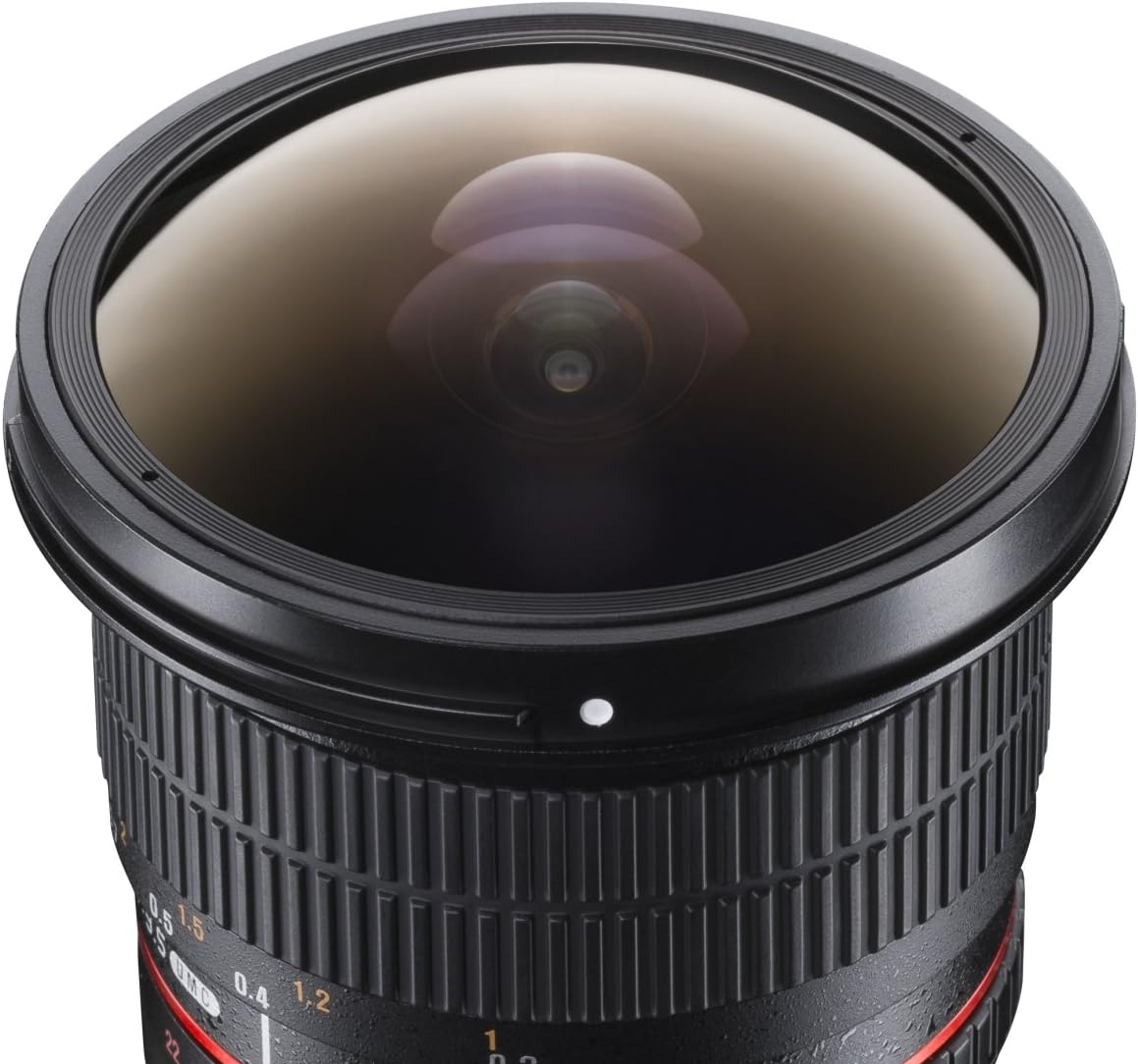
รูปที่ 4.3: ระยะใกล้ view of the bulbous front element of the fisheye lens.

Figure 4.4: The Walimex Pro 8mm f/3.5 Fisheye Lens shown with its removable petal-shaped lens hood detached.
ส่วนประกอบของเลนส์:
- วงแหวนโฟกัส: Used to manually adjust the focus.
- วงแหวนรูรับแสง: Used to manually set the aperture (f-stop).
- เลนส์ฮูด: Fixed or removable, helps reduce flare and protect the front element.
- Mounting Index: A small dot or line on the lens barrel that aligns with a corresponding mark on your camera body for proper attachment.
5. การตั้งค่า
5.1 การติดเลนส์
- ตรวจสอบให้แน่ใจว่ากล้องของคุณปิดอยู่
- ถอดฝาปิดเลนส์ด้านหลังออกจากเลนส์ และถอดฝาปิดตัวกล้องออกจากกล้องของคุณ
- Align the mounting index (white dot) on the lens barrel with the corresponding mounting index on your Sony E-Mount camera body.
- ใส่เลนส์เข้าไปในช่องยึดกล้องแล้วหมุนตามเข็มนาฬิกาจนกระทั่งได้ยินเสียงคลิก อย่าฝืนใส่เลนส์
5.2 การถอดเลนส์
- ตรวจสอบให้แน่ใจว่ากล้องของคุณปิดอยู่
- While pressing the lens release button on your camera body, rotate the lens counter-clockwise until it stops.
- Carefully remove the lens from the camera mount.
- Attach the rear lens cap to the lens and the body cap to your camera to protect them from dust and damage.

Figure 5.1: Diagram showing the Walimex Pro 8mm f/3.5 Fisheye Lens mounted on a camera body, with overall dimensions indicated.
6. การใช้งานเลนส์
6.1 การโฟกัสแบบแมนนวล
This is a manual focus lens. To achieve sharp images:
- Set your camera to Manual Focus (MF) mode.
- มองผ่าน viewfinder or use the camera's LCD screen.
- Rotate the focus ring on the lens until your subject appears sharp. Many modern cameras offer focus peaking or magnification aids to assist with manual focusing. Refer to your camera's manual for these features.
- For fisheye lenses, due to their wide depth of field, precise focusing is often less critical, especially at smaller apertures (higher f-numbers) and for distant subjects. The minimum focusing distance is approximately 0.3 meters.
6.2 Manual Aperture Control
The aperture (f-stop) is controlled directly on the lens:
- Rotate the aperture ring on the lens to select your desired f-stop (e.g., f/3.5, f/5.6, f/8, etc.).
- A smaller f-number (e.g., f/3.5) indicates a wider aperture, allowing more light and creating a shallower depth of field.
- A larger f-number (e.g., f/22) indicates a narrower aperture, allowing less light and creating a greater depth of field.
- Your camera should be set to a manual exposure mode (M) or aperture priority mode (A) to properly utilize the manual aperture control.
6.3 Understanding Fisheye Perspective
This 8mm fisheye lens produces a distinct barrel distortion and a 180° angle of view. Straight lines not passing through the center of the image will appear curved. This effect is inherent to fisheye lenses and is used for creative purposes. Experiment with different compositions to achieve unique results.
7. การบำรุงรักษา
7.1 การทำความสะอาดเลนส์
- ตัวเลนส์: Use a soft, clean cloth, slightly dampened with water or a mild cleaning solution, to wipe the exterior of the lens.
- องค์ประกอบเลนส์:
- First, use a blower brush to remove any loose dust or particles.
- If smudges or stubborn dirt remain, apply a small amount of lens cleaning fluid to a clean lens cleaning cloth (microfiber) and gently wipe the lens surface in a circular motion from the center outwards.
- Never apply cleaning fluid directly to the lens surface.
7.2 พื้นที่จัดเก็บ
- ควรปิดฝาครอบเลนส์ด้านหน้าและด้านหลังทุกครั้งเมื่อไม่ได้ใช้งานเลนส์
- เก็บเลนส์ไว้ในที่แห้งและเย็น หลีกเลี่ยงแสงแดดโดยตรงและความชื้นสูง
- If storing for extended periods, consider using a dehumidifying agent or a dry cabinet to prevent mold growth.
8 การแก้ไขปัญหา
| ปัญหา | สาเหตุที่เป็นไปได้ | สารละลาย |
|---|---|---|
| Images are blurry/out of focus. | Incorrect manual focus. | Ensure your camera is set to MF mode. Use focus peaking or magnification on your camera to assist with precise focusing. Rotate the focus ring until the subject is sharp. |
| ภาพมืดเกินไปหรือสว่างเกินไป | Incorrect aperture setting or exposure. | Adjust the aperture ring on the lens. Ensure your camera's exposure settings (shutter speed, ISO) are appropriate for the lighting conditions and chosen aperture. Use your camera's light meter. |
| Lens cannot be attached/detached. | Misalignment or lens release button not pressed. | Ensure the mounting index marks are aligned. For detachment, firmly press the lens release button on the camera body while rotating the lens. Do not force. |
| Dust or smudges on images. | ฝุ่นบนเลนส์หรือเซ็นเซอร์กล้อง | Clean the lens elements as described in the Maintenance section. If the issue persists, clean your camera's sensor or have it professionally cleaned. |
9. ข้อมูลจำเพาะ
| ยี่ห้อ | Walimex Pro |
| หมายเลขรุ่น | 18700 |
| ระยะโฟกัส | 8มม. |
| รูรับแสงสูงสุด | เอฟ/3.5 |
| รูรับแสงต่ำสุด | เอฟ/22 |
| ประเภทเลนส์ | Fisheye, Wide Angle |
| การติดตั้งที่เข้ากันได้ | โซนี่ อีเมาท์ |
| ประเภทโฟกัส | โฟกัสแบบแมนนวล |
| ระยะโฟกัสต่ำสุด | 0.3 meters (approx. 1 foot) |
| มุมของ View | 180° (on APS-C sensor) |
| Product Dimensions (Diameter x Length) | Approx. 77.8 mm x 101.1 mm (3.06 in x 3.98 in) |
| น้ำหนักสินค้า | 1.5 ปอนด์ |

Figure 9.1: Technical diagram illustrating the dimensions of the Walimex Pro 8mm f/3.5 Fisheye Lens.
10. การรับประกันและการสนับสนุน
For warranty information, please refer to the documentation provided with your purchase or contact your local Walimex Pro distributor or retailer.
For technical support or service inquiries, please visit the official Walimex Pro webเว็บไซต์หรือติดต่อฝ่ายบริการลูกค้าของพวกเขา