
การแนะนำ
This manual provides detailed instructions for the installation, operation, and maintenance of your Akasa AK-CC7108EP01 CPU Cooler. Please read this manual thoroughly before installation and use to ensure proper function and longevity of the product. This CPU cooler is designed to efficiently dissipate heat from your computer's central processing unit (CPU), maintaining optimal operating temperatures.
ข้อมูลด้านความปลอดภัย
- ควรตัดการเชื่อมต่อพลังงานจากคอมพิวเตอร์ของคุณทุกครั้งก่อนติดตั้งหรือถอดส่วนประกอบใดๆ
- Handle the CPU cooler and CPU with care to avoid damage to pins or components.
- Wear an anti-static wrist strap or frequently touch a grounded metal object to prevent electrostatic discharge (ESD) damage to sensitive electronic components.
- เก็บให้พ้นจากมือเด็ก
- Ensure proper ventilation inside your computer case.
เนื้อหาแพ็คเกจ
ตรวจสอบว่ามีรายการทั้งหมดอยู่ในแพ็คเกจ:
- Akasa AK-CC7108EP01 CPU Cooler (Heatsink with pre-attached fan)
- Integrated push-pin mounting mechanism
- Pre-applied thermal interface material (TIM) on the heatsink base
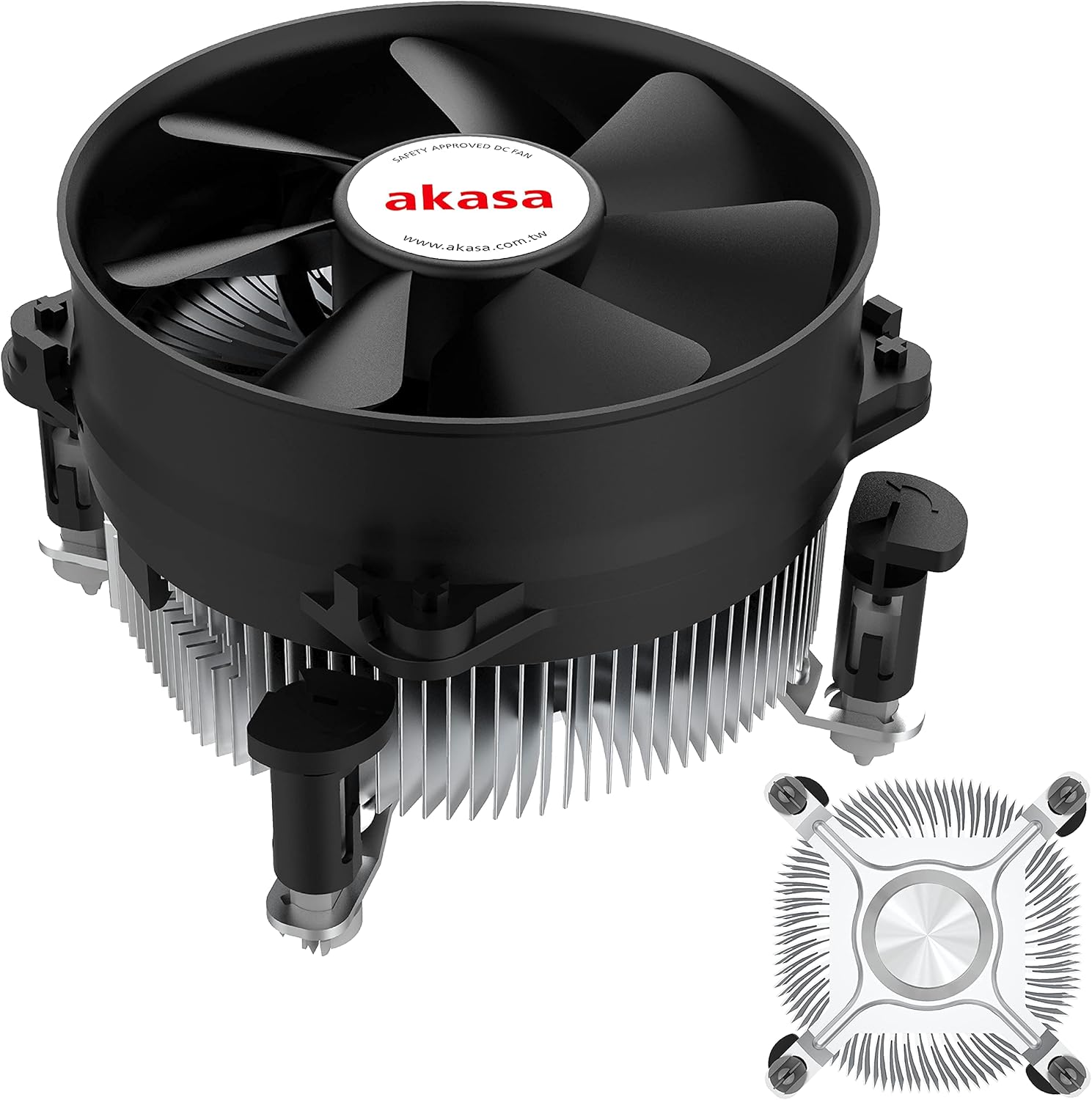
รูปที่ 1: The Akasa AK-CC7108EP01 CPU Cooler, showing the fan, heatsink, and push-pin mounting system.
การติดตั้งและการตั้งค่า
This section details the steps required to install the Akasa AK-CC7108EP01 CPU cooler onto your motherboard. This cooler utilizes a push-pin mounting system compatible with specific Intel sockets (e.g., LGA775, LGA115x).
1. การเตรียมพร้อม
- หมดแรง: ตรวจสอบให้แน่ใจว่าคอมพิวเตอร์ของคุณปิดเครื่องอย่างสมบูรณ์และถอดปลั๊กออกจากเต้าเสียบที่ผนัง
- เข้าถึงเมนบอร์ด: Open your computer case to gain access to the motherboard and CPU socket.
- ถอดเครื่องทำความเย็นเก่าออก (ถ้ามี): If replacing an existing cooler, carefully remove it. Clean any old thermal paste from the CPU surface using isopropyl alcohol and a lint-free cloth.
- Inspect CPU: ตรวจสอบให้แน่ใจว่าซีพียูติดตั้งอยู่ในซ็อกเก็ตอย่างถูกต้องและตัวล็อกยึดล็อคสนิทแล้ว
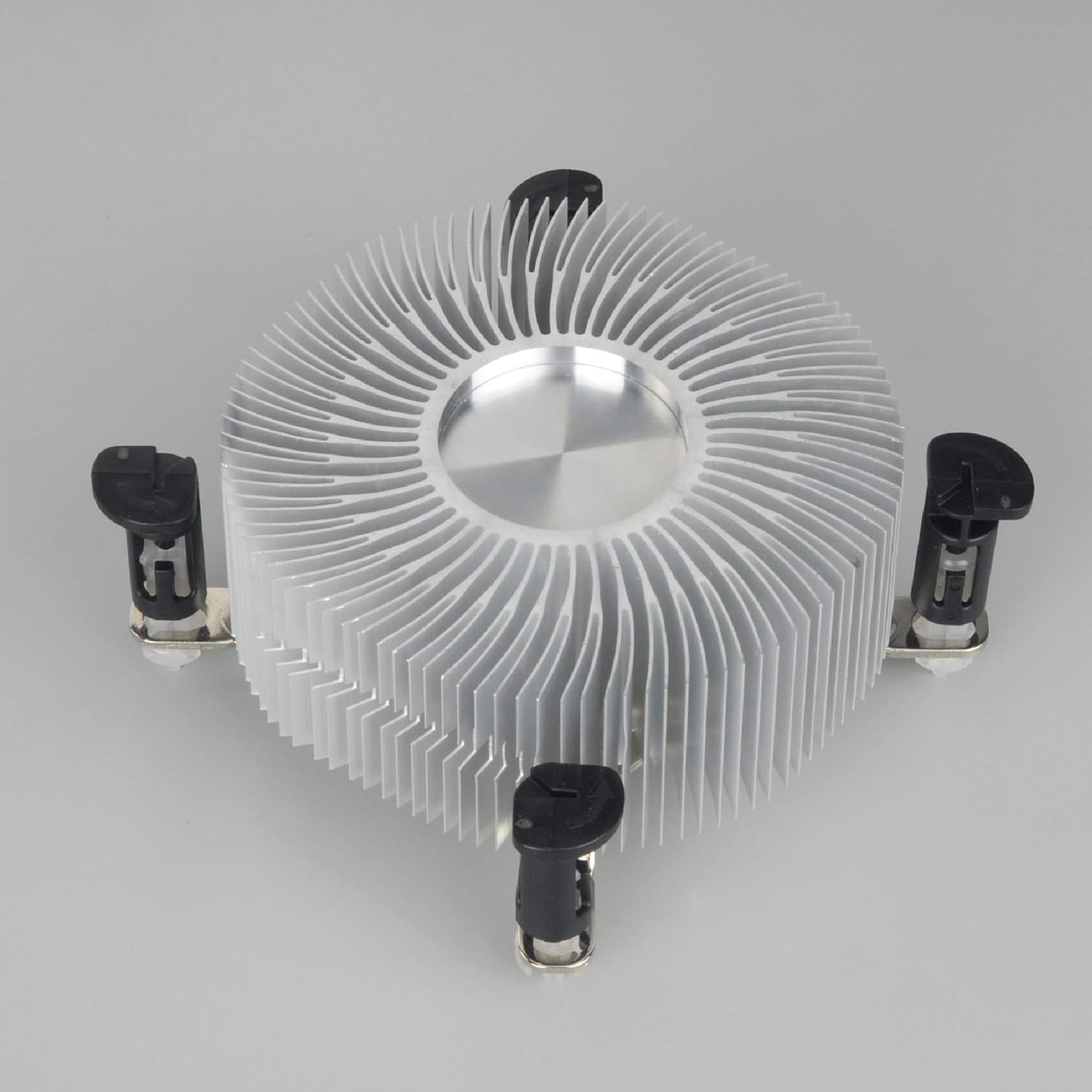
รูปที่ 2: ส่วนล่าง view of the heatsink, showing the pre-applied thermal paste and the four push-pin mounting posts.
2 การติดตั้งชุดระบายความร้อน
- Align Cooler: Carefully align the four push-pins on the cooler with the four mounting holes around the CPU socket on the motherboard.
- Push Pins Down: Press down firmly and evenly on each of the four push-pins until they click into place. You should hear a distinct click for each pin, indicating it has secured properly. Ensure all four pins are fully engaged.
- ตรวจสอบว่าพอดี: Gently tug on the cooler to ensure it is securely attached to the motherboard and does not wobble. If it feels loose, re-engage the push-pins.
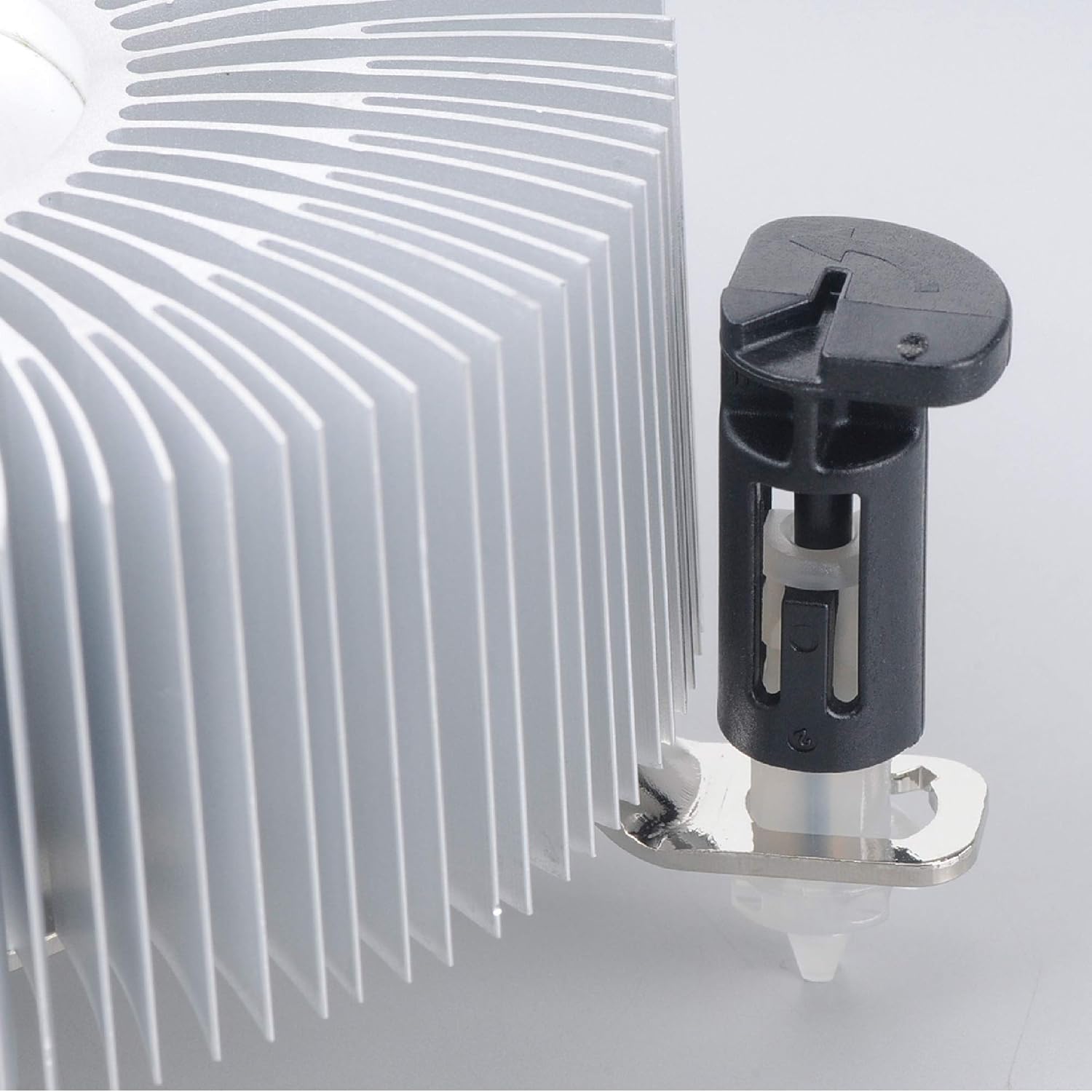
รูปที่ 3: Detail of the push-pin mechanism. Ensure the black pin is pushed down through the white anchor to secure the cooler.
3 การเชื่อมต่อพัดลม
- Locate CPU_FAN Header: Find the 4-pin CPU_FAN header on your motherboard. Refer to your motherboard manual if you are unsure of its location.
- เชื่อมต่อสายพัดลม: Connect the 4-pin fan cable from the Akasa cooler to the CPU_FAN header on the motherboard. Ensure the connector is oriented correctly.

รูปที่ 4: ด้านข้าง view of the Akasa CPU cooler, highlighting the 4-pin fan power cable for connection to the motherboard.
4. ขั้นตอนสุดท้าย
- ปิดคดี: Once the cooler is securely installed and the fan connected, close your computer case.
- เปิดเครื่อง: Reconnect the power cable and power on your computer.
- ตรวจสอบ BIOS/UEFI: Enter your system's BIOS/UEFI settings to verify that the CPU fan is detected and operating at appropriate speeds. Monitor CPU temperatures during initial use to ensure proper cooling.
คำแนะนำการใช้งาน
The Akasa AK-CC7108EP01 CPU cooler operates automatically once installed and connected to the motherboard's CPU_FAN header. The 4-pin connector allows the motherboard to control the fan speed (PWM - Pulse Width Modulation) based on CPU temperature, optimizing cooling performance and noise levels.
- ระบบควบคุมความเร็วอัตโนมัติ: The fan speed will adjust dynamically according to the CPU's thermal load.
- การติดตาม: You can monitor CPU temperatures and fan speeds using motherboard monitoring software or within the BIOS/UEFI settings.
- ประสิทธิภาพที่เหมาะสมที่สุด: Ensure adequate airflow within your computer case to support the cooler's performance.
การซ่อมบำรุง
การบำรุงรักษาอย่างสม่ำเสมอจะช่วยให้มั่นใจได้ถึงประสิทธิภาพสูงสุดและยืดอายุการใช้งานของพัดลมระบายความร้อน CPU ของคุณ
- การกำจัดฝุ่น: Periodically (e.g., every 3-6 months), power off and unplug your computer. Open the case and use compressed air to gently blow dust out of the heatsink fins and fan blades. Hold the fan blades to prevent them from spinning rapidly during cleaning, which can damage the fan motor.
- การตรวจสอบ: Check the fan for any signs of damage or excessive noise. Ensure the cooler remains securely mounted to the motherboard.
- น้ำยาระบายความร้อน: The pre-applied thermal paste is designed for long-term use. If you ever need to remove and re-install the cooler, it is recommended to clean off the old thermal paste from both the CPU and heatsink and apply a fresh layer of high-quality thermal paste.
การแก้ไขปัญหา
If you encounter issues with your Akasa AK-CC7108EP01 CPU cooler, refer to the following common problems and solutions:
- ปัญหา: อุณหภูมิ CPU สูง
สารละลาย:
- Ensure the cooler is securely mounted and all four push-pins are fully engaged.
- Verify the fan cable is correctly connected to the CPU_FAN header on the motherboard.
- Check for excessive dust buildup on the heatsink fins and fan blades, and clean if necessary.
- Confirm that the thermal paste application is adequate. If the cooler was removed and reinstalled without fresh thermal paste, reapply it.
- Ensure proper airflow within the computer case.
- ปัญหา: พัดลมไม่หมุน
สารละลาย:
- Check the fan cable connection to the CPU_FAN header.
- Verify that the CPU_FAN header is enabled in the BIOS/UEFI settings.
- Ensure no cables or obstructions are preventing the fan blades from spinning.
- ปัญหา: พัดลมมีเสียงดังมากเกินไป
สารละลาย:
- เช็ดฝุ่นละอองออกจากใบพัดลม
- Check if the fan is rubbing against any cables or components.
- In BIOS/UEFI, adjust fan speed curves if available, to reduce fan speed at lower temperatures.
- If the noise persists and is a grinding or rattling sound, the fan bearing may be failing, and replacement might be necessary.
ข้อมูลจำเพาะ
The following table outlines the technical specifications for the Akasa AK-CC7108EP01 CPU Cooler:
| คุณสมบัติ | ข้อมูลจำเพาะ |
|---|---|
| ยี่ห้อ | อากาสะ |
| แบบอย่าง | AK-CC7108EP01 |
| อุปกรณ์ที่รองรับ | Desktop (Intel LGA775, LGA115x) |
| วิธีการทำความเย็น | อากาศ |
| วัสดุ | อลูมิเนียม |
| ความเร็วการหมุนสูงสุด | 1800 รอบต่อนาที |
| ระดับเสียง | 92 เดซิเบล (สูงสุด) |
| เล่มที่tage | 12 โวลต์ |
| วัดtage | 77 วัตต์ (TDP) |
| ประเภทตัวเชื่อมต่อกระแสไฟ | 4-Pin PWM |
| ขนาดสินค้า | 9.5 x 9.5 x 5.85 ซม. |
| น้ำหนักสินค้า | 290.3 กรัม |
การรับประกันและการสนับสนุน
For warranty information and technical support, please refer to the official Akasa webหรือติดต่อผู้ค้าปลีกของคุณ เก็บหลักฐานการซื้อไว้เพื่อใช้ในการเรียกร้องการรับประกัน