
1. บทนำ
This manual provides essential information for the safe and efficient operation of your SANYO PLC-XK2200 XGA Ultra-Portable Multimedia Projector. Please read this manual thoroughly before using the projector and retain it for future reference.
The SANYO PLC-XK2200 is designed to deliver clear and bright images with 2200 lumens and a 2000:1 contrast ratio, suitable for various presentation environments.
2. ข้อมูลด้านความปลอดภัย
- แหล่งพลังงาน: Use only the specified power supply. Ensure the power cord is securely connected.
- การระบายอากาศ : อย่าปิดกั้นช่องระบายอากาศ ตรวจสอบให้แน่ใจว่ามีพื้นที่ว่างรอบโปรเจ็กเตอร์เพียงพอเพื่อให้มีการไหลเวียนของอากาศที่ดี ป้องกันความร้อนสูงเกินไป
- Lamp คำเตือน: โปรเจ็กเตอร์ lamp เครื่องทำงานที่อุณหภูมิและความดันสูง ควรปล่อยให้เครื่องโปรเจคเตอร์เย็นลงก่อนเคลื่อนย้ายหรือทำการบำรุงรักษา อย่ามองตรงไปที่เลนส์ขณะใช้งานamp อยู่บนแล้ว
- การสัมผัสของเหลว: Do not expose the projector to rain, moisture, or liquids.
- การบริการ: ควรส่งโปรเจคเตอร์ให้ช่างผู้ชำนาญการเป็นผู้ดำเนินการซ่อมบำรุง ห้ามพยายามเปิดหรือซ่อมโปรเจคเตอร์ด้วยตนเอง
3. สินค้าหมดview
3.1 แผงควบคุมด้านบน
The top panel provides access to essential controls for power, menu navigation, focus, and zoom adjustments.

ภาพ: ด้านบน view of the SANYO PLC-XK2200 projector. Visible controls include the focus and zoom rings, the power button, and buttons for menu navigation (Menu, Select, Volume, Auto Setup, Lamp รีเซ็ต).
3.2 การเชื่อมต่อแผงด้านหลัง
The rear panel houses various input and output ports for connecting external devices.

ภาพ: ด้านหลัง view of the SANYO PLC-XK2200 projector. Ports visible include Control Port, Computer In 1 (S-Video In/Component In), Computer In 2 (Monitor Out), Video In, Audio In/Out, and a network port.
3.3 ด้านข้างและด้านล่าง Views
ด้านข้าง view shows the power input and ventilation, while the bottom view reveals mounting points and product labels.
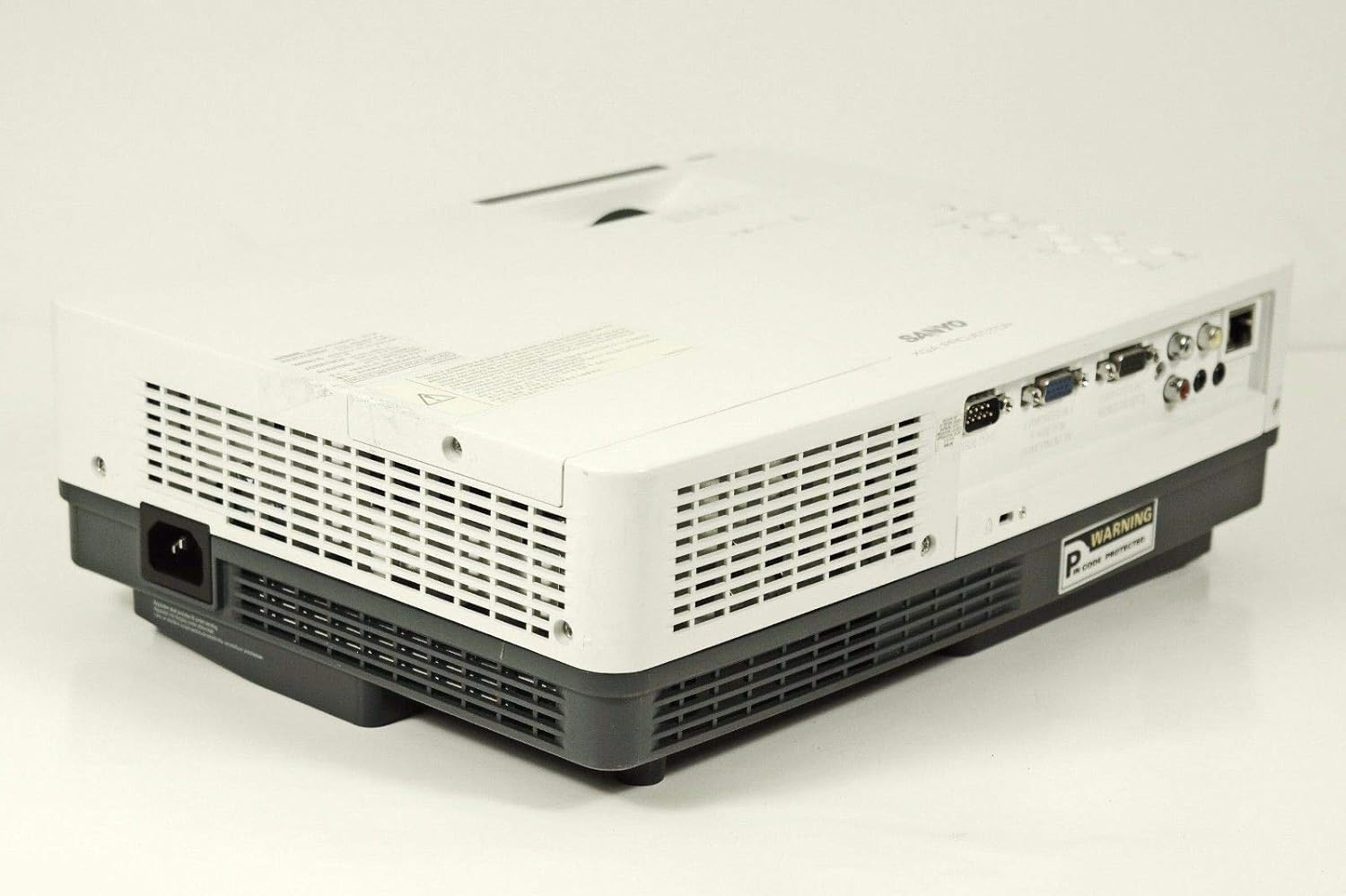
ภาพ: ด้านข้าง view of the SANYO PLC-XK2200 projector, highlighting the power input socket and exhaust vents.

ภาพ: ด้านล่าง view of the SANYO PLC-XK2200 projector, displaying screw holes for mounting, ventilation grilles, and the product information label.
4. การตั้งค่า
4.1 การจัดวางโปรเจ็กเตอร์
Place the projector on a stable, flat surface or mount it securely. Ensure there is sufficient space around the projector for ventilation. Avoid placing it in direct sunlight or near heat sources.
4.2 การต่อสายไฟ
- Connect the power cord to the AC inlet on the projector.
- เสียบปลายอีกด้านของสายไฟเข้ากับเต้ารับไฟฟ้าที่มีสายดิน
- The power indicator light will illuminate, typically in amber, indicating standby mode.
4.3 การเชื่อมต่อแหล่งอินพุต
Connect your video source (e.g., computer, DVD player) to the appropriate input port on the projector's rear panel. The PLC-XK2200 supports various inputs including VGA (Computer In 1/2), S-Video, and Composite Video.
- คอมพิวเตอร์: Use a VGA cable to connect your computer's video output to the COMPUTER IN 1 or COMPUTER IN 2 port.
- อุปกรณ์วิดีโอ: For S-Video, connect to the S-VIDEO IN port. For composite video, connect to the VIDEO IN port using an RCA cable.
- เสียง: Connect audio cables from your source device to the AUDIO IN ports if you wish to use the projector's internal speaker or audio output.
5. คู่มือการใช้งาน
5.1 การเปิด/ปิดเครื่อง
- การเปิดเครื่อง: Press the POWER button on the projector's top panel or remote control. The power indicator will turn green, and the lamp จะให้แสงสว่าง
- วิธีปิดเครื่อง: Press the POWER button twice. The projector will enter cooling mode, and the power indicator will flash amber. Once cooled, it will return to standby mode (solid amber).
5.2 การปรับแต่งภาพ
- จุดสนใจ: Rotate the FOCUS ring on the lens until the image is sharp and clear.
- ซูม: Rotate the ZOOM ring on the lens to adjust the image size.
- การแก้ไขคีย์สโตน: Use the AUTO SETUP button or navigate through the menu to adjust vertical keystone distortion, which corrects trapezoidal images.
5.3 การเลือกอินพุต
Press the INPUT button on the projector or remote control to cycle through available input sources (e.g., Computer 1, Computer 2, Video, S-Video).
5.4 การนำทางเมนู
Press the MENU button to access the on-screen display (OSD) menu. Use the arrow buttons to navigate and the SELECT button to confirm choices. Press MENU again to exit.
6. การบำรุงรักษา
6.1 การทำความสะอาดโปรเจ็กเตอร์
- ภายนอก: ใช้ผ้าแห้งนุ่มๆ เช็ดทำความสะอาดโปรเจคเตอร์asing. For stubborn dirt, dampen the cloth with a mild detergent solution.
- เลนส์: Gently wipe the lens with a lens cleaning cloth or lens paper. Avoid harsh chemicals or abrasive materials.
- ตัวกรองอากาศ: Regularly clean the air filter to maintain proper ventilation and prevent overheating. Refer to the filter cover for removal instructions.
6.2 ลิตรamp การทดแทน
ลamp มีอายุการใช้งานที่จำกัด เมื่อ lamp หากไฟแสดงสถานะสว่างขึ้นหรือภาพมืดลง แสดงว่า...amp อาจต้องเปลี่ยนชิ้นส่วน ควรปล่อยให้โปรเจคเตอร์เย็นลงอย่างสมบูรณ์ก่อนพยายามใช้งานamp replacement. Consult a qualified technician for lamp replacement if you are unsure.
คำเตือน: High pressure lamp. Risk of explosion if improperly handled. Refer to the service manual for detailed lamp ขั้นตอนการเปลี่ยน
7 การแก้ไขปัญหา
| ปัญหา | สาเหตุที่เป็นไปได้ | สารละลาย |
|---|---|---|
| ไม่มีภาพแสดง | Incorrect input selected; loose cable connection; projector in standby. | Press INPUT to select correct source; check cable connections; press POWER button to turn on. |
| ภาพเบลอ | ไม่ได้ปรับโฟกัส; โปรเจ็กเตอร์อยู่ใกล้/ไกลจากจอมากเกินไป | Adjust the FOCUS ring; reposition the projector or use the ZOOM ring. |
| รูปภาพเป็นรูปสี่เหลี่ยมคางหมู | โปรเจ็กเตอร์ไม่ตั้งฉากกับจอ | Use Auto Vertical Keystone correction or manually adjust. |
| โปรเจ็กเตอร์ร้อนเกินไปและปิดเครื่อง | ช่องระบายอากาศอุดตัน; แผ่นกรองอากาศสกปรก | ตรวจสอบให้แน่ใจว่ามีอากาศถ่ายเทสะดวกบริเวณช่องระบายอากาศ ทำความสะอาดหรือเปลี่ยนแผ่นกรองอากาศ |
8. ข้อมูลจำเพาะ

ภาพ: ด้านข้าง view of the SANYO PLC-XK2200 projector, displaying the model number label (MODEL NO. PLC-XK2200).
- ชื่อรุ่น : PLC-XK2200
- ยี่ห้อ: ซันโย
- เทคโนโลยีการแสดงผล: จอแอลซีดี
- ความสว่าง: 2200 ลูเมน
- อัตราส่วนคอนทราสต์: 2000:1 น.
- ความละเอียดดั้งเดิม: XGA (1024 x 768)
- อัตราส่วนภาพ: 4:3 (เนทิฟ)
- ฟอร์มแฟกเตอร์: พกพาได้
- ประเภทการติดตั้ง: ที่วางบนโต๊ะ
- ช่องเสียบอินพุต: VGA (x2), S-Video, Composite Video, Audio In (RCA)
- ขั้วเอาท์พุท: VGA (Monitor Out), Audio Out (RCA)
- พอร์ตควบคุม: RS-232C
- ยูพีซี: 086483079498
9. การรับประกันและการสนับสนุน
For warranty information, please refer to the warranty card included with your product or contact your local SANYO dealer. Technical support may be available through authorized service centers.
No official product videos were provided in the input data for this manual.