
1. บทนำ
Thank you for choosing the Hama FIX TV Wall Bracket, Model 96099. This fixed wall mount is designed to securely hold your television, providing a clean and space-saving installation. Please read this instruction manual thoroughly before installation and keep it for future reference. Proper installation is crucial for the safety and stability of your television.
2. คำแนะนำด้านความปลอดภัย
- อ่านคำแนะนำทั้งหมด: Before installation, carefully read and understand all assembly instructions. Incorrect installation can lead to serious injury or damage to property.
- บุคลากรที่ผ่านการรับรอง: Installation should only be performed by qualified personnel or with the assistance of a professional.
- วัสดุผนัง: Ensure the wall material is suitable for the weight of the TV and the wall mount. Use appropriate mounting hardware for your specific wall type (e.g., solid concrete, brick, wood studs, drywall). The included Fischer plugs are suitable for solid walls.
- ความจุน้ำหนัก: Do not exceed the maximum load capacity of 60 kg (132 lbs). This mount is designed for screens from 19 to 48 inches.
- ความเข้ากันได้ของ VESA: Ensure your TV's VESA mounting pattern is compatible with the bracket (up to 200x200 mm).
- การจัดการสายเคเบิล: Route all cables carefully to avoid pinching or damage.
- การตรวจสอบตามปกติ: Periodically check that the mount is securely fastened and that all screws are tight.
- เด็ก: เก็บเด็กให้ห่างจากพื้นที่ติดตั้ง
3. เนื้อหาบรรจุภัณฑ์
โปรดตรวจสอบให้แน่ใจว่ามีอุปกรณ์ครบทุกชิ้นก่อนเริ่มการติดตั้ง:
- 1x Hama FIX TV Wall Bracket (main assembly)
- 1x Screw set (various screws for TV and wall mounting)
- Fischer plugs (for solid wall installation)
- คำแนะนำในการติดตั้ง (เอกสารฉบับนี้)
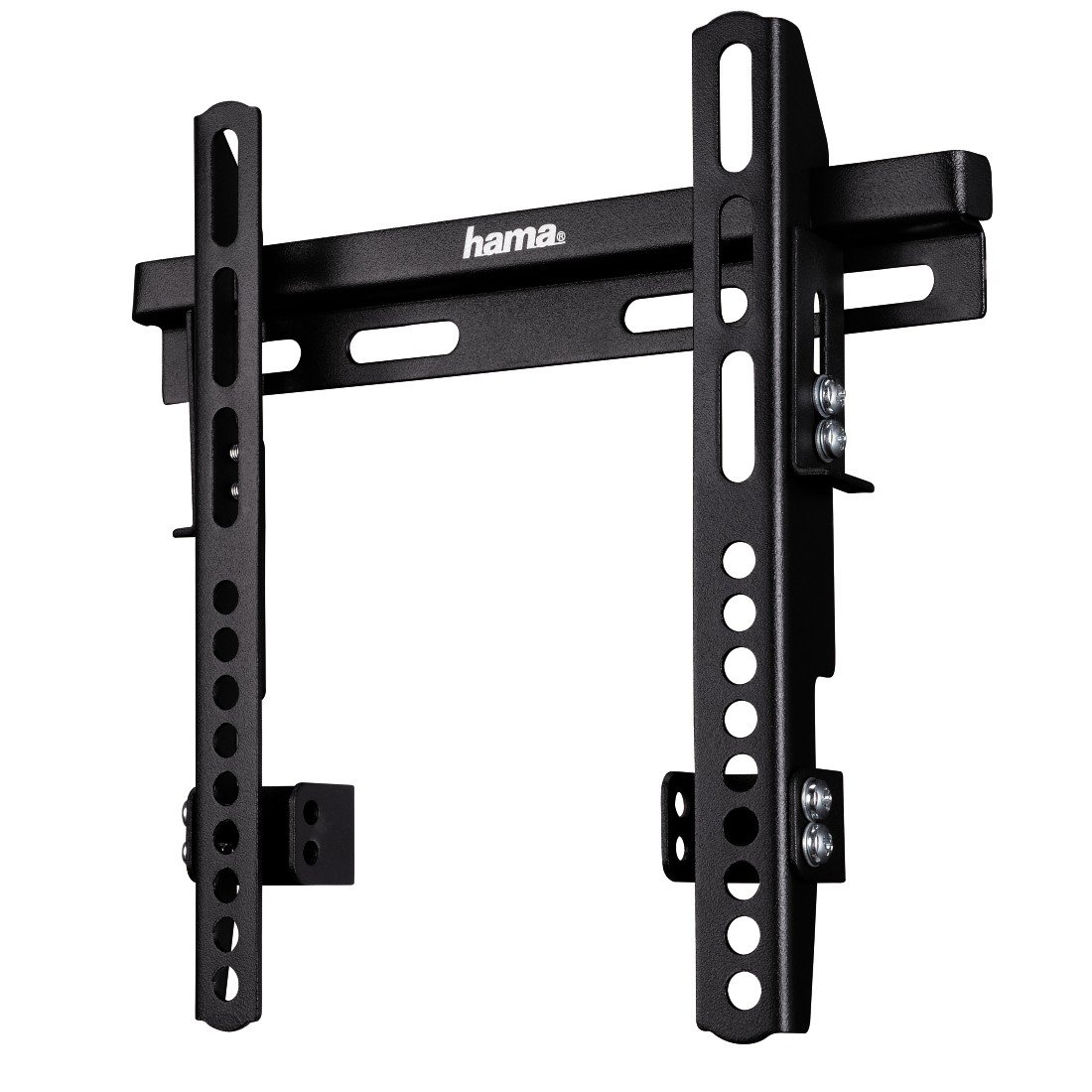
ภาพที่ 1: เกินview of the Hama FIX TV Wall Bracket components. The image shows the main bracket assembly, including the wall plate and the two vertical TV attachment arms.
4. การตั้งค่าและการติดตั้ง
Follow these steps carefully to ensure a secure installation of your TV wall bracket.
4.1. เตรียมทีวีให้พร้อม
- วางทีวีคว่ำหน้าลงบนพื้นผิวที่นุ่มและสะอาดเพื่อป้องกันรอยขีดข่วน
- ระบุรูยึด VESA ที่ด้านหลังทีวีของคุณ
- Attach the two vertical TV attachment arms to the back of your TV using the appropriate screws from the provided screw set. Ensure the arms are oriented correctly and securely fastened. The bracket supports VESA standards up to 200x200 mm.

ภาพที่ 2: ด้านหน้า view of the Hama FIX TV Wall Bracket, showing the mounting holes and the overall structure. This view helps in understanding how the TV attachment arms connect to the wall plate.
4.2. Mark Drilling Positions
- Hold the wall plate of the bracket against the wall at the desired height and position. Use a spirit level to ensure it is perfectly horizontal.
- Mark the drilling positions through the holes on the wall plate.
- Before drilling, verify there are no electrical cables, water pipes, or gas lines behind the wall at the marked positions.
4.3. Drill Holes and Mount Wall Plate
- Drill holes at the marked positions using an appropriate drill bit for your wall type. For solid walls, use the provided Fischer plugs.
- Insert the wall plugs (if required) into the drilled holes.
- Position the wall plate over the holes and secure it to the wall using the provided screws. Tighten all screws firmly, but do not overtighten.
4.4. Hang the TV
- Carefully lift the TV (with the attached arms) and hook the arms onto the wall plate.
- Ensure the TV is securely seated on the wall plate. The fixed design means the TV will sit close to the wall, with an extremely flat profile of approximately 3.1 cm (1.2 inches).
- Engage any safety locking mechanisms on the TV attachment arms to prevent accidental dislodging.

ภาพที่ 3: ด้านโปรfile view of the Hama FIX TV Wall Bracket, illustrating its slim design and the minimal distance it creates between the TV and the wall (3.1 cm).

ภาพที่ 4: Dimensional drawing of the Hama FIX TV Wall Bracket. Key dimensions are A=242 mm (width), B=235 mm (height), and C=30 mm (depth from wall).
5. การดำเนินการ
The Hama FIX TV Wall Bracket is a fixed mount, meaning once installed, your television will remain in a static position. There are no adjustable movements (tilt, swivel, or extension) with this model. Ensure the TV is securely locked onto the wall plate after installation.
6. การบำรุงรักษา
- การทำความสะอาด: Clean the bracket with a dry, soft cloth. Do not use abrasive cleaners or solvents.
- ตรวจสอบเป็นระยะ: Regularly inspect the wall mount and all fastening points to ensure they remain secure. Tighten any loose screws if necessary.
- ความเสียหาย: If any part of the bracket appears damaged, do not use it. Contact Hama customer support for assistance.
7 การแก้ไขปัญหา
| ปัญหา | สาเหตุที่เป็นไปได้ | สารละลาย |
|---|---|---|
| ทีวีไม่อยู่ในระดับ | Wall plate not installed horizontally. | Remove TV, loosen wall plate screws, adjust with a spirit level, and re-tighten. |
| Screws for TV attachment do not fit. | Incorrect screw size or length for your TV's VESA holes. | Consult your TV's manual for correct VESA screw specifications. You may need to purchase different screws. |
| Bracket feels unstable on the wall. | Improper wall plugs or insufficient tightening of screws. | Ensure correct wall plugs are used for your wall type. Re-tighten all wall mounting screws. If unsure, consult a professional. |
8. ข้อมูลจำเพาะ
- แบบอย่าง: Hama FIX TV Wall Bracket (96099)
- ประเภทการติดตั้ง: ติดผนัง
- ประเภทการเคลื่อนไหว: ที่ตายตัว
- วัสดุ: เหล็กอัลลอยด์
- สี: สีดำ
- อุปกรณ์ที่รองรับ: โทรทัศน์
- Minimum Supported Screen Size: 19 นิ้ว
- Maximum Supported Screen Size: 48 นิ้ว (122 ซม.)
- ความจุโหลดสูงสุด: 60 กก. (132 ปอนด์)
- ความเข้ากันได้ของ VESA: สูงสุดถึง 200 x 200 มม.
- Wall Distance (Depth): ประมาณ 3.1 ซม. (1.2 นิ้ว)
- น้ำหนักสินค้า: 1.6 ปอนด์ (ประมาณ 0.73 กก.)
- ผู้ผลิต: ฮามะ
9. การรับประกันและการสนับสนุน
For warranty information, technical support, or if you encounter any issues not covered in this manual, please contact Hama customer service. You can find contact details on the official Hama webเว็บไซต์หรือผ่านผู้ค้าปลีกของคุณ
Webเว็บไซต์: www.hama.com