
1. บทนำ
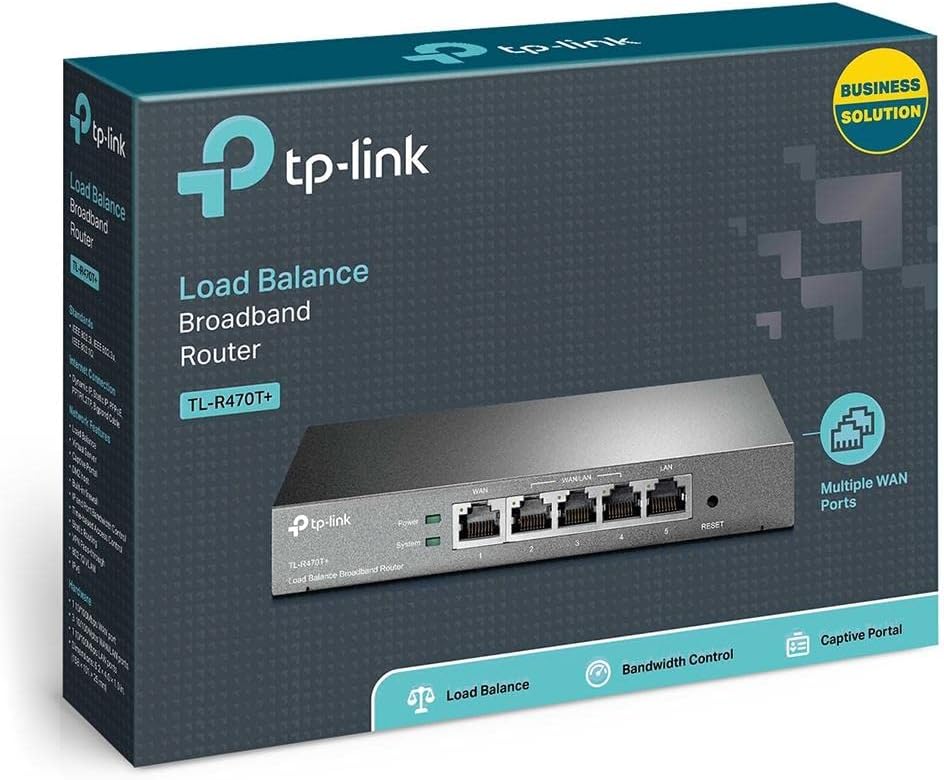
The TP-Link TL-R470T+ Load Balance Broadband Router is designed for small businesses requiring robust and flexible network connectivity. This device offers advanced features to ensure consistent network uptime and reliable Ethernet connectivity, optimizing internet access through multiple WAN connections.
2. คุณสมบัติของผลิตภัณฑ์
- พอร์ตหลาย WAN: Features three changeable WAN/LAN ports, allowing configuration for up to four WAN ports to meet diverse internet access requirements.
- Smart Load Balancing: Automatically distributes network traffic across multiple WAN connections based on load and bandwidth, ensuring optimal performance and reliability.
- การรักษาความปลอดภัยขั้นสูง: Includes Denial of Service (DoS) attack detection and blocking (TCP/UDP/ICMP flooding, Ping of Death), along with IP/MAC/URL/Web filtering functions to protect against intruders and viruses.
- Efficient Access Management: Supports PPPoE server functionality for user authentication and IP-based bandwidth control to manage bandwidth usage. The e-bulletin feature allows for periodic web-page notifications to user groups.
- ระบบป้องกันฟ้าผ่า: Incorporates professional lightning protection technology designed to prevent electrical surges up to 4KV, safeguarding networking infrastructure.
- DDNS Support: Facilitates easy remote management using a domain name.
- IP and MAC Binding: Prevents ARP virus attacks by binding IP addresses to MAC addresses.
3. เนื้อหาบรรจุภัณฑ์
ตรวจสอบว่าแพ็คเกจของคุณมีรายการต่อไปนี้:
- TP-Link TL-R470T+ โหลดบาลานซ์เราเตอร์บรอดแบนด์
- สายไฟ
- สายเคเบิลอีเธอร์เน็ต RJ-45
- คู่มือการติดตั้งแบบด่วน
4. การตั้งค่า
Follow these steps to set up your TL-R470T+ router:
- การเชื่อมต่อทางกายภาพ:
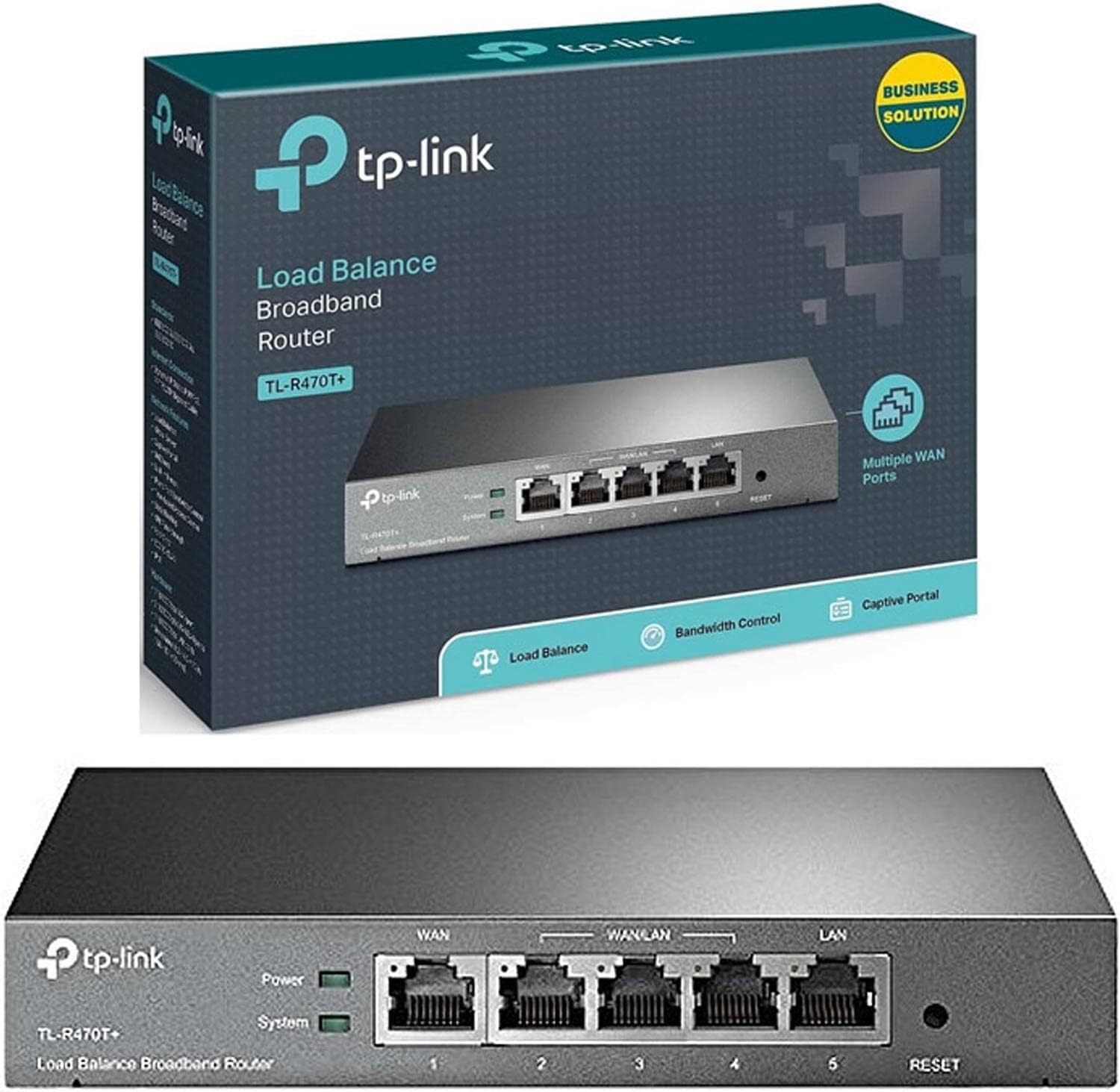
ภาพ: ด้านหน้า view of the TL-R470T+ router, displaying the WAN port, three configurable WAN/LAN ports, and one dedicated LAN port, along with power and system LED indicators.
- Connect your modem's Ethernet cable to the router's dedicated WAN port (Port 1).
- If using additional WAN connections, connect them to the configurable WAN/LAN ports (Ports 2-4).
- Connect your local network devices (computers, switches) to the LAN port (Port 5) or other configurable ports set as LAN.
- เชื่อมต่ออะแดปเตอร์แปลงไฟเข้ากับช่องเสียบไฟของเราเตอร์ แล้วเสียบเข้ากับเต้ารับไฟฟ้า
ภาพ: ด้านหลัง view of the TL-R470T+ router, highlighting the power input (9V=0.6A) and a Kensington lock slot for physical security.
- การกำหนดค่าเริ่มต้น:
- เปิด web browser on a computer connected to the router's LAN port.
- Enter the default IP address (usually 192.168.0.1) ลงในแถบที่อยู่
- เข้าสู่ระบบโดยใช้ชื่อผู้ใช้และรหัสผ่านเริ่มต้น (ดูรายละเอียดในคู่มือการติดตั้งด่วน)
- Follow the on-screen wizard to configure your WAN connections and basic network settings.
5. คู่มือการใช้งาน
Once set up, the TL-R470T+ operates to manage your network traffic efficiently.
- โหลดบาลานซ์: The router intelligently distributes internet traffic across active WAN connections. You can configure load balancing policies via the web interface to prioritize certain connections or applications.
- Firewall and Filtering: Access the security settings in the web interface to configure IP/MAC/URL filtering rules and enable DoS attack protection. This helps secure your network from external threats.
- การควบคุมแบนด์วิดท์: Utilize the IP-based bandwidth control feature to allocate specific bandwidth limits to different users or devices on your network, ensuring fair usage and preventing congestion.
- Port Forwarding (Virtual Servers): For applications requiring external access to internal network resources (e.g., FTP servers, gaming servers), configure Virtual Servers (Port Forwarding) in the router's settings.
- DNS แบบไดนามิก (DDNS): If you have a dynamic public IP address, configure DDNS to associate a fixed domain name with your router, enabling consistent remote access.
6. การบำรุงรักษา
การบำรุงรักษาตามปกติจะช่วยให้เราเตอร์ของคุณมีประสิทธิภาพสูงสุดและมีอายุการใช้งานยาวนาน
- อัพเดตเฟิร์มแวร์: ตรวจสอบเจ้าหน้าที่ TP-Link เป็นระยะ webเว็บไซต์สำหรับอัปเดตเฟิร์มแวร์ การอัปเดตเฟิร์มแวร์จะช่วยเพิ่มประสิทธิภาพ เพิ่มคุณสมบัติใหม่ และแก้ไขช่องโหว่ด้านความปลอดภัย
- การสำรองข้อมูลการกำหนดค่า: สำรองการตั้งค่าคอนฟิกูเรชันของเราเตอร์ของคุณเป็นประจำผ่านทาง web interface. This allows for quick restoration in case of accidental changes or a factory reset.
- สภาพแวดล้อมทางกายภาพ: Ensure the router is placed in a well-ventilated area, away from direct sunlight, heat sources, and moisture. Keep the device clean and free from dust accumulation.
- ระบบป้องกันฟ้าผ่า: While the device has built-in lightning protection, ensure proper grounding of your electrical system to maximize its effectiveness.
7 การแก้ไขปัญหา
หัวข้อนี้จะกล่าวถึงปัญหาทั่วไปที่คุณอาจพบเจอ
- ไม่มีอินเทอร์เน็ต:
- Verify that your modem is working correctly and providing an internet connection.
- Check the WAN port LED indicators on the router; they should be lit.
- Ensure WAN settings (IP address, DNS) are correctly configured in the router's web อินเทอร์เฟซ
- รีสตาร์ททั้งโมเด็มและเราเตอร์ของคุณ
- ความเร็วอินเตอร์เน็ตช้า:
- ตรวจสอบความเร็วของผู้ให้บริการอินเตอร์เน็ตของคุณ
- Review load balancing settings to ensure optimal distribution across WANs.
- Check for any active bandwidth control rules that might be limiting speed for your device.
- ไม่สามารถเข้าถึง Web หน้าการจัดการ:
- ตรวจสอบให้แน่ใจว่าคอมพิวเตอร์ของคุณเชื่อมต่อกับพอร์ต LAN ของเราเตอร์
- ตรวจสอบให้แน่ใจว่าที่อยู่ IP ของคอมพิวเตอร์ของคุณอยู่ในซับเน็ตเดียวกันกับเราเตอร์ (เช่น 192.168.0.x)
- ลองล้างแคชเบราว์เซอร์ของคุณหรือใช้เบราว์เซอร์อื่น
- If the issue persists, perform a factory reset by pressing and holding the reset button for approximately 5-10 seconds while the router is powered on. Note: This will erase all custom configurations.
8. ข้อมูลจำเพาะ
| หมายเลขรุ่นสินค้า | TL-R470T+ |
| ยี่ห้อ | ทีพี ลิงค์ |
| ประเภทอินเทอร์เฟซ | 1 Fixed Ethernet WAN Port, 1 Fixed Ethernet LAN Port, 3 Changeable Ethernet WAN/LAN Ports |
| จำนวนพอร์ต | 5 |
| อัตราการถ่ายโอนข้อมูล | 100 เมกะบิตต่อวินาที |
| เล่มที่tage | 240 โวลต์ |
| น้ำหนักสินค้า | 0.46 กิโลกรัม (1.02 ปอนด์) |
| ขนาดสินค้า | 8.3 x 1.1 x 5 นิ้ว |
| ความเข้ากันได้ของระบบปฏิบัติการ | Microsoft Windows 8, 7, Vista, XP or MAC OS, NetWare, UNIX or Linux |
| ประเภทไร้สาย | 802.11ac (Note: This device is a wired router, 802.11ac refers to internal component compatibility, not wireless functionality) |
| ขนาดหน่วยความจำแฟลช | 4MB |
9. การรับประกันและการสนับสนุน
สำหรับข้อมูลการรับประกัน การสนับสนุนทางเทคนิค และความช่วยเหลือเพิ่มเติม โปรดดูที่เว็บไซต์อย่างเป็นทางการของ TP-Link website or contact TP-Link customer service directly. The Quick Installation Guide included with your product may also contain specific warranty details for your region.