
1. บทนำ
This manual provides detailed instructions for the installation, operation, and maintenance of your Evertech EV-CDM368IR V.7 CCTV Security Camera. This camera is designed for both indoor and outdoor surveillance, featuring day and night vision, a 2.8-12mm manual varifocal lens, and compatibility with multiple video formats including 1080p AHD, TVI, CVI, and traditional analog DVRs.

Figure 1: Evertech EV-CDM368IR V.7 Dome Security Camera. This image shows the front view of the white dome camera with its lens and infrared LEDs.
2. สิ่งที่รวมอยู่
ตรวจสอบว่ามีส่วนประกอบทั้งหมดอยู่ในแพ็คเกจ:
- 1 pc. Evertech EV-CDM368IR V.7 Dome Security Camera
- 1 pc. Technical Specification Sheet
- 4 pcs. Mounting Screws
- 4 pcs. Plastic Wall Anchors
- 1 pc. L-Key (for adjustments)
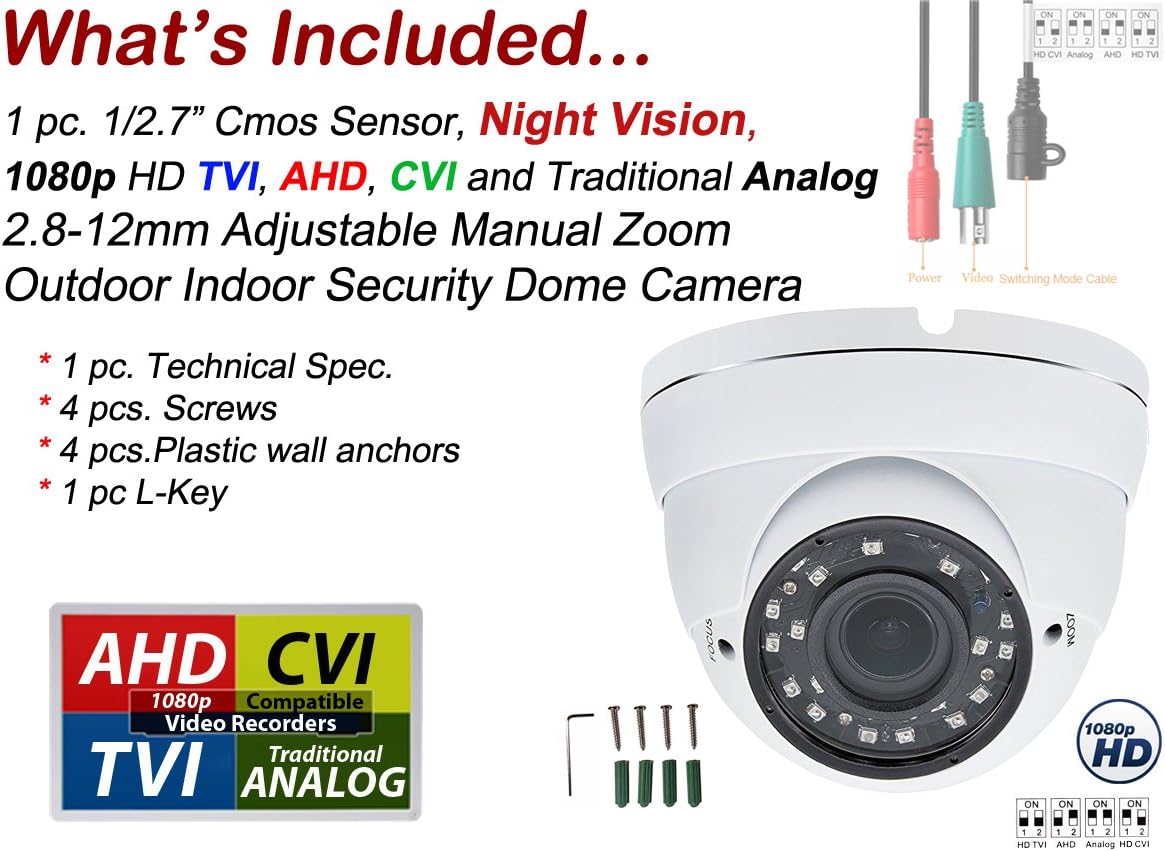
Figure 2: Package Contents. This image displays the dome camera, mounting hardware, and connection cables, along with a diagram indicating video output modes.
3. คุณสมบัติของผลิตภัณฑ์
- ปณิธาน: 1080p (1920 x 1080 effective pixels) for clear video capture.
- เลนส์: 2.8mm - 12mm manual varifocal lens for adjustable zoom and focus.
- การมองเห็นตอนกลางคืน: Infrared (IR) distance up to 98 feet (30 meters) with SMT LEDs.
- เอาท์พุตวิดีโอ: Compatible with AHD, TVI, CVI, and traditional Analog (CVBS) DVRs.
- ความทนทาน: Weatherproof metal casing suitable for indoor and outdoor use.
- พลัง: DC 12V, 500mA (minimum 800mA or 1A adapter recommended, not included).

รูปที่ 3: คุณสมบัติของกล้องview. This diagram highlights key features such as resolution, lens type, IR distance, power requirements, and casinวัสดุ g
4. การตั้งค่า
4.1 การเชื่อมต่อสายไฟ
Connect a DC 12V power adapter (not included) to the camera's power input. A minimum of 800mA or 1 Ampere adapter is recommended for stable operation, especially during night vision mode.
4.2 Video Mode Selection
The camera's default video mode is 1080p AHD. If your Digital Video Recorder (DVR) uses a different format (HD TVI, CVI, or Analog), you must switch the camera's video mode using the DIP switch located on the camera's cable.
- Locate the small DIP switch on the camera's video cable.
- Refer to the diagram below to set the switches according to your DVR's compatible video format.
- Ensure the camera is powered off before changing DIP switch settings.

Figure 4: DIP Switch Settings. This image illustrates how to configure the DIP switches for HD CVI, Analog, HD TVI, and AHD video modes.
5. การติดตั้ง
5.1 การติดตั้ง
The Evertech EV-CDM368IR V.7 camera is designed for versatile mounting on both walls and ceilings. The durable metal casing ensures suitability for various environments.
- เลือกตำแหน่งติดตั้งที่เหมาะสมซึ่งให้ผลลัพธ์ที่ต้องการ viewมุมการครอบคลุมและขอบเขตการครอบคลุม
- Use the provided mounting screws and wall anchors to securely attach the camera base.
- ตรวจสอบให้แน่ใจว่าพื้นผิวสำหรับติดตั้งมีความแข็งแรงเพียงพอที่จะรองรับน้ำหนักของกล้อง
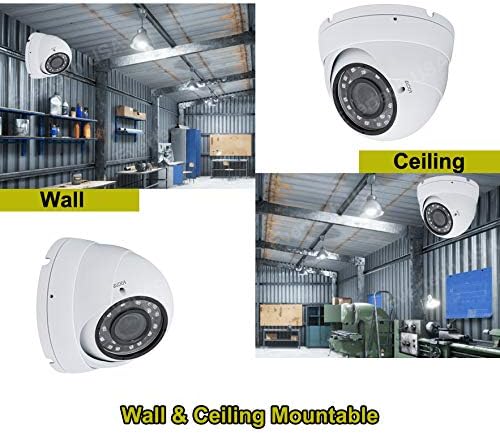
Figure 5: Mounting Options. This image demonstrates the camera mounted on both a wall and a ceiling in an industrial setting.
5.2 การพิจารณาการจัดวาง
This camera is suitable for a wide range of indoor and outdoor applications, including:
- Residential homes (rooms, garages, villas)
- Commercial spaces (offices, business stores, warehouses)
- Public areas (schools, hotels, arenas)
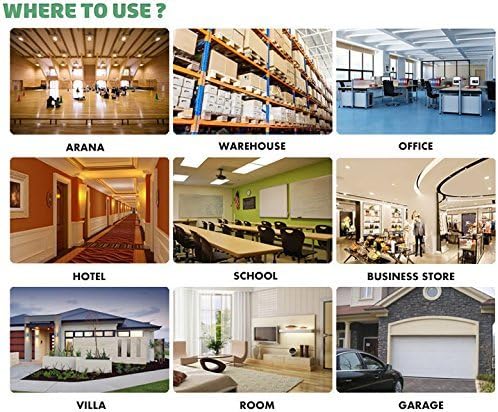
รูปที่ 6: อดีตample Use Cases. This image displays various locations where the camera can be effectively used, such as warehouses, offices, and residential areas.
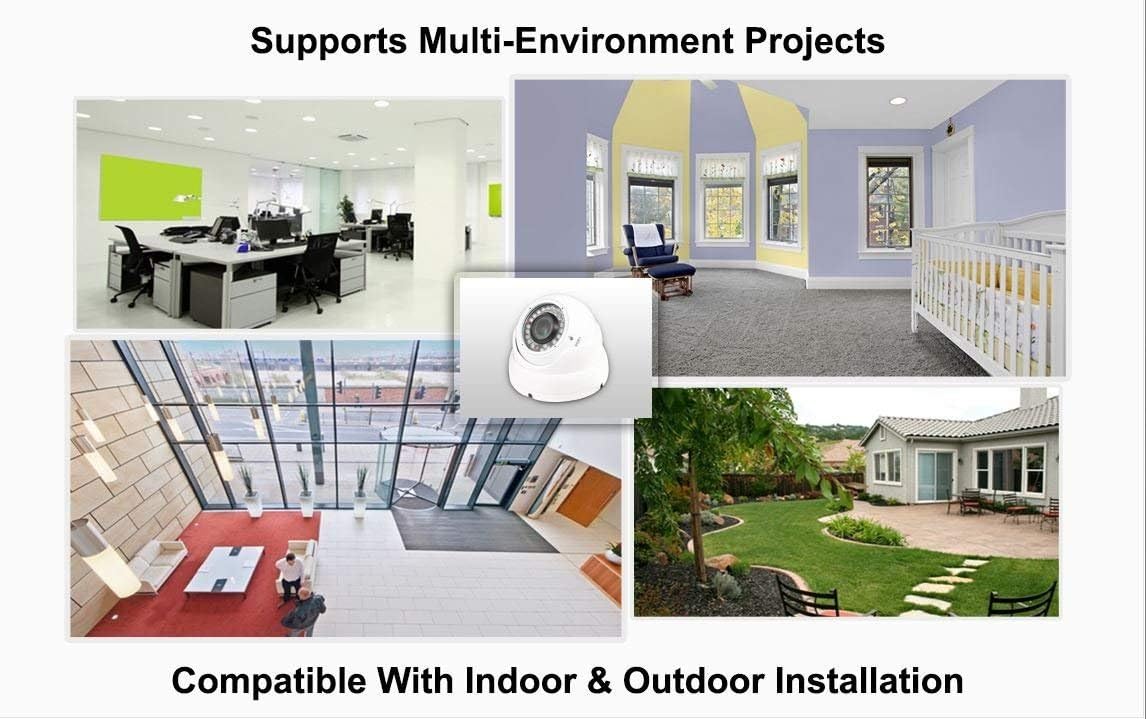
Figure 7: Multi-Environment Compatibility. This image shows the camera integrated into different indoor and outdoor settings, emphasizing its versatile installation.
6. คู่มือการใช้งาน
6.1 Manual Zoom and Focus Adjustment
The camera features a 2.8mm-12mm manual varifocal lens, allowing you to adjust the field of view and focus precisely. This is particularly useful for concentrating on specific areas or adapting to different distances.
- Access the zoom and focus rings on the camera lens. These are typically adjusted using the provided L-key.
- Connect the camera to a monitor or DVR to view ฟีดสด
- Adjust the zoom ring to achieve the desired field of view (e.g., 2.8mm for wide angle, 12mm for narrow/zoomed-in view).
- After adjusting the zoom, rotate the focus ring until the image appears sharp and clear. It is crucial to adjust focus after every zoom change.

Figure 8: Varifocal Lens Capability. This image demonstrates the varying fields of view at different focal lengths (2.8mm to 12mm) of the varifocal lens.
7. การบำรุงรักษา
- การทำความสะอาด: ทำความสะอาดเลนส์กล้องเป็นประจำ และ...asing กับ d อ่อนamp ผ้า หลีกเลี่ยงน้ำยาทำความสะอาดที่มีฤทธิ์กัดกร่อนหรือตัวทำละลายที่อาจทำลายพื้นผิว
- การตรวจสอบสายเคเบิล: Periodically check all cables and connections for wear, damage, or loose contacts to ensure continuous operation.
- การตรวจสอบสิ่งแวดล้อม: For outdoor installations, ensure that the camera's view is not obstructed by foliage, dirt, or spiderwebs.
8 การแก้ไขปัญหา
| ปัญหา | สาเหตุที่เป็นไปได้ | สารละลาย |
|---|---|---|
| ไม่มีสัญญาณภาพ | Incorrect video mode, loose cable, no power. | Verify DIP switch settings match DVR. Check power supply and video cable connections. |
| Blurry or unfocused image | การปรับโฟกัสไม่ถูกต้อง | Adjust the manual focus ring on the lens while viewกำลังดูฟีดสดอยู่ |
| การมองเห็นตอนกลางคืนไม่ดี | Insufficient power, IR obstruction, camera placement. | Ensure adequate power supply (recommended 800mA-1A). Clear any obstructions from the IR LEDs. Reposition camera if IR reflection is an issue. |
| Image quality issues (static, color distortion) | Cable interference, incompatible DVR settings. | Use high-quality coaxial cables. Ensure DVR settings are optimized for 1080p input. |
9. ข้อมูลจำเพาะ
- หมายเลขรุ่น: EV-CDM368IR V.7
- พิกเซลที่มีประสิทธิภาพ: 1920x1080 (1080p) ความคมชัด
- เลนส์: 2.8mm - 12mm Manual Zoom (Varifocal)
- ระยะอินฟราเรด: Up to 98 Ft (30 meters)
- การใช้พลังงาน: DC 12V, 500mA (min. 800mA recommended)
- เอาท์พุตวิดีโอ: AHD, TVI, CVI, Analog (CVBS) - Switchable via DIP switch
- การใช้งานในร่ม/กลางแจ้ง: ใช่
- วัสดุของกล่องหุ้ม: โลหะ
- ระดับการกันน้ำ: IP54
- สี: สีขาว
- น้ำหนักสินค้า: 1.6 ปอนด์
10. การรับประกัน
This Evertech security camera is covered by a รับประกัน 1 ปี provided by Evertech. Please retain your proof of purchase for warranty claims.
11. การสนับสนุน
For further assistance, technical support, or to explore other Evertech products, please visit the official Evertech store or contact customer service.
Evertech Store: https://www.amazon.com/stores/EVERTECH/page/B071A34F-C422-49CE-BAF1-CA8454821825
12. วิดีโอผลิตภัณฑ์อย่างเป็นทางการ
ผู้ขายไม่ได้จัดเตรียมวิดีโอแนะนำผลิตภัณฑ์อย่างเป็นทางการสำหรับรุ่นนี้