
APC BR900GI
คู่มือผู้ใช้ APC Back-UPS Pro 900
Model: BR900GI
คำแนะนำด้านความปลอดภัยที่สำคัญ
Read these instructions carefully before installing, operating, servicing, or maintaining the unit. Failure to observe these instructions can result in death, serious injury, or equipment damage.
- UPS นี้มีไว้สำหรับใช้ภายในอาคารเท่านั้น
- อย่าใช้งานเครื่องนี้ในแสงแดดโดยตรงสัมผัสกับของเหลวหรือในบริเวณที่มีฝุ่นหรือความชื้นมากเกินไป
- ต่อสายไฟของ UPS เข้ากับเต้ารับที่ผนังโดยตรง อย่าใช้อุปกรณ์ป้องกันไฟกระชากหรือสายไฟต่อ
- The battery is heavy. Seek assistance when replacing the battery.
- การให้บริการแบตเตอรี่ควรดำเนินการหรือดูแลโดยบุคลากรที่มีความรู้เกี่ยวกับแบตเตอรี่และข้อควรระวังที่จำเป็น
- ห้ามทิ้งแบตเตอรี่ลงในกองไฟ แบตเตอรี่อาจระเบิดได้
- ห้ามเปิดหรือทำลายแบตเตอรี่ สารอิเล็กโทรไลต์ที่ปล่อยออกมาอาจเป็นอันตรายต่อผิวหนังและดวงตา อาจเป็นพิษได้
เนื้อหาแพ็คเกจ
Verify that all contents are present upon receipt. Notify the carrier and dealer if there is any damage.
- APC Back-UPS Pro 900 Unit
- สายสื่อสาร USB
- คู่มือผู้ใช้และข้อมูลความปลอดภัย
- PowerChute Personal Edition Software CD (or download instructions)
การตั้งค่า
การจัดวาง
Place the Back-UPS to protect connected equipment. The unit should be placed on a flat, stable surface, away from direct sunlight, excessive heat, or moisture. Ensure adequate airflow around the unit.

ภาพ: ด้านหน้า view of the APC Back-UPS Pro 900, showing the display and power buttons.
การเชื่อมต่อกับพลังงาน
- Connect the UPS power cable directly to a properly grounded 230V AC wall outlet.
- Allow the Back-UPS to charge for at least 24 hours to ensure sufficient runtime capacity. The unit charges whenever it is connected to AC power, whether it is turned on or off.
อุปกรณ์เชื่อมต่อ
Connect your computer, monitor, and other critical devices to the 'Battery Backup' outlets. Connect non-critical devices (e.g., printer, scanner) to the 'Surge Only' outlets.

ภาพ: ด้านหลัง view of the APC Back-UPS Pro 900, highlighting the battery backup outlets, surge-only outlets, network ports, and USB/Serial data ports.
- ช่องเสียบแบตเตอรี่สำรอง: Provide power to connected equipment during power outagและป้องกันไฟกระชาก
- ช่องจ่ายไฟกระชากเท่านั้น: Provide surge protection only. These outlets do not provide power during a power outage.
- USB/Serial Port: Connect the provided USB cable from the UPS to your computer for automatic shutdown and advanced power management features using PowerChute Personal Edition software.
- Network Protection Ports (RJ-45): Protect an Ethernet line from surges. Connect your network cable through these ports.
การใช้งาน UPS
จอแสดงผลด้านหน้า
The front panel display provides real-time information about the UPS status and power conditions. Press the DISPLAY button to cycle through various display options.
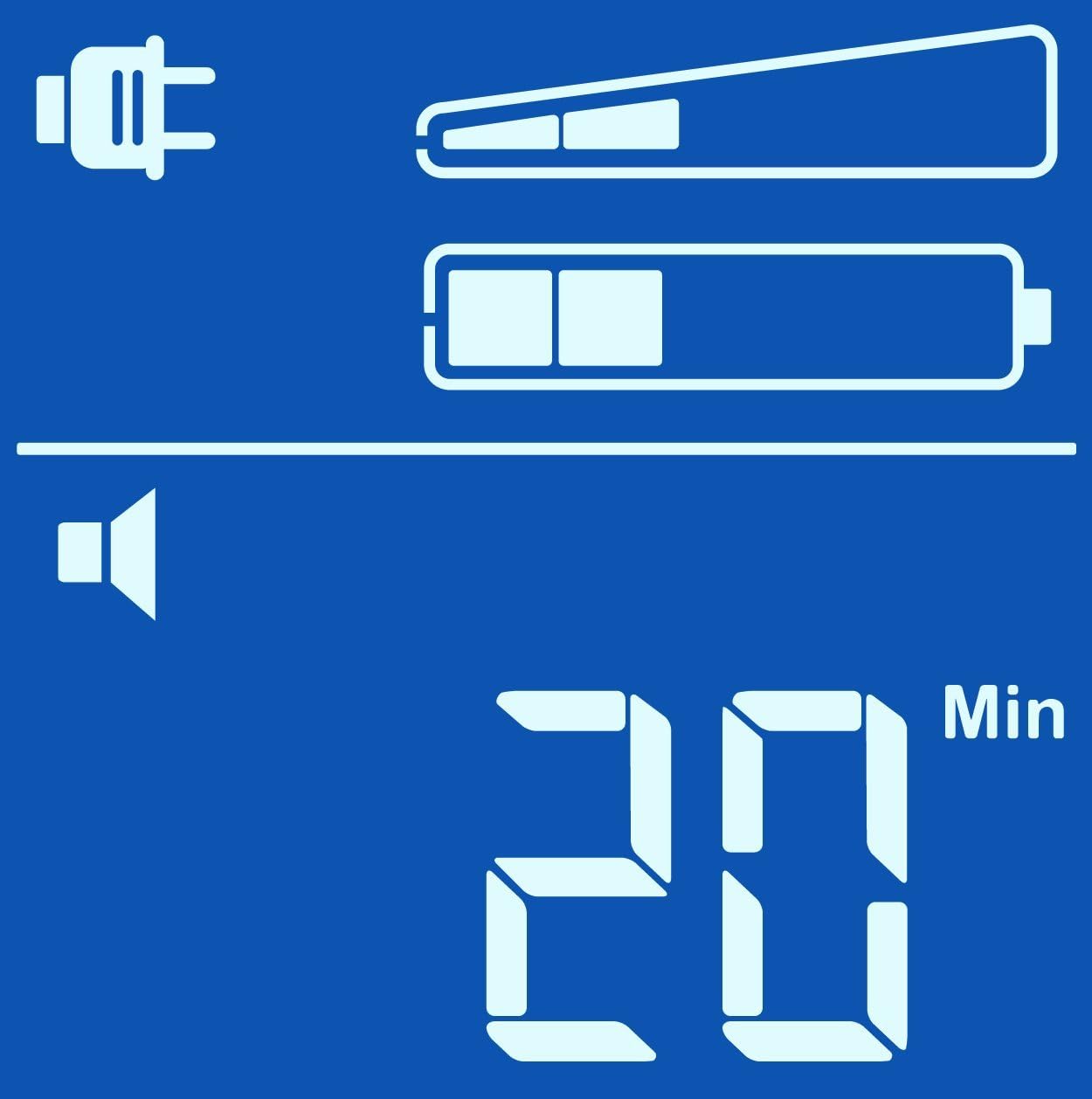
Estimated Runtime (Min)

ปริมาณการส่งออกtagอี (วี)
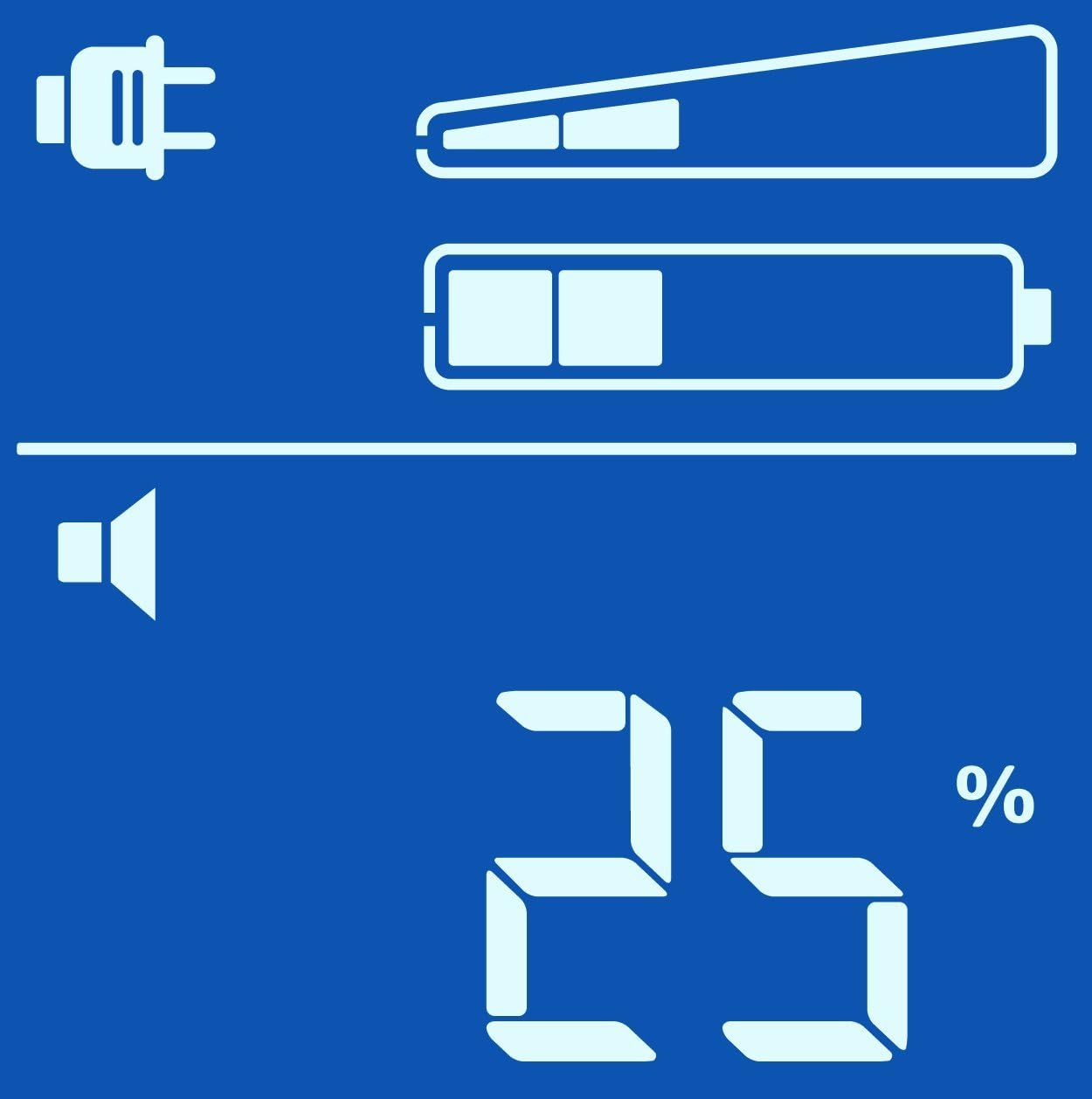
โหลดเปอร์เซ็นต์tagอี (%)

Load in Watts (W)
เปิด/ปิดเครื่อง
- เปิด: Press the POWER button once. The display will illuminate.
- วิธีปิด: Press and hold the POWER button until a beep is heard and the display turns off.
การดำเนินการสำรองแบตเตอรี่
ระหว่างที่ไฟฟ้าดับtage, the Back-UPS will automatically switch to battery power. An audible alarm will sound, and the display will show the estimated runtime. The alarm will sound more frequently as the battery charge depletes.
ถ้าอำนาจoutage is prolonged, the Back-UPS will automatically shut down connected equipment to prevent data loss and preserve battery life. Ensure PowerChute Personal Edition software is installed and configured on your computer for this feature to work correctly.
การซ่อมบำรุง
การเปลี่ยนแบตเตอรี่
The battery in your Back-UPS Pro 900 is a user-replaceable, hot-swappable battery. The typical battery life is 3-5 years, depending on usage and environmental conditions. Replace the battery when the 'Replace Battery' indicator illuminates on the display.
Use only APC approved replacement batteries (APCRBC123). Refer to the detailed battery replacement instructions provided with the replacement battery kit or on the APC webเว็บไซต์.
การทำความสะอาด
Clean the exterior of the UPS with a soft, dry cloth. Do not use liquid or aerosol cleaners. Ensure the unit is unplugged from the wall outlet before cleaning.
การแก้ไขปัญหา
Use the table below to solve minor installation and operation problems. Refer to the APC website or contact customer support for more complex issues.
| ปัญหา | สาเหตุที่เป็นไปได้ | สารละลาย |
|---|---|---|
| UPS จะไม่เปิดขึ้น | Not connected to AC power; Low battery charge | Ensure power cable is securely plugged into a wall outlet; Allow battery to charge for 24 hours. |
| เครื่องสำรองไฟ (UPS) ส่งเสียงบี๊บอย่างต่อเนื่อง | On battery power; Overload condition | Check AC power supply; Reduce connected load by unplugging non-essential equipment. |
| Replace Battery indicator is lit | จำเป็นต้องเปลี่ยนแบตเตอรี่ | Order and install a new APC replacement battery (APCRBC123). |
| No power to connected equipment | UPS is off; Circuit breaker tripped | Turn on the UPS; Press the circuit breaker reset button on the back of the unit. |
ข้อมูลจำเพาะ
| คุณสมบัติ | รายละเอียด |
|---|---|
| แบบอย่าง | BR900GI |
| ความจุ | 900 วัตต์ / 540 วัตต์ |
| อินพุต Voltage | 230 โวลต์กระแสสลับ |
| ปริมาณการส่งออกtage | 230 โวลต์กระแสสลับ |
| ประเภทแบตเตอรี่ | แบตเตอรี่ตะกั่วกรดแบบปิดผนึก ไม่ต้องบำรุงรักษา |
| เวลาในการชาร์จโดยทั่วไป | 8 ชม. ถึง 90% |
| ขนาด (สูง x กว้าง x ลึก) | 9.8 x 3.9 x 15.0 นิ้ว (24.9 x 9.9 x 38.1 ซม.) |
| น้ำหนัก | 25.79 ปอนด์ (11.7 กก.) |
| อุณหภูมิในการทำงาน | 0 ถึง 40 °C (32 ถึง 104 °F) |
ข้อมูลการรับประกัน
APC by Schneider Electric provides a standard warranty for this product. The warranty period typically covers defects in materials and workmanship under normal use. Please refer to the warranty card included with your product or visit the official APC website for the most current and detailed warranty terms and conditions applicable to your region.
โปรดเก็บหลักฐานการซื้อ (ใบเสร็จรับเงิน) ไว้ เนื่องจากจำเป็นต้องใช้ในการเรียกร้องการรับประกันใดๆ
การสนับสนุนลูกค้า
For technical assistance, troubleshooting, or product information, please visit the official APC by Schneider Electric support website or contact your local APC customer support center.
Webเว็บไซต์: www.apc.com/support
When contacting support, please have your product model (BR900GI) and serial number ready. The serial number is typically located on a sticker on the back or bottom of the unit.
Ask a question about this manual
Ask about setup, troubleshooting, compatibility, parts, safety, or missing instructions. Manuals+ will review the question and use this page’s manual context to help answer it.