
1. บทนำ
The Woods 59408WD Outdoor Hard-Wired Post Eye Light Control is designed to automatically turn your outdoor lighting on at dusk and off at dawn. This photocell light sensor provides reliable, energy-efficient control for various outdoor light fixtures, ensuring your property is illuminated when needed without manual intervention. It is suitable for hard-wired installations in appropriate enclosures.
2. ข้อมูลด้านความปลอดภัย
- คำเตือน: เสี่ยงต่อการถูกไฟฟ้าช็อต โปรดตัดกระแสไฟที่เบรกเกอร์หรือกล่องฟิวส์ก่อนทำการติดตั้งหรือซ่อมบำรุง
- This device is intended for installation in accordance with the National Electrical Code and local regulations. If you are unsure about wiring, consult a qualified electrician.
- Ensure the device is installed in a dry location or within a weather-resistant enclosure to prevent water damage and ensure safe operation.
- ห้ามเกินค่าพิกัดไฟฟ้าที่กำหนด
3. เนื้อหาบรรจุภัณฑ์
- Woods 59408WD Photocell Light Control
- Hardwire Black (integrated wiring)
4. ข้อมูลจำเพาะ
| ยี่ห้อ | ป่า |
| หมายเลขรุ่น | รถขับเคลื่อน 59408 ล้อ |
| เล่มที่tage | 120 โวลต์ |
| วัดtage | 1800 วัตต์ (สูงสุด) |
| วิธีการควบคุม | โฟโตเซลล์ (ตรวจจับแสงตั้งแต่พลบค่ำถึงรุ่งเช้า) |
| ประเภทสวิตซ์ | ฮาร์ดไวร์ |
| การใช้งานภายใน/ภายนอกอาคาร | Indoor, Outdoor (in dry location/enclosure) |
| Light Source Compatibility | Fluorescent, Halogen, Incandescent, LED |
| ขนาด (กว้าง x ยาว x สูง) | ยาว 1.8 นิ้ว x กว้าง 1.1 นิ้ว x สูง 2.1 นิ้ว |
| น้ำหนัก | 0.11 ปอนด์ |
5. การติดตั้ง
5.1 เครื่องมือที่จำเป็น
- ไขควง
- ระบำลวด
- Wire nuts (appropriate size)
- เทปพันสายไฟ
- เล่มที่tagผู้ทดสอบอิเล็กทรอนิกส์
- Weather-resistant electrical enclosure (if installing outdoors in an exposed location)
5.2 คำแนะนำในการเดินสายไฟ
สำคัญ: โปรดตรวจสอบให้แน่ใจว่าได้ปิดไฟที่เบรกเกอร์แล้วก่อนเริ่มการติดตั้ง
- เตรียมสายไฟ: Strip approximately 1/2 inch of insulation from the ends of all wires (photocell, incoming power, and light fixture wires).
- การเชื่อมต่อสายนิวทรัล: เชื่อมต่อ สายสีขาว from the photocell to the incoming สายสีขาว (สายกลาง) from your power source and the สายสีขาว (สายกลาง) of your light fixture. Secure with a wire nut.
- Connect Line (Hot) Wire: เชื่อมต่อ สายสีดำ from the photocell to the incoming black (hot/line) wire from your power source. Secure with a wire nut.
- เชื่อมต่อสายไฟโหลด: เชื่อมต่อ สายสีแดง from the photocell to the black (hot/load) wire of your light fixture. Secure with a wire nut.
- การเชื่อมต่อที่ปลอดภัย: Ensure all wire nuts are tight and connections are secure. Wrap each wire nut with electrical tape for added insulation and protection.
- Mount Photocell: Mount the photocell in a location where it will receive natural daylight and is not obstructed by shadows or artificial light sources (e.g., other lights, car headlights) that could interfere with its operation. If installing outdoors, ensure it is within a suitable weather-resistant enclosure.
- คืนค่าพลัง: Once all connections are secure and the photocell is mounted, restore power at the circuit breaker.
บันทึก: The photocell may have a built-in delay (typically a few seconds to a few minutes) before activating or deactivating to prevent false triggers from transient light changes.
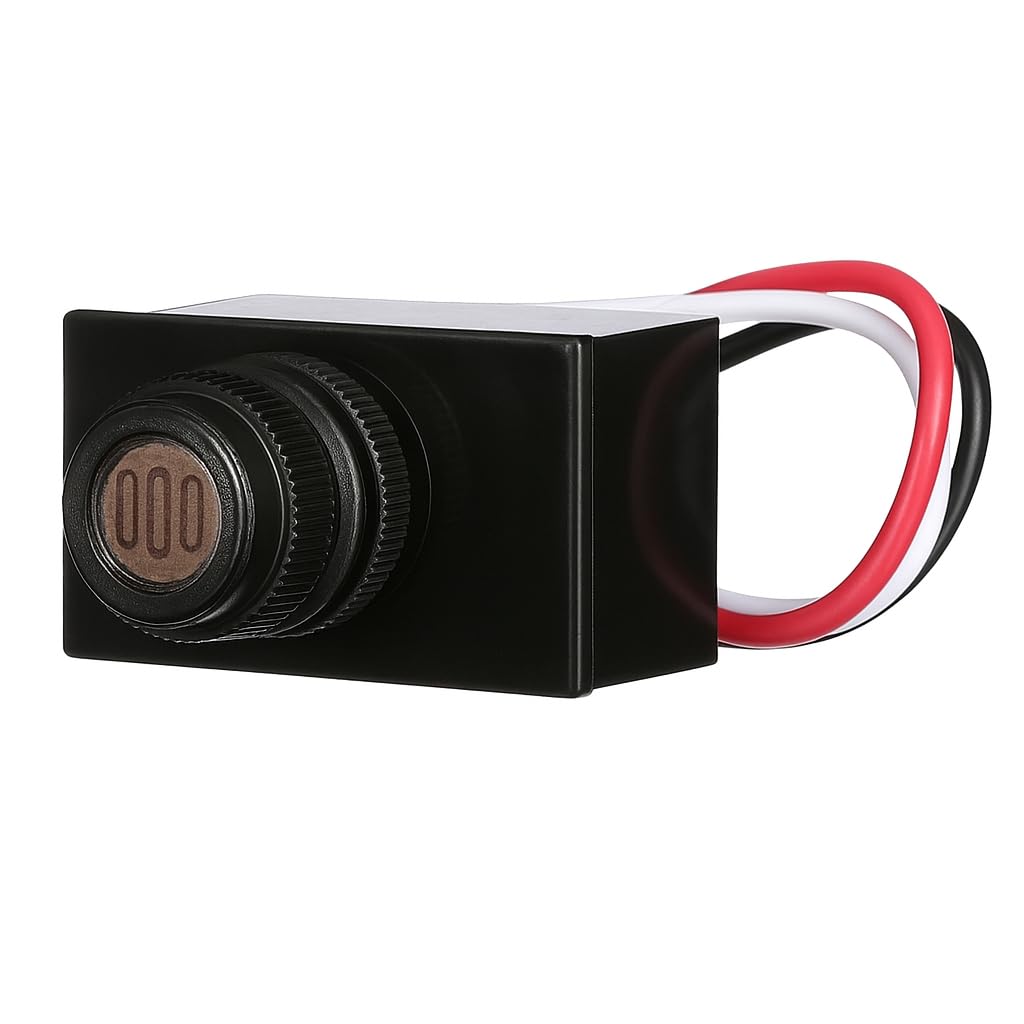
Image: The Woods 59408WD Post Eye Light Control, a compact black unit with a visible light sensor on the front.

ภาพ: ภาพระยะใกล้ view of the photocell sensor on the Woods 59408WD unit, showing the light-sensitive element.
6. การดำเนินการ
The Woods 59408WD Post Eye Light Control operates automatically based on ambient light levels:
- At Dusk: When natural light levels fall below a certain threshold, the photocell will detect darkness and activate the connected light fixture.
- At Dawn: When natural light levels rise above a certain threshold, the photocell will detect sufficient light and deactivate the connected light fixture.
There is an intentional delay in the switching mechanism (typically a few seconds to a few minutes) to prevent the light from cycling on and off due to temporary shadows, car headlights, or lightning flashes.
7. การบำรุงรักษา
The Woods 59408WD Post Eye Light Control requires minimal maintenance:
- Periodically inspect the photocell sensor for any dirt, dust, or debris that might obstruct its view of ambient light. Gently clean the sensor with a soft, damp ผ้าถ้าจำเป็น
- Ensure the area around the sensor remains clear of obstructions (e.g., growing foliage, new decorations) that could block natural light.
- Check wiring connections annually for any signs of wear or corrosion, especially in outdoor installations.
8 การแก้ไขปัญหา
| ปัญหา | สาเหตุที่เป็นไปได้ | สารละลาย |
|---|---|---|
| ไฟติดสว่างต่อเนื่อง | Sensor is not receiving enough light (e.g., obstructed, installed in a dark area). Wiring error (e.g., load wire connected to line). Defective photocell. | Relocate or clear obstructions from the sensor. Verify wiring connections according to Section 5.2. Consult an electrician if unsure. Replace the photocell if other solutions fail. |
| ไฟจะไม่เปิดเมื่อพลบค่ำ | ไม่มีไฟเข้าตัวเครื่อง Sensor is receiving too much light (e.g., from another light source). ข้อผิดพลาดในการเดินสาย Defective photocell or light fixture bulb. | ตรวจสอบเบรกเกอร์และแหล่งจ่ายไฟ Relocate the sensor or shield it from artificial light sources. Verify wiring connections according to Section 5.2. Test the light fixture with a different power source or replace the bulb. Replace photocell if necessary. |
| ไฟจะเปิด/ปิดอย่างรวดเร็ว | Interference from flickering light sources or transient shadows. Sensor is partially obstructed or dirty. | Ensure the sensor has a clear, consistent view of ambient light. Clean the sensor. Note that a short delay is normal to prevent rapid cycling. |
| Light turns on/off with a delay. | นี่เป็นการทำงานปกติ | The photocell is designed with a built-in time delay to prevent false triggers. This is not a malfunction. |
9. การรับประกันและการสนับสนุน
For warranty information or technical support, please refer to the product packaging or contact Woods customer service directly. Keep your purchase receipt as proof of purchase.

