
1. บทนำ
The D-Link DGS-1008G 8-Port Gigabit Ethernet Switch provides an excellent solution for expanding your Gigabit network. This plug-and-play device offers 8 Gigabit ports, enabling high-speed data transfer up to 10 times faster than a 100Mbps Fast Ethernet connection. It is designed for quiet operation with a fanless desktop form factor and incorporates D-Link Green technology for energy conservation. Quality of Service (QoS) support ensures clear VoIP calls and smooth online gaming by prioritizing network traffic.
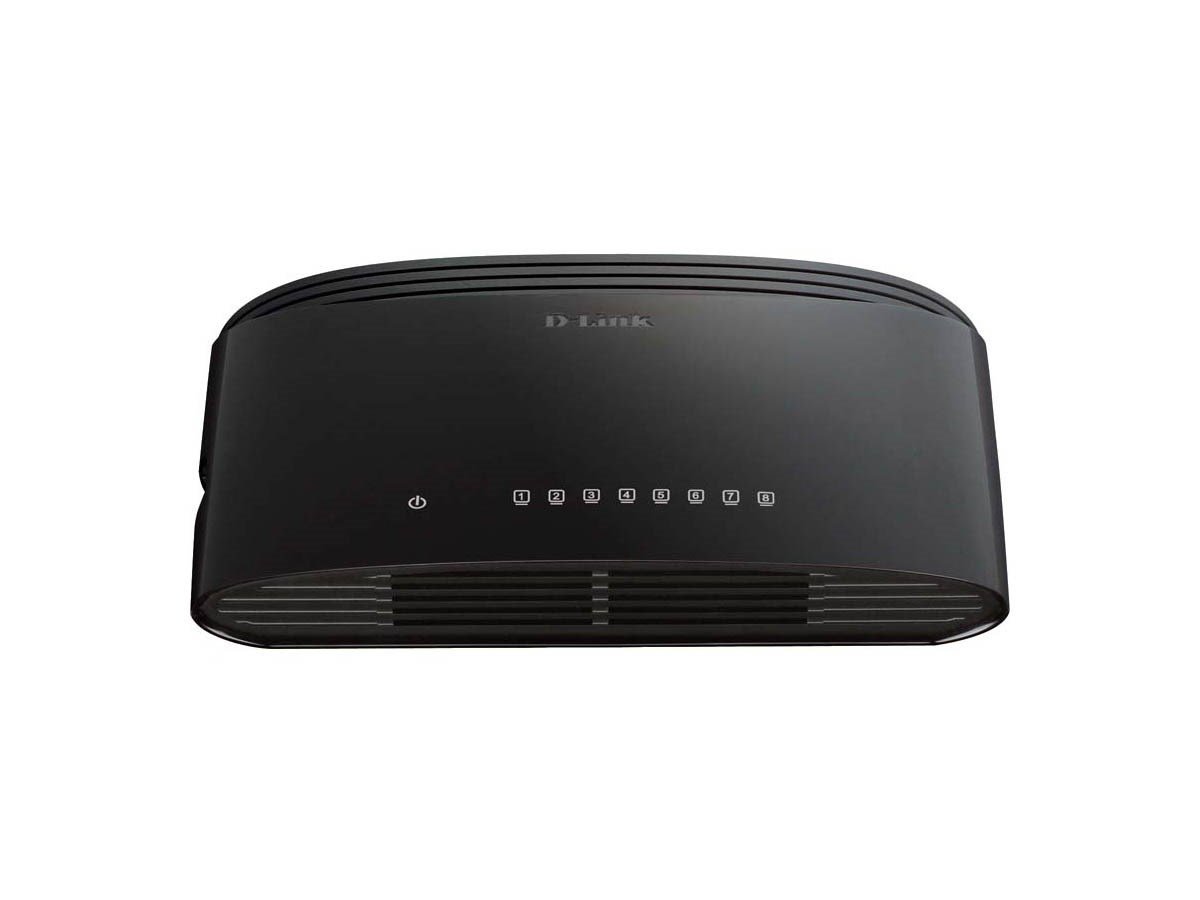
Figure 1: D-Link DGS-1008G 8-Port Gigabit Ethernet Switch, compact black design.
2. อะไรอยู่ในกล่อง
เมื่อเปิดบรรจุภัณฑ์คุณควรพบรายการดังต่อไปนี้:
- DGS-1008G Device: The 8-Port Gigabit Ethernet Switch unit.
- อะแดปเตอร์ไฟฟ้า: For connecting the switch to an electrical outlet.
- คู่มือเริ่มต้นอย่างรวดเร็ว: Provides basic setup instructions.
- ชุดติดผนัง: Includes screws and anchors for optional wall mounting.
- เท้ายาง: For desktop placement to prevent slipping and protect surfaces.
3. การตั้งค่า
The DGS-1008G switch is designed for plug-and-play installation, requiring no software configuration. Follow these steps to set up your switch:
- การจัดวาง: Choose a suitable location for your switch. Ensure it is on a stable surface or mounted securely to a wall.
- เชื่อมต่อพลังงาน: Plug the power adapter into the switch's power input port and then into a standard electrical outlet. The Power LED on the switch will illuminate.
- เชื่อมต่อกับเครือข่าย: Connect an Ethernet cable from your router or modem to any of the 8 Gigabit ports on the DGS-1008G switch. The corresponding Link/Act LED for that port will light up, indicating a successful connection.
- เชื่อมต่ออุปกรณ์: Connect your network devices (e.g., computers, network-attached storage, gaming consoles, smart TVs) to the remaining Ethernet ports on the switch using standard Ethernet cables. The Link/Act LEDs for these ports will also illuminate.
The switch automatically detects the network speed (10/100/1000 Mbps) and adjusts accordingly. If the Link/Act LED is blinking, it indicates active data transmission.
Video 1: A demonstration of how to connect and utilize the D-Link 8-Port Gigabit Ethernet Switch to expand your network and split your router's Wi-Fi signal. This video highlights the plug-and-play functionality and ease of setup for various devices.
4. ปฏิบัติการ
The DGS-1008G is an unmanaged switch, meaning it operates automatically without requiring user configuration for basic network functions. Key operational features include:
- ความเร็วกิกะบิต: All 8 ports support Gigabit Ethernet (1000 Mbps), providing high-speed connectivity for bandwidth-intensive tasks.
- ปลั๊กแอนด์เพลย์: No software or complex setup is required. Simply connect your devices, and the switch will automatically detect and configure the optimal connection speed.
- D-Link Green Technology: This feature helps conserve energy by automatically detecting link status and cable length, adjusting power usage accordingly.
- คุณภาพการบริการ (QoS): Prioritizes network traffic to ensure smooth performance for critical applications like VoIP calls and online gaming.
- การออกแบบที่ไม่มีพัดลม: Ensures silent operation, making it suitable for quiet environments like homes and small offices.
5. การบำรุงรักษา
To ensure optimal performance and longevity of your D-Link DGS-1008G switch, consider the following maintenance tips:
- รักษาความสะอาด: Periodically wipe the exterior of the switch with a soft, dry cloth to remove dust. Ensure ventilation holes are not obstructed.
- การระบายอากาศที่เหมาะสม: Place the switch in a location with adequate airflow to prevent overheating, especially given its fanless design.
- การจัดการสายเคเบิล: Keep Ethernet cables organized and free from kinks or excessive bending to prevent signal degradation.
- การรีสตาร์ทเครื่อง (หากจำเป็น): If you experience network issues, try power cycling the switch by unplugging it from the power source for 10-15 seconds and then plugging it back in.
6 การแก้ไขปัญหา
If you encounter issues with your DGS-1008G switch, refer to the following common troubleshooting steps:
- ไม่มีไฟฟ้า: Ensure the power adapter is securely connected to both the switch and a working electrical outlet. Check if the Power LED is illuminated.
- ไม่มีการเชื่อมโยง/กิจกรรม: Verify that Ethernet cables are securely plugged into both the switch and the connected device. Try using a different Ethernet cable or port. Ensure the connected device is powered on and functioning correctly.
- ความเร็วเครือข่ายช้า: Confirm that all connected devices and cables support Gigabit Ethernet (Cat5e or Cat6 cables are recommended for Gigabit speeds). Check for excessive network traffic or interference.
- การเชื่อมต่อไม่ต่อเนื่อง: Inspect all cable connections for looseness or damage. Try restarting the switch and connected devices.
- ไม่ตรวจพบอุปกรณ์: Ensure the device's network adapter is enabled and configured correctly.
7. ข้อมูลจำเพาะ
| คุณสมบัติ | ข้อมูลจำเพาะ |
|---|---|
| หมายเลขรุ่น | DGS-1008G |
| ยี่ห้อ | ดีลิงค์ |
| จำนวนพอร์ต | 8 กิกะบิตอีเทอร์เน็ต (RJ45) |
| ประเภทอินเทอร์เฟซ | RJ45 |
| อัตราการถ่ายโอนข้อมูล | 2000 เมกะบิตต่อวินาที (ฟูลดูเพล็กซ์) |
| วัสดุตัวเรือน | โลหะ |
| สี | สีดำ |
| ขนาดรายการ (LxWxH) | 5.5 x 3.37 x 1.31 นิ้ว |
| น้ำหนักสินค้า | 9 ออนซ์ (0.56 ปอนด์) |
| เล่มที่tage | 5 โวลต์ |
| คะแนนปัจจุบัน | 1 Amps |
| การออกแบบที่ไม่มีพัดลม | ใช่ |
| การรองรับ QoS | ใช่ |
| ดีลิงค์ กรีน เทคโนโลยี | ใช่ |
8. การรับประกันและการสนับสนุน
For warranty information and technical support, please refer to the documentation included in your product package or visit the official D-Link website. D-Link provides resources and customer service to assist with any product-related inquiries or issues.