
การแนะนำ
This manual provides essential information for the safe and efficient use of your Doro PhoneEasy 105wr cordless phone. Please read these instructions carefully before using the phone and retain them for future reference.
เนื้อหาแพ็คเกจ
ก่อนที่คุณจะเริ่มต้น โปรดตรวจสอบให้แน่ใจว่ามีรายการทั้งหมดอยู่ในแพ็คเกจ:
- โทรศัพท์มือถือ Doro PhoneEasy 105wr
- หน่วยฐาน
- อะแดปเตอร์ไฟฟ้าสำหรับฐาน
- สายโทรศัพท์
- Rechargeable Batteries (NiMH)
- คู่มือการใช้งาน (เอกสารนี้)
การตั้งค่า
1. การเชื่อมต่อหน่วยฐาน
- เชื่อมต่ออะแดปเตอร์ไฟฟ้า: Plug the small end of the power adapter into the DC IN socket on the back of the base unit. Plug the other end into a wall power outlet.
- เชื่อมต่อสายโทรศัพท์: Plug one end of the telephone line cord into the LINE socket on the back of the base unit. Plug the other end into your telephone wall socket.
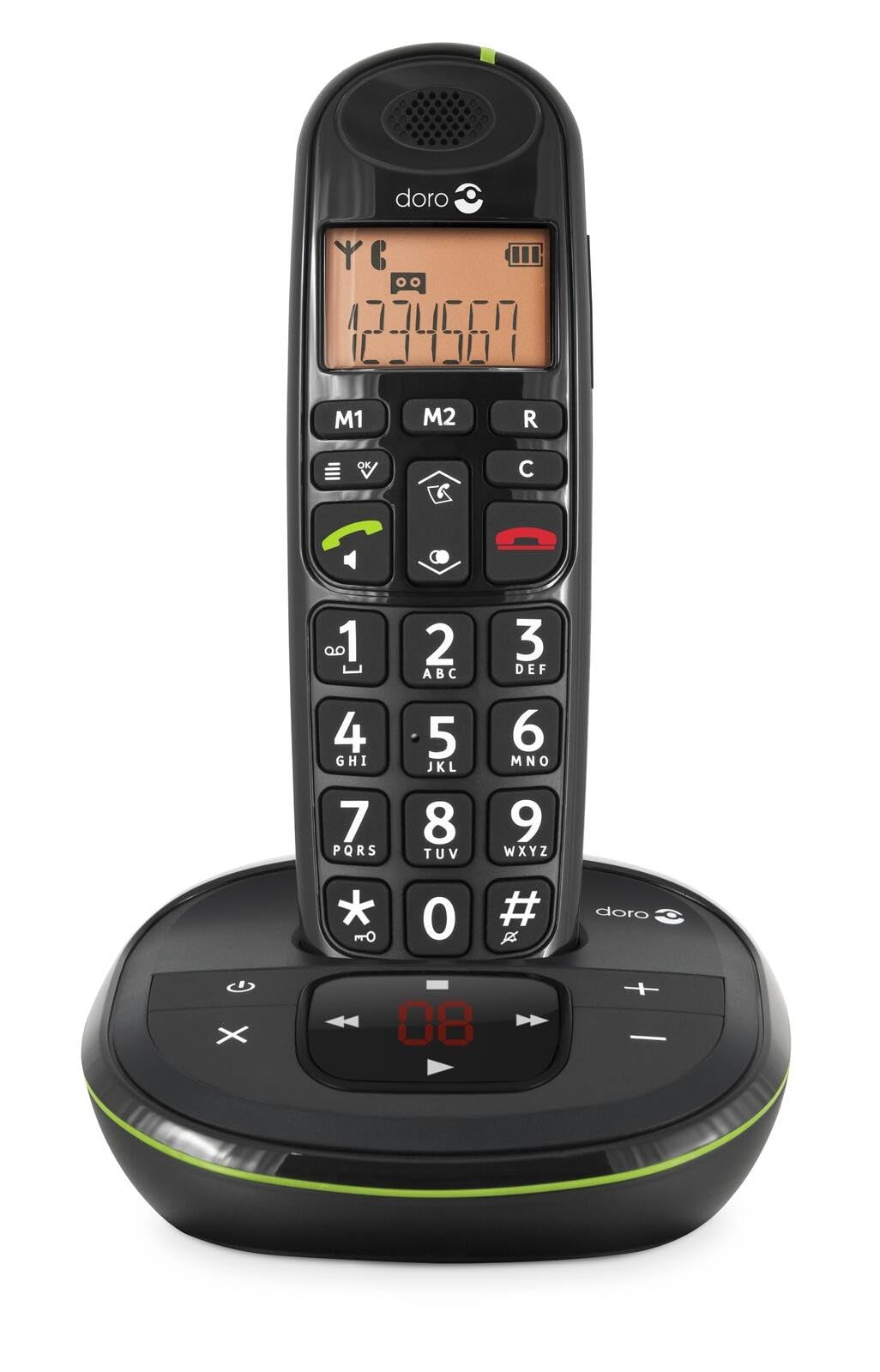 Image: The Doro PhoneEasy 105wr handset docked in its base unit, showing the keypad and display.
2. Installing Batteries in the Handset
- เปิดช่องใส่แบตเตอรี่: Slide the battery compartment cover on the back of the handset downwards and remove it.
- ใส่แบตเตอรี่: Insert the supplied rechargeable NiMH batteries, observing the correct polarity (+ and -) as indicated inside the compartment.
- ปิดช่อง: ปิดฝาช่องใส่แบตเตอรี่กลับเข้าที่โดยเลื่อนขึ้นด้านบนจนกระทั่งล็อคเข้าที่
3. การชาร์จเครื่อง
Place the handset on the base unit. The battery icon on the handset display will animate to indicate charging. For optimal battery performance, charge the handset for at least 10-12 hours before its first use, even if the display indicates a full charge sooner.
 ภาพ: มุมเอียงเล็กน้อย view of the Doro PhoneEasy 105wr handset in its charging cradle, highlighting its ergonomic design.
คำแนะนำการใช้งาน
การโทรออก
- การโทรออก: ยกหูโทรศัพท์หรือกดปุ่ม ปุ่มโทรสีเขียว. Enter the phone number using the keypad.
- การวางสาย: กดปุ่ม ปุ่มวางสายสีแดง หรือวางหูฟังกลับบนตัวเครื่องฐาน
การรับสายโทรศัพท์
เมื่อโทรศัพท์ดัง ให้กดปุ่ม ปุ่มโทรสีเขียว to answer. To end the call, press the ปุ่มวางสายสีแดง or return the handset to the base unit.
การปรับระดับเสียง
ระหว่างการโทร ให้ใช้ปุ่ม Up และ ลง navigation buttons on the handset to adjust the earpiece volume.
สมุดโทรศัพท์
Your Doro PhoneEasy 105wr can store up to 20 entries in its phonebook.
- การเพิ่มรายการ:
- กดปุ่ม เมนู ปุ่ม.
- ไปที่ "สมุดโทรศัพท์" และเลือก "เพิ่มใหม่"
- Enter the name and number, then save.
- การโทรจากสมุดโทรศัพท์:
- กดปุ่ม สมุดโทรศัพท์ button (often a book icon).
- Scroll through the entries using the navigation buttons.
- กดปุ่ม ปุ่มโทรสีเขียว to dial the selected entry.
Answering Machine (if applicable)
The Doro PhoneEasy 105wr features a digital answering machine with a recording capacity of 20 minutes.
- ข้อความที่กำลังเล่น: กดปุ่ม เล่น/หยุด ปุ่มบนตัวเครื่องฐาน
- การลบข้อความ: ระหว่างการเล่นข้อความ ให้กดปุ่ม ลบ ปุ่มบนตัวเครื่องฐาน
- การบันทึกข้อความขาออก: Refer to the handset menu for options to record or select a pre-recorded outgoing message.
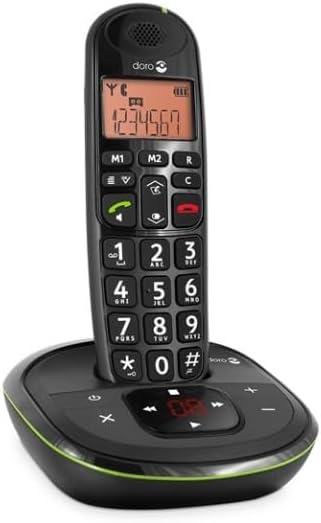 ภาพ: ด้านหน้าโดยตรง view of the Doro PhoneEasy 105wr cordless phone, showing the large buttons and clear display on the handset, and the answering machine controls on the base.
การซ่อมบำรุง
- การทำความสะอาด: เช็ดโทรศัพท์และฐานด้วยผ้านุ่มๆamp ผ้า ห้ามใช้สารทำความสะอาดที่มีฤทธิ์กัดกร่อนหรือตัวทำละลาย
- การดูแลแบตเตอรี่ ใช้เฉพาะแบตเตอรี่แบบชาร์จไฟได้ที่ระบุเท่านั้น หากไม่ได้ใช้งานโทรศัพท์เป็นเวลานาน ควรถอดแบตเตอรี่ออกเพื่อป้องกันการรั่วไหล
- สภาพแวดล้อม : ควรหลีกเลี่ยงการวางโทรศัพท์ไว้ในที่ที่มีอุณหภูมิสูงหรือต่ำเกินไป แสงแดดโดยตรง หรือความชื้น
การแก้ไขปัญหา
| ปัญหา | สาเหตุที่เป็นไปได้ | สารละลาย |
|---|---|---|
| ไม่มีเสียงสัญญาณโทรศัพท์ | สายโทรศัพท์ไม่ได้เชื่อมต่อหรืออาจชำรุด | Check the telephone line cord connection to the base unit and wall socket. Test with another phone if possible. |
| โทรศัพท์ไม่ชาร์จ | Handset not correctly placed on the base unit; dirty charging contacts; faulty batteries. | Ensure the handset is seated correctly. Clean charging contacts on both handset and base with a dry cloth. Replace batteries if old. |
| คุณภาพเสียงไม่ดี | Handset too far from base unit; interference; low battery. | Move closer to the base unit. Avoid placing the base near other electronic devices. Charge the handset battery. |
| ไม่สามารถโทรออก/รับสายได้ | No power to base unit; handset not registered. | Check power adapter connection. Refer to the full manual for handset registration instructions if needed. |
ข้อมูลจำเพาะ
| คุณสมบัติ | รายละเอียด |
|---|---|
| ยี่ห้อ | โดโร |
| หมายเลขรุ่น | 380102 |
| สี | สีดำ |
| ประเภทโทรศัพท์ | ไร้สาย |
| วัสดุ | โลหะ (ส่วนประกอบภายใน) |
| แหล่งพลังงาน | ใช้พลังงานจากแบตเตอรี่ (รวมแบตเตอรี่ 1 A) |
| ประเภทผู้โทรออก | ปุ่มกดเดียว |
| ขนาดรายการ (ยาว x กว้าง x สูง) | 19.4 x 15.4 x 10.3 เซนติเมตร |
| น้ำหนักสินค้า | 706 กรัม |
| ประเภทของระบบตอบรับ | ดิจิตอล |
| เวลาสนทนา | 600 Minutes (10 hours) |
| เวลาสแตนด์บาย | 100 ชั่วโมง |
| ความจุในการบันทึก | 20 นาที |
| การระบุหมายเลขผู้โทร | ใช่ |
| Independent Test Certification | เอ็นเนอร์จีสตาร์ |
การรับประกันและการสนับสนุน
Information regarding specific warranty terms and customer support contact details is not available in this document. Please refer to the warranty card included with your product or visit the official Doro webเว็บไซต์สำหรับข้อมูลที่ทันสมัยที่สุด
For further assistance, you may contact Doro customer service through their official channels.