
1. บทนำ
This manual provides instructions for the installation, configuration, and operation of the D-Link DGS-1210-10P 10-Port Gigabit Smart Managed PoE+ Switch. The DGS-1210-10P is designed to offer functionality, security, and manageability for small to medium businesses, supporting Power over Ethernet (PoE+) and advanced Layer 2 features.
2. เนื้อหาบรรจุภัณฑ์
ตรวจสอบว่าแพ็คเกจของคุณมีรายการต่อไปนี้:
- D-Link DGS-1210-10P Switch
- อะแดปเตอร์แปลงไฟ
- สายไฟ
- 8 สกรู
- 4 เท้ายาง
- 2 Rackmount Brackets
- คู่มือการติดตั้งแบบด่วน
- ซีดีทรัพยากร
If any items are missing or damaged, please contact your local D-Link reseller for assistance.
3. สินค้าหมดview
3.1 แผงด้านหน้า
The front panel of the DGS-1210-10P features 8 Gigabit PoE+ ports and 2 Gigabit SFP optical ports, along with LED indicators for power, link/activity, and PoE status.

Figure 1: Front Panel of DGS-1210-10P Switch
3.2 แผงด้านหลัง
The rear panel includes the power input connector and a grounding screw.
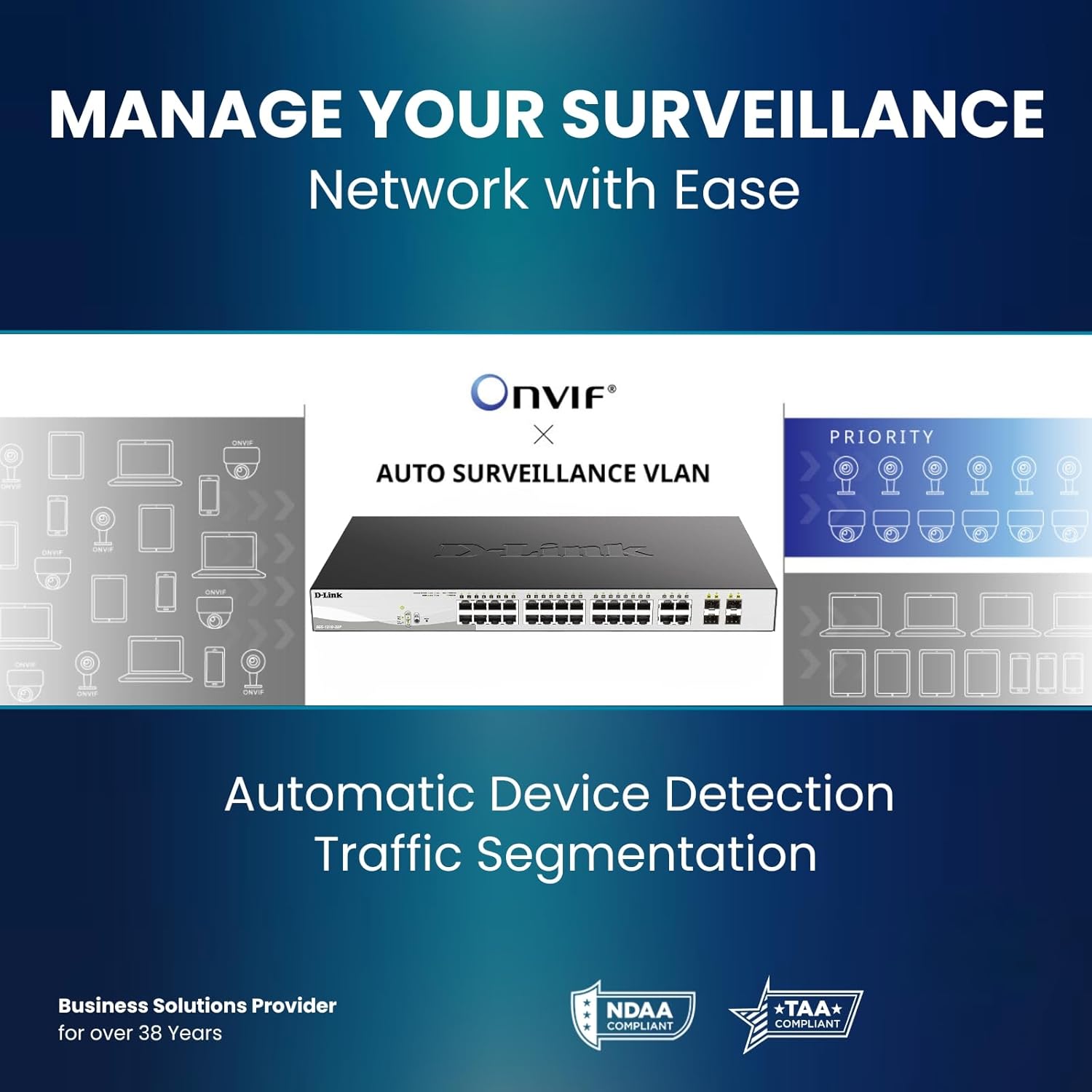
Figure 2: Rear Panel of DGS-1210-10P Switch
4. การตั้งค่า
Follow these steps to set up your DGS-1210-10P switch:
- การจัดวางทางกายภาพ: Place the switch on a flat surface or mount it in a standard 19-inch equipment rack using the provided rackmount brackets. Ensure adequate ventilation around the switch.
- การเชื่อมต่อไฟฟ้า: Connect the power adapter to the switch's power input and then plug the power cord into a suitable power outlet.
- การเชื่อมต่อเครือข่าย: Connect your network devices (e.g., computers, servers, routers) to the RJ45 Gigabit ports using standard Ethernet cables. For devices requiring power, connect them to the PoE+ enabled ports.
- การเชื่อมต่ออัปลิงก์: Use the SFP ports for high-speed uplinks to other switches or network devices, typically with fiber optic transceivers (not included).
- การกำหนดค่าเริ่มต้น: สามารถจัดการสวิตช์ได้ผ่านทาง web-based interface. Refer to the Quick Installation Guide for initial IP address and login details to access the management interface.

Figure 3: Benefit of PoE for simplified cabling
5. คู่มือการใช้งาน
The DGS-1210-10P operates as a plug-and-play device for basic network connectivity. For advanced features and management, use the webอินเทอร์เฟซแบบอิง
5.1 การใช้พลังงานผ่านอีเทอร์เน็ต (PoE+)
The 8 PoE+ ports deliver up to 30W per port, with a total power budget of 65W, to compatible devices such as IP cameras, wireless access points, and VoIP phones. This eliminates the need for separate power cables for these devices.

Figure 4: PoE+ Flexibility
5.2 Smart Managed Features
The switch offers a range of Layer 2+ features accessible through its web อินเทอร์เฟซ:
- VLAN: แบ่งกลุ่มเครือข่ายของคุณเพื่อความปลอดภัยและประสิทธิภาพที่ดีขึ้น
- คุณภาพการบริการ (QoS): กำหนดลำดับความสำคัญของการรับส่งข้อมูลเครือข่ายสำหรับแอปพลิเคชันที่สำคัญ
- การรวมลิงค์: Combine multiple ports for increased bandwidth and redundancy.
- โปรโตคอลสแปนนิงทรี (STP): Prevent network loops.
- การสอดแนม IGMP: Optimize multicast traffic for applications like IP TV.
- การกำหนดเส้นทางแบบคงที่: Enable basic inter-VLAN routing.

Figure 5: Advanced Traffic Handling and Security
5.3 Surveillance Mode
The dedicated Surveillance Mode simplifies the deployment and management of IP surveillance networks. It automatically detects ONVIF-compliant devices and optimizes video traffic.

Figure 6: Surveillance Mode Interface
5.4 PD Alive
The PD Alive feature automatically reboots unresponsive PoE devices, minimizing downtime and ensuring continuous network availability without manual intervention.
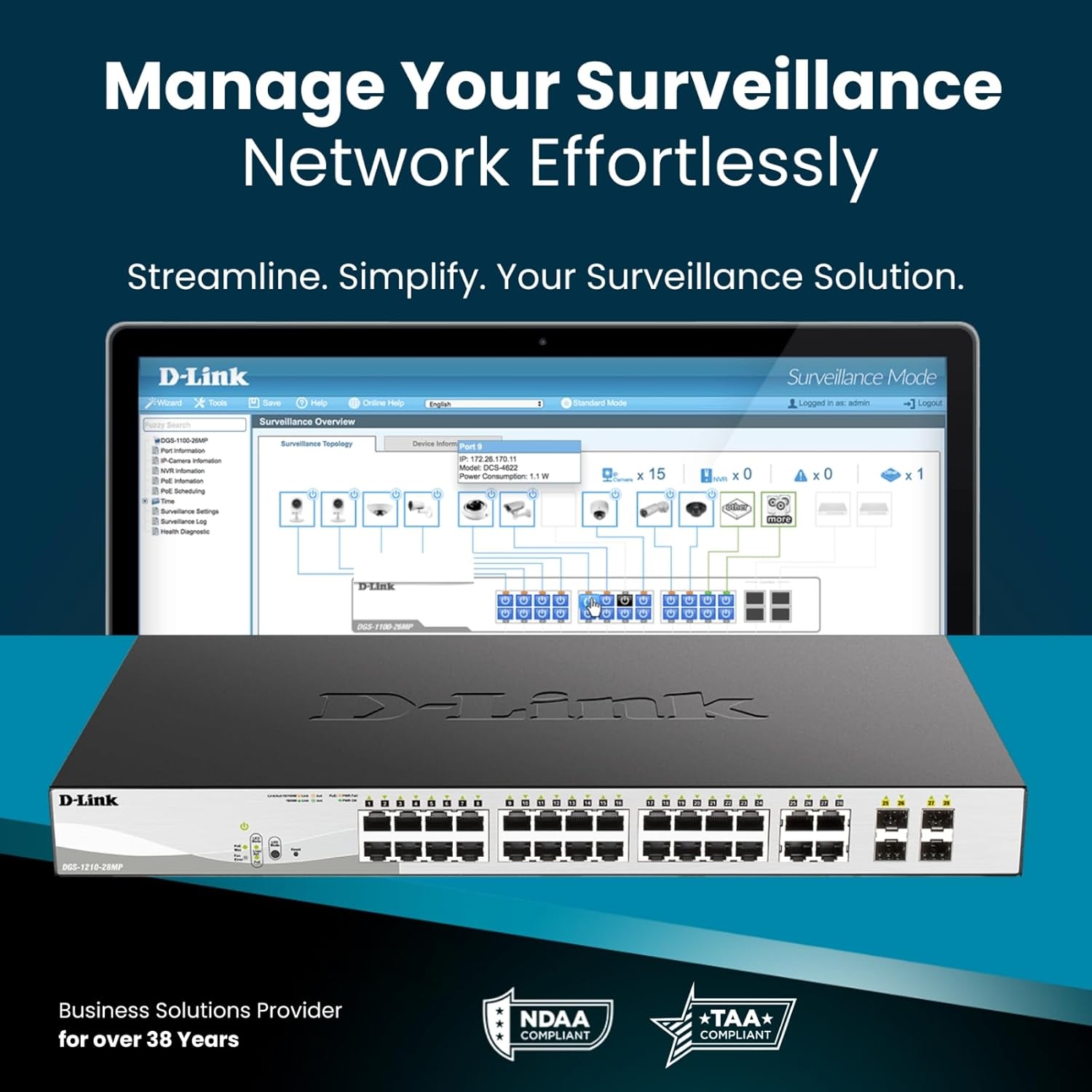
Figure 7: PD Alive Functionality
6. การบำรุงรักษา
To ensure optimal performance and longevity of your DGS-1210-10P switch, consider the following maintenance practices:
- อัพเดตเฟิร์มแวร์: Regularly check the D-Link support website for the latest firmware versions. Updating the firmware can provide new features, performance improvements, and security patches.
- การทำความสะอาดทางกายภาพ: รักษาสวิตช์ให้ปราศจากฝุ่นและสิ่งสกปรก ใช้ผ้าแห้งนุ่มๆ ในการทำความสะอาด ตรวจสอบให้แน่ใจว่าช่องระบายอากาศสะอาดอยู่เสมอ
- สภาพแวดล้อม : Operate the switch within the recommended temperature and humidity ranges specified in the product specifications. Avoid exposing the device to direct sunlight or excessive heat.
- การจัดการสายเคเบิล: Ensure all network cables are properly organized and secured to prevent accidental disconnections or damage.
7 การแก้ไขปัญหา
If you encounter issues with your DGS-1210-10P switch, refer to the following common troubleshooting steps:
- ไม่มีไฟฟ้า: Ensure the power cord is securely connected to both the switch and the power outlet. Verify the power outlet is functional. Check the power LED on the front panel.
- ไม่มีการเชื่อมโยง/กิจกรรม: Check the Ethernet cable connections between the switch and the connected device. Ensure the connected device is powered on and functioning correctly. Verify the link/activity LED for the respective port.
- อุปกรณ์ PoE ไม่เปิดเครื่อง: Confirm the connected device is PoE compatible and within the switch's power budget (65W total, 30W per port). Check the PoE status LED for the port. If PD Alive is enabled, the switch may attempt to reboot the device.
- ไม่สามารถเข้าถึง Web อินเทอร์เฟซ: Verify that your computer's IP address is in the same subnet as the switch's management IP address. Ensure there are no IP address conflicts on the network. Try resetting the switch to factory defaults (refer to the Quick Installation Guide for the reset procedure).
- ประสิทธิภาพเครือข่ายช้า: Check for excessive network traffic or loops. Utilize the switch's management interface to monitor port statistics, bandwidth usage, and enable features like QoS if necessary.
For more detailed troubleshooting, consult the full product manual available on the D-Link support webเว็บไซต์.
8. ข้อมูลจำเพาะ
| คุณสมบัติ | ข้อมูลจำเพาะ |
|---|---|
| หมายเลขรุ่น | ดีจีเอส-1210-10P |
| จำนวนพอร์ต | 10 (8 PoE+ Gigabit, 2 SFP Gigabit) |
| พอร์ต PoE+ | 8 |
| พลังงาน PoE สูงสุดต่อพอร์ต | 30วัตต์ |
| งบประมาณด้านพลังงาน PoE ทั้งหมด | 65วัตต์ |
| ประเภทอินเทอร์เฟซ | PoE, SFP |
| อัตราการถ่ายโอนข้อมูล | 2000 เมกะบิตต่อวินาที (ฟูลดูเพล็กซ์) |
| วัสดุตัวเรือน | โลหะ |
| ขนาด (กว้าง x ยาว x สูง) | 11.2 x 5 x 1.73 นิ้ว |
| น้ำหนักสินค้า | 3.1 ปอนด์ |
| เล่มที่tage | 2.4 โวลต์ (แรงดันไฟฟ้าภายในขณะทำงานtag(e, ไม่ใช่ข้อมูลป้อนเข้า) |
| คะแนนปัจจุบัน | 1 Amps |
| การจัดการ | Web-based GUI, Nuclias Connect (optional) |
| การปฏิบัติตาม | NDAA Compliant, IEEE 802.3az Energy Efficient Ethernet (EEE) |
9. ข้อมูลการรับประกัน
The D-Link DGS-1210-10P Smart Managed PoE+ Switch is backed by D-Link's Limited Lifetime Warranty. This warranty provides long-term confidence in the quality and reliability of your network infrastructure. For specific terms and conditions of the warranty, please refer to the warranty documentation included with your product or visit the official D-Link webเว็บไซต์.
10. การสนับสนุน
For technical support, product documentation, and software updates, please visit the official D-Link support webไซต์ คุณสามารถค้นหาคำถามที่พบบ่อย คำแนะนำในการแก้ไขปัญหา และข้อมูลติดต่อฝ่ายบริการลูกค้าได้
การสนับสนุน D-Link Webเว็บไซต์: www.dlink.com/support
11. วิดีโอผลิตภัณฑ์view
รับชมวิดีโอนี้เพื่อดูภาพรวมโดยทั่วไปview of D-Link switch solutions, which includes information relevant to this product model.
Video: D-Link Switch Solutions for Home, Gaming, SOHO, and SMB. This video provides an overview of D-Link's range of switches and their applications, including how they can expand network connectivity for various devices.