
1. บทนำ
This manual provides detailed instructions for the installation, operation, and maintenance of your Xigmatek HD503 Home Theater PC (HTPC) case. Please read this manual thoroughly before beginning installation to ensure proper setup and safe usage. Keep this manual for future reference.
The Xigmatek HD503 is designed as an HTPC enclosure, featuring a side vent for optimized cooling performance, a robust aluminum, plastic, and steel construction, and support for various PC components.
2. ข้อมูลด้านความปลอดภัย
- ความปลอดภัยทางไฟฟ้า: ควรตัดการเชื่อมต่อสายไฟออกจากเต้ารับที่ผนังทุกครั้งก่อนติดตั้งหรือถอดชิ้นส่วนใดๆ เพื่อป้องกันไฟฟ้าช็อต
- ขอบที่คมชัด: Exercise caution when handling internal components as some edges may be sharp.
- การระบายอากาศ : Ensure adequate ventilation around the case to prevent overheating. Do not block the side vents.
- น้ำหนัก: The case weighs approximately 17.6 lbs (8 kg). Use proper lifting techniques to avoid injury.
- ไฟฟ้าสถิต: Discharge static electricity from your body before touching internal components by touching a grounded metal object.
3. เนื้อหาบรรจุภัณฑ์
ตรวจสอบว่ามีสินค้าทั้งหมดที่ระบุไว้ด้านล่างอยู่ในแพ็คเกจของคุณ:
- Main unit (Xigmatek HD503 HTPC Case)
- Motherboard / PSU bolts
- HDD bolts (for fixing hot swap bay)
- ODD bolts
- Standoffs for mATX motherboards
- SSD bolts
- Clamps
- เคเบิ้ลไทร์
- Lock Plate bolts
- แผ่นล็อค
- SD bracket
- CPU power extension cable
- รีโมทคอนโทรล
- AAA battery (for remote control)
- ซีดีการติดตั้ง
- iMon manual
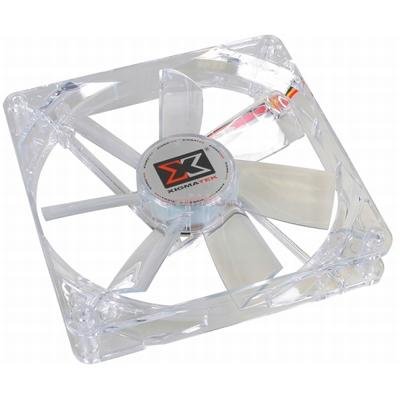
Figure 1: Xigmatek HD503 HTPC Case. This image shows the front panel of the HD503 HTPC case, highlighting the integrated DFSTN LCD display and front I/O ports.
4. การตั้งค่าและการติดตั้ง
4.1 ความเข้ากันได้ของส่วนประกอบ
- Motherboard Standards: Supports Standard ATX and Micro ATX motherboards.
- แหล่งจ่ายไฟ: Compatible with Standard ATX / ATX12V power supplies.
- PCI/AGP Card Support: Accommodates full-size cards up to 10.2 inches (260 mm) in length.
4.2 การติดตั้งไดรฟ์
- 5.25-inch Bays: Two bays available, including one hot-swap bay.
- 3.5-inch Bays: Three bays available, supporting two 2.5-inch SSDs.
- SSD Mounting: Equipped with a basic SSD mounting bracket for up to two 2.5-inch SSDs.
- การสลับเปลี่ยนแบบฮอตสวอป: The hot-swap bay supports SATA I and SATA II drives. Refer to the iMon manual for specific hot-swap bay usage.
4.3 การติดตั้งพัดลม
- ช่องระบายอากาศด้านหลัง: Supports two 3.1-inch (80 mm) fans (optional).
- ช่องระบายอากาศด้านข้าง: Supports two 4.7-inch (120 mm) fans (optional). These fans contribute to maximum cooling performance.
4.4 การเชื่อมต่อ I/O ด้านหน้า
The front panel provides convenient access to the following ports:
- พอร์ต USB 2 ช่อง
- 1 x e-SATA Port
- 1 x Microphone Input
- 1 x เอาต์พุตหูฟัง
5. คู่มือการใช้งาน
5.1 DFSTN LCD Display
The built-in DFSTN LCD on the front of the case provides a wide viewing angle for easy monitoring of multimedia information and system status. Refer to the included iMon manual for detailed instructions on configuring and utilizing the LCD display features.
5.2 การใช้งานรีโมทคอนโทรล
The included remote control allows for convenient operation of your HTPC. Insert the AAA battery into the remote control. Refer to the iMon manual and installation CD for instructions on pairing the remote and configuring its functions with your HTPC software.
6. การบำรุงรักษา
- การทำความสะอาด: Use a soft, dry cloth to clean the exterior of the case. For stubborn dirt, a slightly damp cloth can be used, but ensure no liquid enters the case.
- การกำจัดฝุ่น: Periodically open the case and use compressed air to remove dust from internal components and fan blades to maintain optimal cooling performance. Ensure the system is powered off and unplugged before performing internal cleaning.
- การตรวจสอบพัดลม: Regularly check the optional 80mm rear and 120mm side fans for obstructions or excessive noise. Clean or replace as necessary.
7 การแก้ไขปัญหา
- ระบบไม่เปิดเครื่อง:
- Ensure all power cables are securely connected to the motherboard, power supply, and wall outlet.
- ตรวจสอบให้แน่ใจว่าสวิตช์เปิดปิดอยู่ในตำแหน่ง 'เปิด'
- ตรวจสอบการเชื่อมต่อของปุ่มเปิด/ปิดเครื่องที่แผงด้านหน้ากับเมนบอร์ด
- ไม่มีการแสดงผลบนจอภาพ:
- Confirm the monitor is connected to the graphics card and powered on.
- Reseat the graphics card in its PCI/AGP slot.
- DFSTN LCD Not Functioning:
- Check the internal cable connection for the LCD display to the motherboard or controller.
- Refer to the iMon manual for software configuration and troubleshooting steps.
- ปัญหาเรื่องความร้อนสูงเกินไป:
- Ensure all case fans (optional) are installed correctly and functioning.
- Verify that the side vents are not obstructed.
- Clean dust from internal components and fan filters.
8. ข้อมูลจำเพาะ
| คุณสมบัติ | คำอธิบาย |
|---|---|
| ประเภทเคส | เอชทีพีซี |
| ขนาด (กว้าง x ยาว x สูง) | 17.7 x 6.7 x 18.9 นิ้ว (450 x 170 x 455 มม.) |
| น้ำหนัก | 17.6 ปอนด์ (8 กก.) |
| วัสดุ | อลูมิเนียมพลาสติกเหล็ก |
| การรองรับเมนบอร์ด | Standard ATX, Micro ATX |
| การรองรับแหล่งจ่ายไฟ | Standard ATX, ATX12V |
| PCI/AGP Card Length | สูงสุด 10.2 นิ้ว (260 มม.) |
| ช่องไดรฟ์ขนาด 5.25 นิ้ว | 2 (1 hot swap bay) |
| ช่องไดรฟ์ขนาด 3.5 นิ้ว | 3 (supports 2 x 2.5" SSDs) |
| SSD Mounting Support | 2 x 2.5" SSDs (basic bracket) |
| Hot Swap | SATA I, SATA II |
| ช่องเสียบขยาย | 7 |
| พอร์ต I / O ด้านหน้า | 2 x USB, 1 x e-SATA, 1 x Microphone, 1 x Headphone |
| แสดง | DFSTN LCD |
| Rear Fan Position | 2 x 3.1 inch (80 mm) (optional) |
| Side Fan Position | 2 x 4.7 inch (120 mm) (optional) |
| ระดับเสียง | 16 เดซิเบล |
| ยี่ห้อ | ซิกม่าเท็ก |
| หมายเลขรุ่น | CLF-F1453 |
| ASIN | B0031572I4 |
| GTIN | 04712477311256 |
9. การรับประกันและการสนับสนุน
For warranty information and technical support, please refer to the documentation provided with your purchase or contact your retailer. Additional support for the iMon software and remote control functionality can be found in the included iMon manual and installation CD.
โปรดเก็บหลักฐานการซื้อไว้เพื่อใช้ในกรณีเรียกร้องการรับประกัน