
เพื่อน 3271301
Fellowes Powershred PS-12Cs Instruction Manual
รุ่น : 3271301
การแนะนำ
Thank you for choosing the Fellowes Powershred PS-12Cs Cross-Cut Shredder. This manual provides essential information for the safe and efficient operation, setup, and maintenance of your new shredder. Designed for personal and home office use, this shredder offers reliable document security with its cross-cut shredding capabilities and advanced safety features.
ข้อมูลด้านความปลอดภัยที่สำคัญ
Please read all instructions before use. Keep this manual for future reference.
- SafeSense Technology: This shredder is equipped with patented SafeSense Technology, which automatically stops shredding when hands or fingers touch the paper opening. This feature enhances user safety, especially in environments with children or pets.
- Keep loose clothing, hair, and jewelry away from the paper entry.
- Do not place hands or fingers into the paper entry.
- เก็บเด็กและสัตว์เลี้ยงให้ห่างจากเครื่องทำลายเอกสาร
- ถอดปลั๊กเครื่องทำลายเอกสารเมื่อไม่ใช้งานหรือก่อนทำความสะอาด/บำรุงรักษา
- อย่าใช้ผลิตภัณฑ์สเปรย์ใกล้เครื่องทำลายเอกสาร
การตั้งค่า
- การแกะกล่อง: Carefully remove the shredder from its packaging. Ensure all components are present and undamaged.
- การจัดวาง: Place the shredder on a flat, stable surface. Its slim profile design allows for easy placement next to or under your desk.
- การเชื่อมต่อไฟฟ้า: เสียบสายไฟเข้ากับเต้ารับไฟฟ้ามาตรฐาน
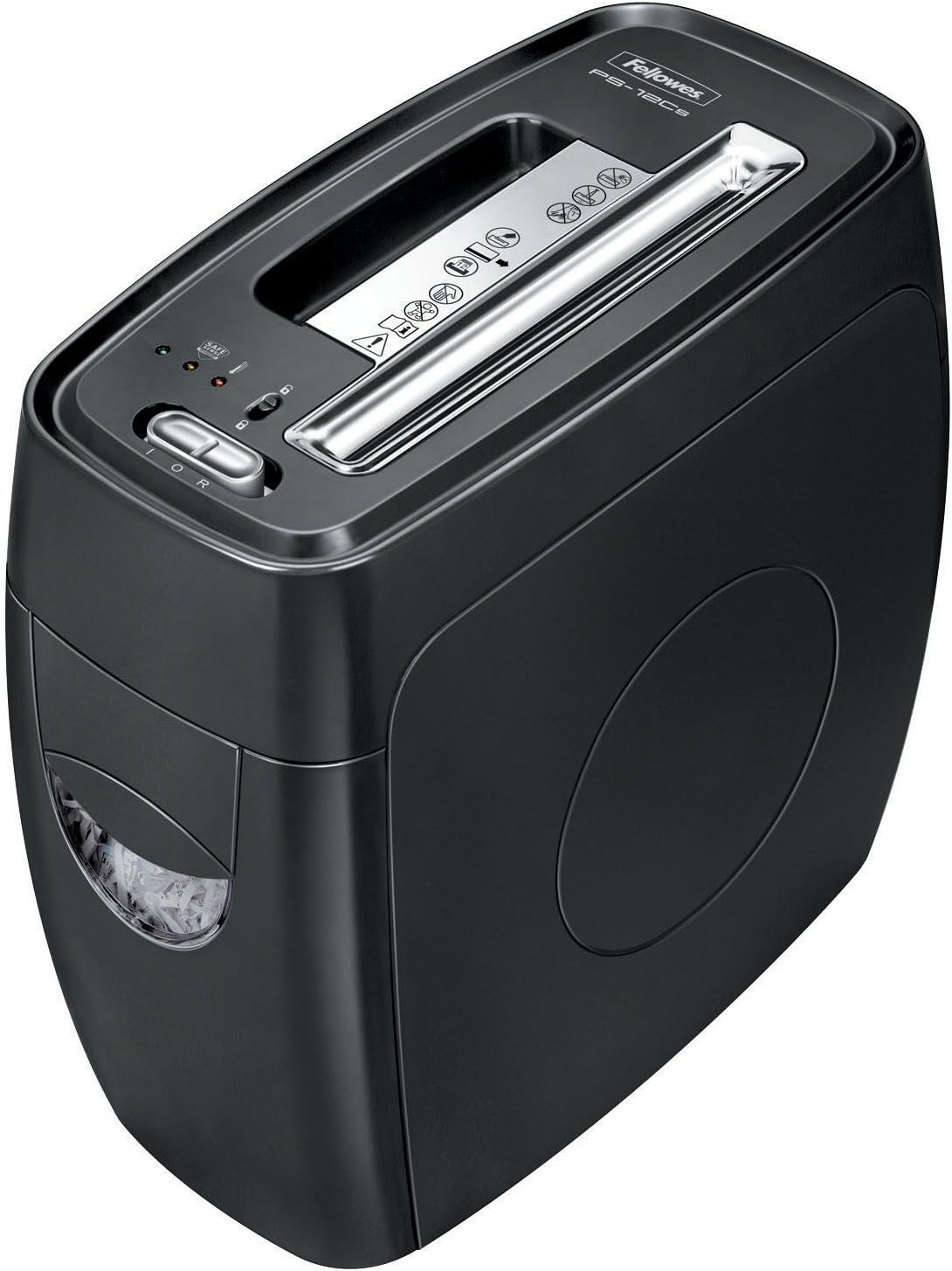
Image: The Fellowes Powershred PS-12Cs shredder, showcasing its compact design and paper entry slot.
คำแนะนำการใช้งาน
การทำลายกระดาษ
The PS-12Cs can shred up to 12 sheets of paper per pass into 0.16" x 2" cross-cut particles (Security Level P-3).
- Ensure the shredder is plugged in and the power switch is in the 'ON' position.
- ใส่กระดาษลงในช่องใส่กระดาษโดยตรง เครื่องทำลายเอกสารจะเริ่มทำงานและหยุดทำงานโดยอัตโนมัติ
- ควรหลีกเลี่ยงการใส่กระดาษเกินความจุสูงสุดเพื่อป้องกันปัญหากระดาษติด
- The shredder can run for up to 4-5 minutes before a cool-down period is needed.
Shredding Credit Cards, Staples, and Small Paper Clips
This shredder is designed to handle more than just paper.
- Insert credit cards one at a time into the designated slot (if available, otherwise use the main paper entry).
- Staples and small paper clips can be shredded along with paper, eliminating the need for removal.
ภาพ: จากบนลงล่าง view of the Fellowes Powershred PS-12Cs, highlighting the paper entry and control panel.
วิดีโอ: วิดีโอสาธิตผลิตภัณฑ์แสดงให้เห็น...asing the features and operation of the Fellowes Powershred PS-12Cs shredder.
การซ่อมบำรุง
Emptying the Wastebasket
The shredder features a convenient 4-gallon pull-out wastebasket for easy disposal of shredded materials.
- When the wastebasket is full, the shredder will stop operating.
- Pull the wastebasket out from the front of the unit.
- Empty the shredded contents into a recycling bin or trash.
- Slide the wastebasket back into the unit until it clicks securely into place. Ensure it is fully closed for the shredder to operate.
Oiling the Shredder
Regular oiling is recommended for optimal performance and longevity of your cross-cut shredder. Use Fellowes shredder oil or a vegetable-based oil in a squeeze bottle.
- Apply a thin line of oil across the paper entry slot.
- เปิดเครื่องบดในโหมดหมุนย้อนกลับเป็นเวลา 10 วินาที เพื่อกระจายน้ำมันให้ทั่ว
- Repeat this process after every 30 minutes of continuous shredding or when emptying the wastebasket.
การแก้ไขปัญหา
| ปัญหา | สาเหตุที่เป็นไปได้ | สารละลาย |
|---|---|---|
| เครื่องทำลายเอกสารไม่ทำงาน | Not plugged in; wastebasket not fully inserted; overheating; SafeSense activated. | Check power connection; ensure wastebasket is secure; allow 20-30 minutes for cool-down; remove hands from paper entry. |
| กระดาษติด. | Overfeeding; crumpled paper. | Switch to reverse mode to clear the jam. If persistent, unplug and carefully remove paper. |
| เครื่องทำลายเอกสารมีเสียงดัง | Needs oiling; wastebasket full. | Oil the shredder blades; empty the wastebasket. |
ข้อมูลจำเพาะ
- แบบอย่าง: PS-12Cs (3271301)
- ประเภทฉีก: ตัดข้าม
- ความจุแผ่น: 12 แผ่นต่อรอบ
- ขนาดอนุภาค: 5/32" x 2" (Security Level P-3)
- ความกว้างของคอ: 9 นิ้ว
- ความจุถังขยะ: 4 gallons (pull-out bin)
- เวลาทำงานต่อเนื่อง: 4-5 นาที
- คุณสมบัติด้านความปลอดภัย: SafeSense Technology
- เศษ: Paper, staples, small paper clips, credit cards
- ขนาด (สูง x กว้าง x ลึก): 17 x 8.75 x 16 นิ้ว
- น้ำหนักสินค้า: 19.28 ปอนด์
- สี: สีดำ
การรับประกันและการสนับสนุน
Specific warranty details for the Fellowes Powershred PS-12Cs are not included in this manual. For comprehensive warranty information, product registration, or technical support, please refer to the official Fellowes webหรือติดต่อฝ่ายบริการลูกค้าโดยตรง โปรดเก็บใบเสร็จรับเงินไว้เป็นหลักฐานการซื้อสำหรับการเรียกร้องการรับประกัน
Ask a question about this manual
Ask about setup, troubleshooting, compatibility, parts, safety, or missing instructions. Manuals+ will review the question and use this page’s manual context to help answer it.