
Intermatic T104P
Intermatic T104P 24-Hour Mechanical Time Switch User Manual
Brand: Intermatic | Model: T104P
1. บทนำ
The Intermatic T104P is a heavy-duty 24-hour mechanical time switch designed for automatic control of electrical loads. This device provides reliable scheduling for various applications, offering up to 12 ON/OFF operations daily. Its robust plastic enclosure is suitable for both indoor and outdoor installations, providing protection against environmental elements.
Key features include direct 24-hour control, a minimum ON/OFF time of one hour, and a manual override function for temporary control adjustments.
2. ข้อมูลด้านความปลอดภัย
WARNING: Risk of Electric Shock. Disconnect power at the circuit breaker or fuse before installing or servicing this time switch. Failure to do so may result in serious injury or death.
- Installation and servicing should be performed by a qualified electrician in accordance with all local and national electrical codes.
- This device operates at 208-277 VAC. Ensure proper voltage supply and wiring compatibility before installation.
- Do not connect aluminum wires directly to the switch terminals. Use appropriate copper-to-aluminum connectors if necessary.
- Ensure the enclosure is properly closed and secured after installation to maintain its NEMA 3R rating for outdoor use.
3. เนื้อหาบรรจุภัณฑ์
ตรวจสอบว่ามีรายการทั้งหมดอยู่ในแพ็คเกจ:
- Intermatic T104P 24-Hour Mechanical Time Switch
- One (1) ON Tripper
- One (1) OFF Tripper
- คู่มือการใช้งาน
4. การตั้งค่าและการติดตั้ง
4.1 Mounting the Time Switch
The T104P features a NEMA 3R rated plastic enclosure, suitable for both indoor and outdoor mounting. Choose a location that is easily accessible for programming and maintenance, and protected from direct impact.
- เปิดประตูตู้
- Use appropriate screws or mounting hardware (not included) to secure the enclosure to a flat, stable surface through the designated mounting holes.
- Ensure the enclosure is level to allow for proper operation of the mechanical timer.
4.2 คำแนะนำในการเดินสายไฟ
Refer to the internal wiring diagram and the following steps for proper electrical connection. Always ensure power is disconnected before proceeding.

รูปที่ 1: ภายใน view of Intermatic T104P mechanical time switch showing the yellow dial, manual lever, and wiring terminals. This image displays the internal components of the Intermatic T104P time switch, including the 24-hour dial for setting time, the manual ON/OFF lever, and the clearly labeled LINE and LOAD wiring terminals. A caution label regarding power disconnection and wire types is visible.
- ตัดการเชื่อมต่อไฟฟ้า: Turn off power at the main circuit breaker or fuse panel before beginning any wiring.
- Access Terminals: The insulator covering the wiring terminals must be lifted and swung out of the way to access the connections. DO NOT REMOVE THIS INSULATOR.
- Connect Line Wires: Connect the incoming power supply wires (LINE) to the terminals labeled 'LINE'. This time switch is DPST (Double Pole Single Throw), meaning it controls two separate hot lines.
- Connect Load Wires: Connect the wires leading to the electrical load (e.g., pump, lighting) to the terminals labeled 'LOAD'.
- การต่อลงดิน: Ensure the time switch is properly grounded according to local electrical codes.
- สายไฟที่ปลอดภัย: ตรวจสอบให้แน่ใจว่าการเชื่อมต่อสายไฟทั้งหมดแน่นหนาและปลอดภัย
- Replace Insulator: Swing the insulator back into its original position, covering the wiring terminals.
- ปิดสิ่งที่แนบมา: ปิดและล็อคประตูรั้วให้สนิท
- คืนค่าพลัง: Turn power back on at the main circuit breaker or fuse panel.
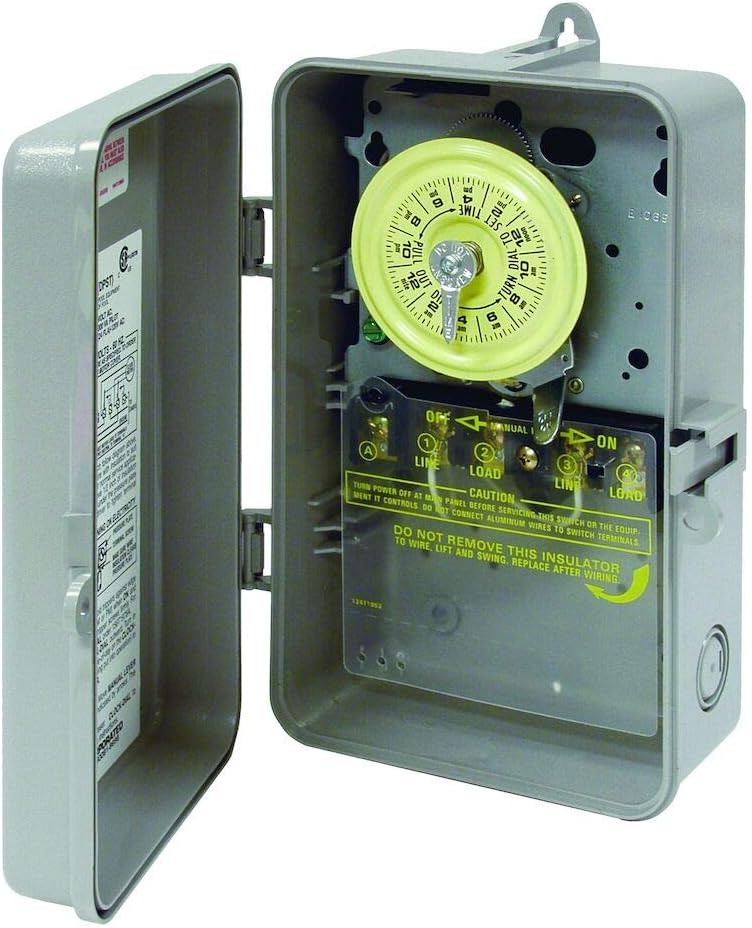
รูปที่ 2: ด้านข้าง view of Intermatic T104P mechanical time switch with the gray plastic enclosure open, revealing the internal mechanism. This image shows the Intermatic T104P time switch with its gray plastic enclosure open, providing a view of the internal mechanical timer and the wiring compartment. The NEMA 3R rated enclosure is designed for both indoor and outdoor use.
5. คู่มือการใช้งาน
5.1 การตั้งเวลาปัจจุบัน
To set the current time, rotate the yellow dial clockwise until the current time of day aligns with the small arrow located at the top of the dial. Ensure to differentiate between AM and PM hours as indicated on the dial.
5.2 Setting ON/OFF Times
The T104P uses trippers to set the ON and OFF times. The unit comes with one ON tripper (green) and one OFF tripper (red).
- Install ON Tripper: Locate the green ON tripper. Push it onto the outer edge of the yellow dial at the desired time you want the connected load to turn ON.
- Install OFF Tripper: Locate the red OFF tripper. Push it onto the outer edge of the yellow dial at the desired time you want the connected load to turn OFF.
- รอบเพิ่มเติม: The time switch supports up to 12 ON/OFF operations per day. Additional trippers can be purchased separately if more cycles are required. Each ON/OFF cycle requires one green ON tripper and one red OFF tripper.
- ช่วงเวลาขั้นต่ำ: The minimum ON/OFF time interval is one hour. Ensure there is at least one hour between an ON and OFF tripper.
5.3 การแทนที่ด้วยตนเอง
The time switch includes a manual override lever for temporary control of the connected load without affecting the programmed schedule.
- To manually turn the load ON or OFF, move the manual lever located below the dial to the desired position (ON or OFF).
- The next scheduled ON or OFF tripper will automatically restore the timer to its programmed schedule.
6. การบำรุงรักษา
The Intermatic T104P is designed for minimal maintenance. However, periodic checks can ensure optimal performance and longevity.
- การทำความสะอาด: Periodically clean the exterior of the enclosure with a damp cloth. Do not use abrasive cleaners or solvents. Ensure the enclosure is dry before closing.
- การเชื่อมต่อเทอร์มินัล: Annually, with power disconnected, inspect wiring terminals for tightness and corrosion. Re-tighten if necessary.
- Dial and Trippers: Ensure the dial rotates freely and trippers are securely in place.
7 การแก้ไขปัญหา
| ปัญหา | สาเหตุที่เป็นไปได้ | สารละลาย |
|---|---|---|
| Load does not turn ON/OFF at programmed times. |
|
|
| Time switch dial is not rotating. |
|
|
| Enclosure door does not close properly. |
|
|
8. ข้อมูลจำเพาะ
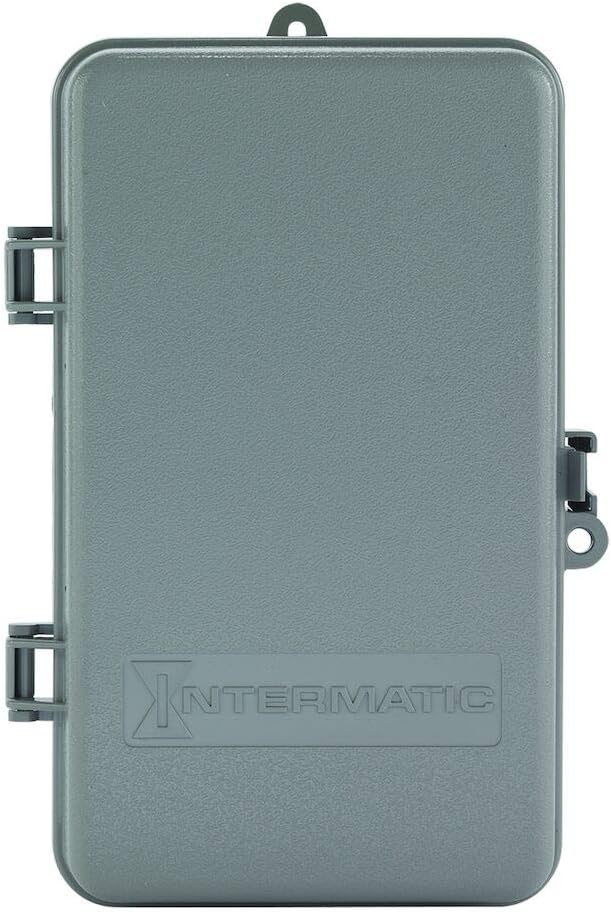
รูปที่ 3: ด้านหน้า view of the Intermatic T104P mechanical time switch with its gray plastic enclosure closed, showing the Intermatic logo. This image presents the Intermatic T104P time switch with its durable gray plastic enclosure closed, suitable for protecting the internal components from environmental elements. The Intermatic brand logo is embossed on the front.
| คุณสมบัติ | รายละเอียด |
|---|---|
| แบบอย่าง | ที104พี |
| พิมพ์ | 24-Hour Mechanical Time Switch |
| เล่มที่tage | 208-277 VAC |
| ความถี่ | 60 เฮิรตซ์ |
| จำนวนเสา | 2 (DPST) |
| Ampอีเรจ | 40 Amps |
| Horsepower (HP) Rating | 2 HP @ 120V, 5 HP @ 240V |
| ประเภทตู้ปิด | Plastic, NEMA 3R (Indoor/Outdoor) |
| เวลาเปิด/ปิดขั้นต่ำ | 1 ชั่วโมง |
| Maximum ON/OFF Cycles | วันละ 12 บาท |
| ขนาด (สูง x กว้าง x ลึก) | 9.43" x 5.5" x 3.81" |
| น้ำหนักสินค้า | 2 ปอนด์ |
| วัสดุ | แข็ง |
| สี | สีเทา |
9. การรับประกันและการสนับสนุน
For warranty information, please refer to the manufacturer's official documentation included with your product or visit the Intermatic brand store หรืออย่างเป็นทางการของพวกเขา webเว็บไซต์.
If you require technical assistance or have questions regarding the operation or installation of your Intermatic T104P time switch, please contact Intermatic customer support directly.
Ask a question about this manual
Ask about setup, troubleshooting, compatibility, parts, safety, or missing instructions. Manuals+ will review the question and use this page’s manual context to help answer it.