
ACTIVISION 84470
007 Legends - Nintendo Wii U User Manual
รุ่น : 84470
Brand: ACTIVISION
1. บทนำ
Welcome to the official user manual for 007 Legends on the Nintendo Wii U. This guide provides comprehensive instructions for setting up, operating, and maintaining your game, ensuring an optimal gaming experience. 007 Legends is an action-packed first-person shooter that brings together iconic moments from six classic James Bond films, culminating in a seventh mission inspired by the film สกายฟอลล์.
The Nintendo Wii U version of 007 Legends offers exclusive features designed to leverage the unique capabilities of the Wii U GamePad. Players can utilize the GamePad's touch screen for enhanced control, including manipulating the environment, accessing gadgets, and viewing an expanded map for strategic gameplay.

Figure 1.1: Front cover of the 007 Legends game for Nintendo Wii U. It displays James Bond holding a pistol, alongside scenes from the game including a golden woman, a luxury car, and a character with a menacing expression.
2. คู่มือการติดตั้ง
Follow these steps to set up 007 Legends on your Nintendo Wii U console:
- ใส่แผ่นเกม: Ensure your Nintendo Wii U console is powered on. Gently insert the 007 Legends game disc into the disc slot on the front of the console, with the label facing up. Push until it clicks into place.
- เริ่มเกม: On the Wii U GamePad or TV screen, select the 007 Legends icon from the Wii U Menu. The game will begin to load.
- การเชื่อมต่อคอนโทรลเลอร์: Ensure your Wii U GamePad is charged and connected to the console. For multiplayer or alternative control schemes, connect additional controllers such as Wii Remote Plus, Nunchuk, or Wii U Pro Controllers as prompted by the game or console settings.
- ตั้งค่าเริ่มต้น: The first time you launch the game, you may be prompted to adjust display settings, audio preferences, or create a save data profile. ปฏิบัติตามคำแนะนำบนหน้าจอ
3. คู่มือการใช้งาน
3.1. การควบคุมพื้นฐาน
007 Legends utilizes a standard first-person shooter control scheme. Refer to the in-game tutorial for a detailed breakdown of all controls. Key actions typically include:
- ความเคลื่อนไหว: Left analog stick (Wii U GamePad/Pro Controller) or Nunchuk analog stick (Wii Remote + Nunchuk).
- การเล็ง: Right analog stick (Wii U GamePad/Pro Controller) or pointing the Wii Remote at the screen.
- Fire Weapon: Right trigger (Wii U GamePad/Pro Controller) or B button (Wii Remote).
- โหลดซ้ำ: Press the designated button (e.g., X on GamePad/Pro Controller).
- มีปฏิสัมพันธ์: Press the designated button (e.g., A on GamePad/Pro Controller).
3.2. Wii U GamePad Exclusive Features
The Wii U GamePad enhances gameplay with unique interactive elements:
- Tactile Interaction: Use the GamePad's touch screen to "control the hand of Bond" for actions like flipping switches, breaking into safes, and other environmental manipulations.
- Gadget Access: Quickly select and deploy Bond's gadgets with a simple tap on the GamePad screen, providing seamless access during missions.
- Enhanced Map: The GamePad displays an expanded map, offering increased visibility of objectives, enemy positions, and hidden collectibles, aiding in strategic planning.

Figure 3.1: An in-game scene from 007 Legends, depicting a first-person perspective during a firefight within an indoor facility. Another character is visible in the foreground, also engaged in combat.
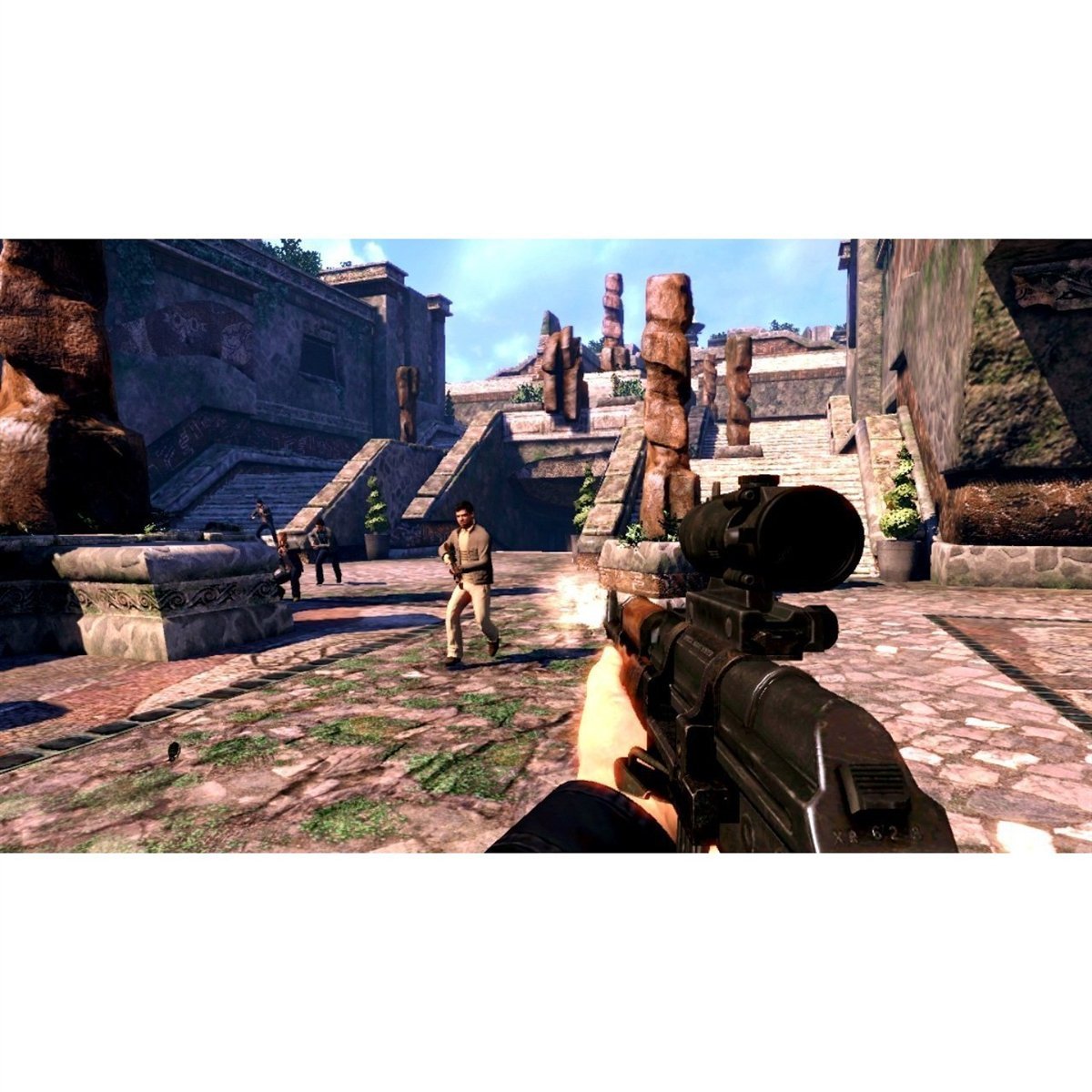
Figure 3.2: An in-game screenshot from 007 Legends, showing a first-person view of combat in an outdoor area with ancient ruins. Multiple enemies are visible, and the player is firing a rifle.
3.3. โหมดเกม
007 Legends features various game modes:
- Campแนว: Play through the main story, experiencing missions inspired by classic James Bond films.
- ผู้เล่นหลายคน: Engage in competitive or cooperative gameplay with friends. The Wii U version includes unique split-screen multiplayer modes.
- ความท้าทาย: Test your skills in specific scenarios and earn rewards.
3.4. Saving Progress
The game features an auto-save function at key checkpoints. You can also manually save your progress from the pause menu in most game modes. Ensure you do not power off your console during a save operation to prevent data corruption.
4. การบำรุงรักษาและการดูแล
Proper care of your game disc and console will ensure long-lasting enjoyment:
- การดูแลรักษาแผ่นดิสก์: Always handle the game disc by its edges. Store the disc in its original case when not in use to protect it from dust, scratches, and direct sunlight. If the disc becomes dirty, gently wipe it with a soft, lint-free cloth from the center outwards. Do not use abrasive cleaners.
- ระบบระบายอากาศของคอนโซล: Ensure your Wii U console has adequate ventilation. Do not block the air vents, and avoid placing the console in enclosed spaces or on soft surfaces that can obstruct airflow.
- การอัปเดตระบบ: Periodically check for and install system updates for your Nintendo Wii U console. These updates can improve performance, add features, and resolve compatibility issues.
5 การแก้ไขปัญหา
If you encounter issues while playing 007 Legends, try the following solutions:
| ปัญหา | สารละลาย |
|---|---|
| เกมไม่โหลดหรือค้าง |
|
| ตัวควบคุมไม่ตอบสนอง |
|
| ไม่มีเสียงหรือเสียงผิดเพี้ยน |
|
If the problem persists, consult the Nintendo Wii U console manual or visit the official Activision support webเว็บไซต์.
6. ข้อมูลจำเพาะผลิตภัณฑ์
| คุณสมบัติ | รายละเอียด |
|---|---|
| ชื่อผลิตภัณฑ์ | 007 ตำนาน |
| แพลตฟอร์ม | นินเทนโด วียู |
| หมายเลขรุ่น | 84470 |
| ผู้ผลิต | แอคติวิชั่น |
| วันที่วางจำหน่าย | วันที่ 11 ธันวาคม 2012 |
| เรตติ้ง ESRB | ทีน (T) |
| จำนวนผู้เล่น | 1 (Campaign), Multiple (Multiplayer) |
| ขนาดสินค้า | 5.3 x 0.5 x 7.5 นิ้ว |
| น้ำหนักสินค้า | 2.4 ออนซ์ |
| ภาษา | ภาษาอังกฤษ |
7. การรับประกันและการสนับสนุน
For information regarding product warranty, please refer to the documentation included with your game purchase or visit the official Activision support webไซต์ เงื่อนไขการรับประกันอาจแตกต่างกันไปตามภูมิภาคและผู้ค้าปลีก
For technical support, frequently asked questions, or to report an issue, please visit the Activision Support portal:
การสนับสนุน Activision Webเว็บไซต์
Please have your game title and console information ready when contacting support.
8. Video Content
No official product videos from the seller were available for embedding in this manual based on the provided data. Please refer to online resources or the game's official website for video content.
Ask a question about this manual
Ask about setup, troubleshooting, compatibility, parts, safety, or missing instructions. Manuals+ will review the question and use this page’s manual context to help answer it.