
การแนะนำ
This manual provides instructions for the proper use and maintenance of your Presto 04213 Digital Timer. This electronic timer is designed for various timing needs, featuring both countdown and stopwatch functions. It includes an easy-to-read LCD display, an audible alarm, and a memory function for convenience.
เนื้อหาแพ็คเกจ
- Presto 04213 Digital Timer
- แบตเตอรี่ AAA 1 ก้อน (รวมอยู่ด้วย)
การตั้งค่า
การติดตั้งแบตเตอรี่
- Locate the battery compartment on the back of the timer. This is typically covered by the clip/easel stand.
- Gently open the clip/easel stand to access the battery compartment.
- ใส่แบตเตอรี่ AAA หนึ่งก้อน โดยตรวจสอบให้แน่ใจว่าขั้วบวก (+) และขั้วลบ (-) ตรงกับเครื่องหมายภายในช่องใส่แบตเตอรี่อย่างถูกต้อง
- Close the battery compartment securely. The timer display should now be active.

ภาพ: ด้านหลัง view of the timer with the easel stand deployed, revealing the battery compartment and a separate AAA battery.
ตัวเลือกตำแหน่ง
The Presto 04213 Digital Timer offers versatile placement options:
- การติดแม่เหล็ก: A magnet on the back allows the timer to be attached to metallic surfaces like refrigerators or ovens.
- Easel Stand: The integrated clip can be extended to form an easel stand for tabletop use.
- คลิป: The clip can also be used to attach the timer to clothing or other objects.
คำแนะนำการใช้งาน
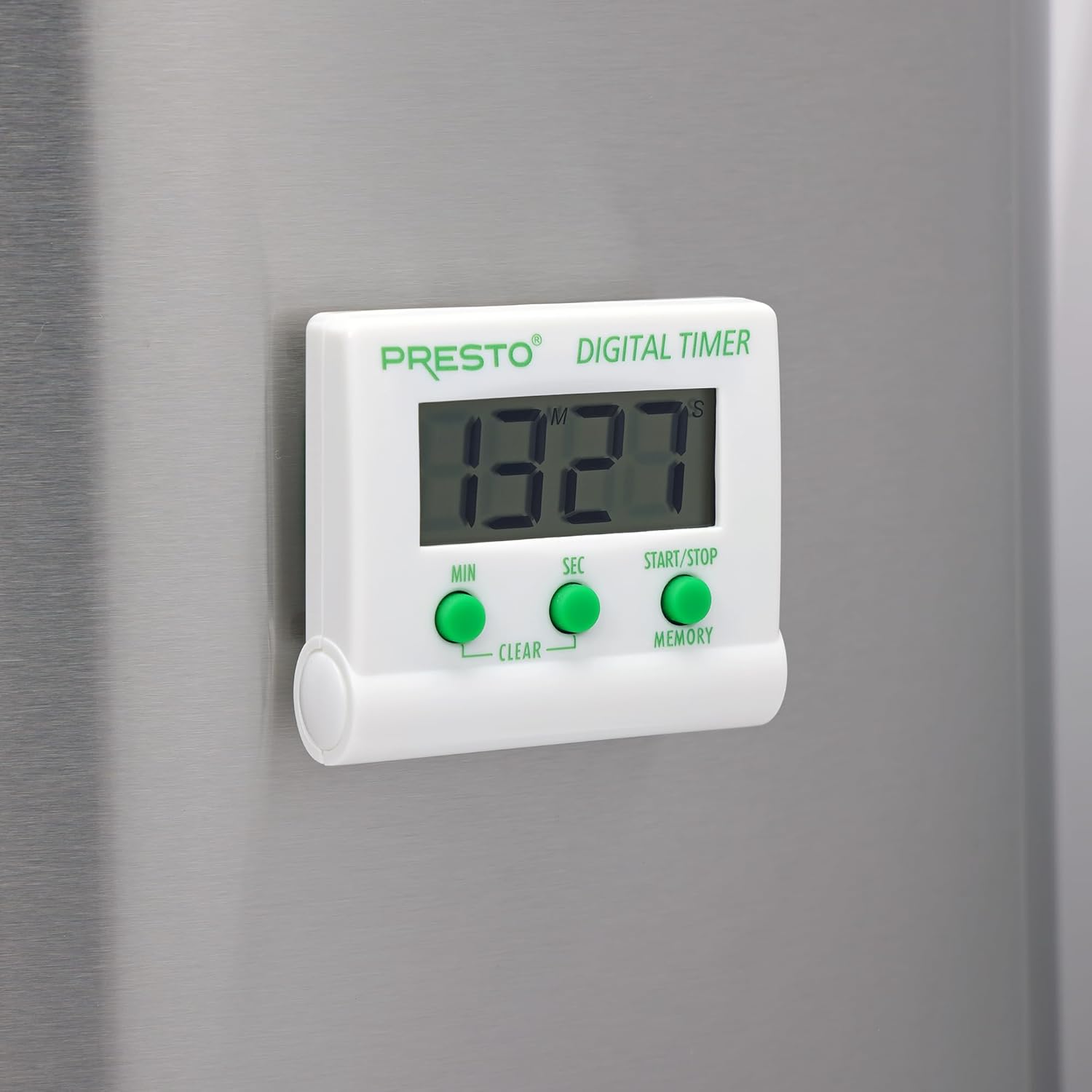
ภาพ: ด้านหน้า view of the Presto Digital Timer, displaying the time and showing the MIN, SEC, and START/STOP/MEMORY buttons.
การตั้งเวลานับถอยหลัง
- กดปุ่ม นาที button to set the desired minutes (up to 99).
- กดปุ่ม วินาที button to set the desired seconds (up to 59).
- To clear the current time setting, press both นาที และ วินาที ปุ่มพร้อมกัน
- กดปุ่ม เริ่ม/หยุด กดปุ่มเพื่อเริ่มนับถอยหลัง
- When the time reaches zero, an alarm will sound. Press เริ่ม/หยุด เพื่อปิดเสียงปลุก
Using the Stopwatch Function (Count-Up)
- Ensure the timer display is set to "00:00". If not, press both นาที และ วินาที buttons to clear it.
- กดปุ่ม เริ่ม/หยุด button to begin counting up.
- กด เริ่ม/หยุด กดอีกครั้งเพื่อหยุดนาฬิกาจับเวลา
- หากต้องการดำเนินการต่อ ให้กด เริ่ม/หยุด. To reset to "00:00", press both นาที และ วินาที buttons while the stopwatch is paused.
ฟังก์ชั่นหน่วยความจำ
The timer automatically stores the last countdown setting. After the alarm sounds and is silenced, or if the timer is stopped before reaching zero, pressing the หน่วยความจำ button will recall the last set countdown time for quick reuse.
คุณสมบัติ
- นับถอยหลังตั้งแต่เวลาใดก็ได้จนถึง 99 นาที 59 วินาที
- Functions as a stopwatch (counts up).
- Easy-to-read digital display shows minutes and seconds.
- Audible alarm signals when countdown is complete.
- Memory feature stores the last countdown setting.
- Versatile design with a convenient clip, easel stand, and magnet for various mounting options.
- Operates on one AAA battery.
การซ่อมบำรุง
การทำความสะอาด
To clean the timer, carefully wipe it with a slightly damp cloth. Do not immerse the timer in water or use abrasive cleaners, as this can damage the electronic components.
การเปลี่ยนแบตเตอรี่
When the display becomes dim or the timer stops functioning, replace the AAA battery following the installation steps in the "Setup" section.
การแก้ไขปัญหา
- ตัวตั้งเวลาไม่เปิด: Ensure the AAA battery is correctly installed with proper polarity and is not depleted. Replace the battery if necessary.
- จอแสดงผลมืดหรือว่างเปล่า: นี่แสดงว่าแบตเตอรี่เหลือน้อย โปรดเปลี่ยนแบตเตอรี่ AAA
- สัญญาณเตือนภัยไม่ดัง: Check if the timer reached zero. Ensure there are no obstructions to the speaker.
- ปุ่มไม่ตอบสนอง: Ensure the timer is clean and free from debris around the buttons. If the issue persists after battery replacement, contact customer support.
ข้อมูลจำเพาะ
| หมายเลขรุ่น | 04213 |
| ยี่ห้อ | เพรสโต้ |
| วัสดุ | พลาสติก |
| ขนาด (D x W x H) | 0.5" x 2.25" x 2.5" |
| น้ำหนักสินค้า | 2.88 ออนซ์ |
| แหล่งพลังงาน | แบตเตอรี่ 1 AAA |
| นับถอยหลังสูงสุด | 99 นาที 59 วินาที |
| สี | สีขาว |

Image: The Presto Digital Timer with its dimensions (2.5" H, 2.25" W, 0.5" D) clearly indicated.
การรับประกันและการสนับสนุน
ข้อมูลการรับประกัน
This Presto 04213 Digital Timer comes with a รับประกันจำกัด 1 ปี from the date of purchase. This warranty covers defects in materials and workmanship under normal use. It does not cover damage resulting from misuse, accident, alteration, or unauthorized repair.
การสนับสนุนลูกค้า
For warranty claims, technical assistance, or any questions regarding your Presto Digital Timer, please contact Presto customer service. Refer to the official Presto webไซต์หรือบรรจุภัณฑ์ผลิตภัณฑ์เพื่อให้มีข้อมูลติดต่อล่าสุด
คุณยังสามารถเยี่ยมชม ร้าน Presto บน Amazon สำหรับข้อมูลผลิตภัณฑ์เพิ่มเติมและทรัพยากรสนับสนุน