
1. สินค้าหมดview
The GoPro Handlebar Seatpost Mount is designed to securely attach your GoPro camera to various tubes, including bicycle handlebars, seatposts, ski poles, and other similar cylindrical objects. This mount allows for stable on-bike video capture and versatile placement options.
2. รวมอะไหล่
- Handlebar / Seatpost / Pole Mount
- 3-Way Pivot Arm (Mounting Hardware)
- สกรูนิ้วหัวแม่มือ
- Adapter for smaller diameter tubes
- แผ่นรองป้องกัน
3. การตั้งค่าและการติดตั้ง
3.1. Attaching the Mount to a Tube
The mount is compatible with tubes ranging from 0.75 inches to 1.4 inches (19.5mm to 35.56mm) in diameter. For smaller tubes, from 0.43 inches to 0.7 inches (11mm to 18mm), use the included adapter.
- Identify the desired mounting location on your handlebar, seatpost, or pole.
- If mounting to a smaller diameter tube, insert the protective liner into the clamp. This liner also helps prevent marring the mounting surface and enhances stability.
- เปิด clamp and position it around the tube.
- รักษาความปลอดภัย clamp by tightening the two thumb screws until the mount is firmly in place and does not rotate freely. Ensure it is tight enough to prevent movement during activity.


3.2. การติดตั้งกล้อง
- Align the mounting tabs of your GoPro camera housing with the slots on the 3-Way Pivot Arm.
- Insert the thumb screw through the aligned tabs and tighten it securely.
- Adjust the angle of your camera using the 3-Way Pivot Arm to achieve your desired shot. Tighten the pivot arm thumb screw to lock the angle in place.

4. การใช้งานขาตั้งกล้อง
Once installed, the Handlebar Seatpost Mount provides a stable platform for capturing footage. The 3-Way Pivot Arm allows for flexible camera positioning, enabling you to capture various perspectives, whether forward-facing, rear-facing, or side-angled.
4.1. การใช้งาน Exampเลส
- Bicycle Handlebars: Capture your ride from the front, showing the path ahead.
- Bicycle Seatposts: Get unique rear-facing shots of your cycling action or the trail behind you.
- Ski Poles: Record your skiing or snowboarding adventures from a dynamic pole-mounted perspective.
- Other Poles/Tubes: Use it as a handheld boom or attach it to other equipment for creative angles.
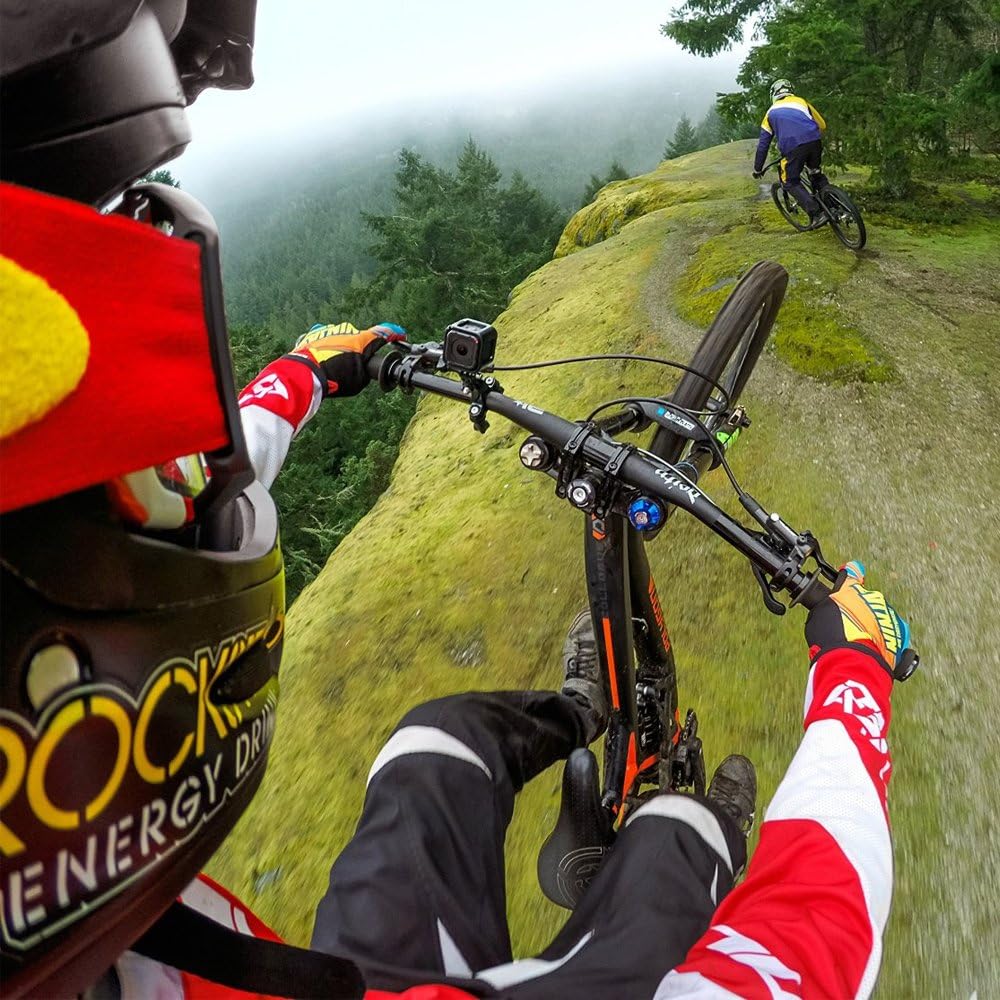

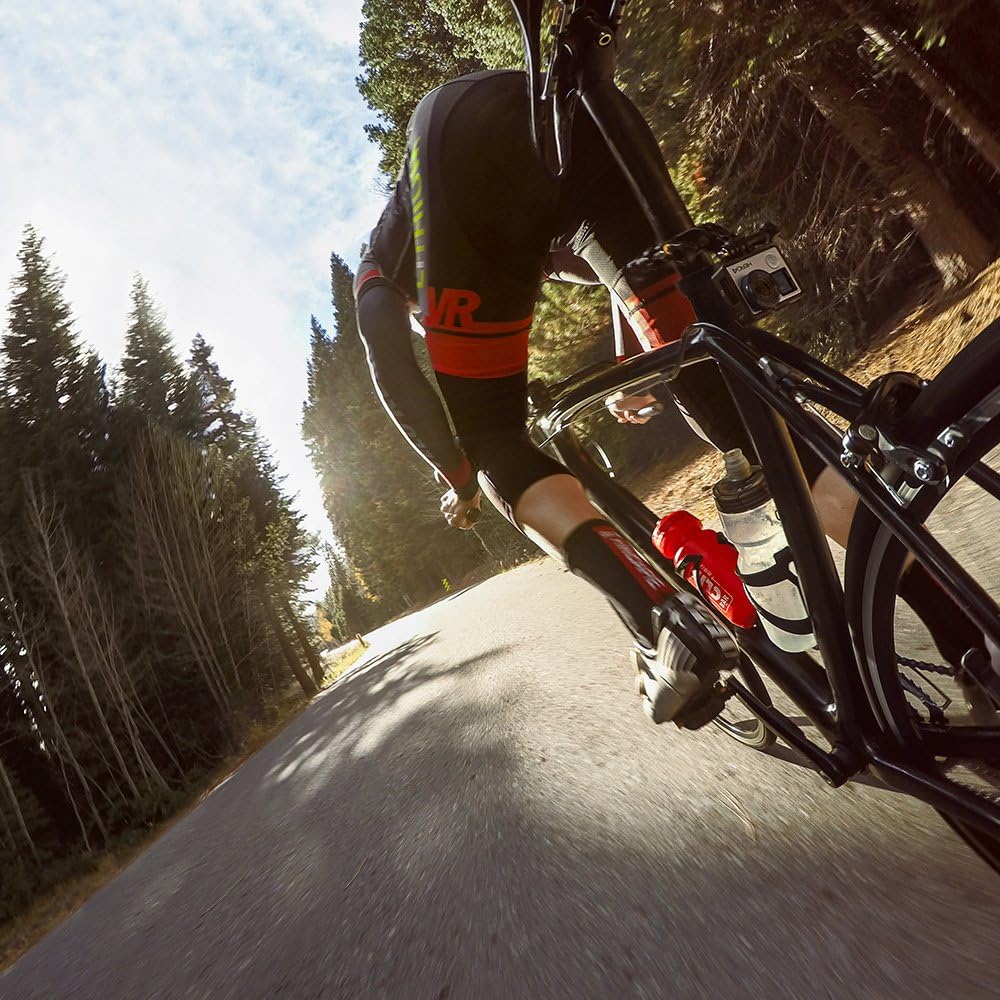
4.2. การสาธิตวิดีโอ
5. การบำรุงรักษา
- การทำความสะอาด: เช็ดภูเขาด้วยโฆษณาamp ผ้าเพื่อขจัดสิ่งสกปรกและเศษขยะ หลีกเลี่ยงสารเคมีที่รุนแรง
- การตรวจสอบ: Regularly check all components, especially the thumb screws and pivot arm, for any signs of wear, damage, or loosening.
- แผ่นรองป้องกัน: Ensure the protective liner is clean and free of tears to maintain optimal grip and prevent scratches on your mounting surface.
- พื้นที่จัดเก็บ: ควรเก็บฐานยึดไว้ในที่สะอาดและแห้งเมื่อไม่ใช้งาน
6 การแก้ไขปัญหา
6.1. Mount is not secure or slips
- Ensure the thumb screws are tightened sufficiently.
- Verify that the correct protective liner is used for the diameter of your tube.
- Clean the mounting surface and the inside of the clamp/liner to remove any grease or dirt that might reduce grip.
6.2. Camera angle shifts during use
- Ensure the thumb screw on the 3-Way Pivot Arm is tightened firmly to lock the camera angle.
- Check for any debris or wear in the pivot joint that might prevent a secure lock.
7. ข้อมูลจำเพาะ
| ยี่ห้อ | โกโปร |
| ชื่อรุ่น | โกโปร |
| หมายเลขรุ่น | GRH30 |
| สี | สีดำ |
| วัสดุ | พลาสติก |
| อุปกรณ์ที่รองรับ | All GoPro cameras |
| ประเภทการติดตั้ง | Clamp ภูเขา |
| Tube Diameter Compatibility | 0.75” to 1.4” (19.5mm to 35.56mm); with adapter: 0.43" to 0.7" (11mm to 18mm) |
| ระดับความต้านทานต่อน้ำ | Waterproof (mount itself) |
| ขนาดรายการ | 6 x 2 x 3 นิ้ว |
| น้ำหนักสินค้า | 300 กรัม |
8. ข้อมูลการรับประกัน
This GoPro Handlebar Seatpost Mount comes with a รับประกัน 1 ปี on all parts. Please retain your proof of purchase for warranty claims. For detailed terms and conditions, refer to the official GoPro webไซต์หรือติดต่อฝ่ายสนับสนุนลูกค้า
9. การสนับสนุนลูกค้า
For further assistance, technical support, or to inquire about replacement parts, please visit the official GoPro support webคุณสามารถค้นหาข้อมูลการติดต่อและคำถามที่พบบ่อยได้ที่เว็บไซต์ หรือติดต่อทีมบริการลูกค้าของพวกเขา gopro.com/support.