
1. Introduction to the HP 48SX
This document serves as Volume II of the comprehensive user manual for the HP 48SX Scientific Expandable Calculator. It is designed to guide users through the advanced functionalities, programming capabilities, and intricate operations of this powerful scientific instrument. Familiarity with basic calculator operations, as covered in Volume I, is recommended for optimal use of this manual.
The HP 48SX is renowned for its Reverse Polish Notation (RPN) entry system, extensive graphing capabilities, and expandability via memory cards. This volume delves deeper into these features, enabling users to unlock the full potential of their calculator for complex scientific, engineering, and mathematical tasks.
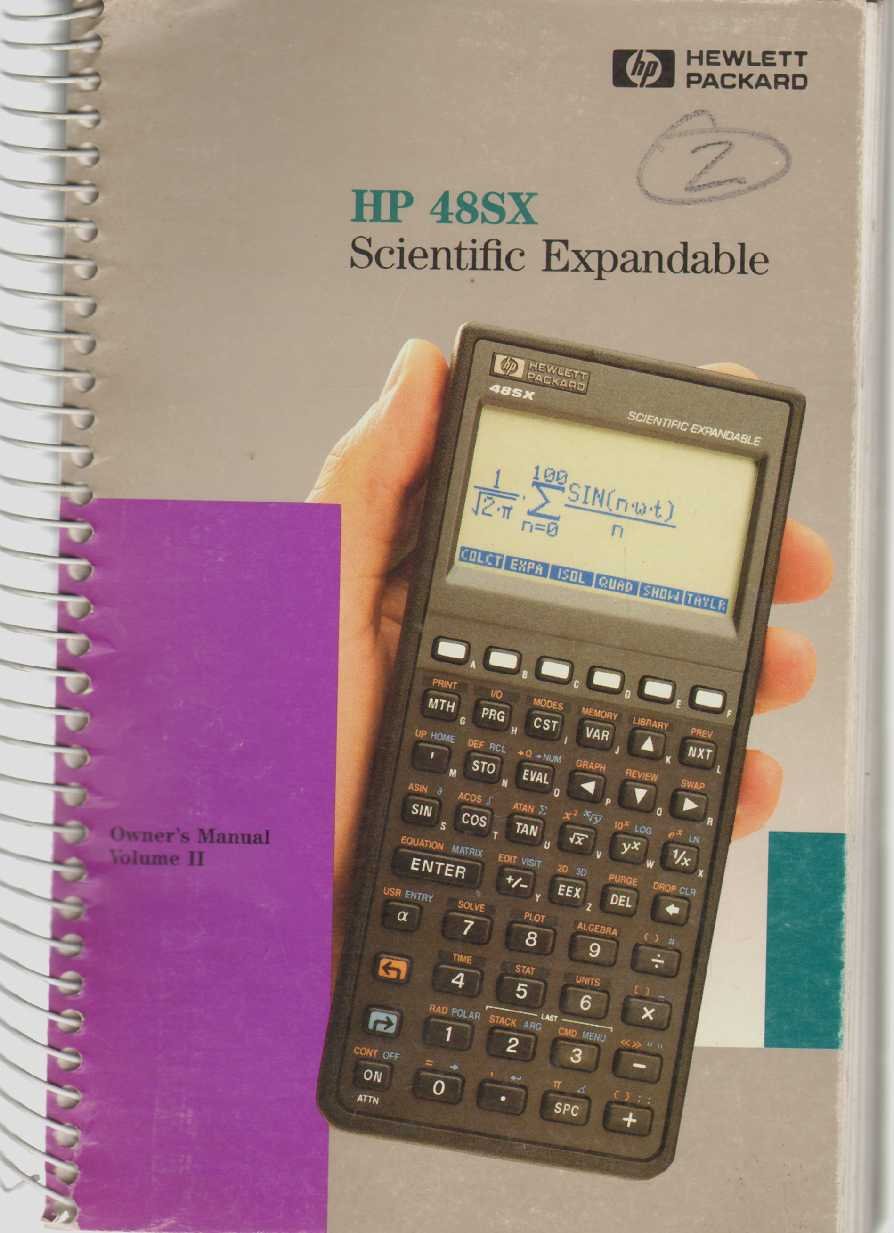
Figure 1: The HP 48SX Scientific Expandable Calculator. This image displays the calculator's physical layout, including its keypad, display, and expansion slots.
2. การตั้งค่าและการกำหนดค่าเริ่มต้น
2.1 การติดตั้งแบตเตอรี่
The HP 48SX operates on three AAA batteries. Proper installation is crucial for functionality.
- ค้นหาฝาครอบช่องใส่แบตเตอรี่ที่ด้านหลังของเครื่องคิดเลข
- เลื่อนฝาครอบออกตามทิศทางที่ลูกศรระบุ
- Insert three fresh AAA batteries, ensuring correct polarity (+/-) as marked inside the compartment.
- ใส่ฝาครอบช่องใส่แบตเตอรี่กลับเข้าไป โดยให้แน่ใจว่าล็อคเข้าที่อย่างแน่นหนา
2.2 Initial Power-On and Display Adjustment
หลังจากติดตั้งแบตเตอรี่แล้ว ให้กดปุ่ม ON key to power on the calculator. The display contrast can be adjusted for optimal viewการไอเอ็นจี
- To increase contrast: Press and hold the ON ปุ่มแล้วกดปุ่ม + สำคัญ.
- To decrease contrast: Press and hold the ON ปุ่มแล้วกดปุ่ม - สำคัญ.
2.3 Memory Card Installation (Optional)
The HP 48SX features two expansion slots for memory cards, allowing for increased storage and specialized applications.
- ตรวจสอบให้แน่ใจว่าเครื่องคิดเลขปิดอยู่
- Locate the expansion slots on the top edge of the calculator.
- Carefully insert the memory card into an available slot, ensuring the correct orientation. Do not force the card.
- Press firmly until the card is seated securely.
- Power on the calculator. The system should detect the new memory card.
3. Operating the HP 48SX: Advanced Functions
This section covers advanced operations, building upon the basic functions detailed in Volume I.
3.1 Understanding the RPN Stack
The HP 48SX utilizes Reverse Polish Notation (RPN), where operands are entered before the operator. The stack is a fundamental concept in RPN, holding intermediate results.
- Entering Numbers: Type the number, then press เข้า. This pushes the number onto the stack.
- Performing Operations: Enter the operands, then press the desired operator key (e.g., +, -, *, /). The operation is performed on the top two stack levels, and the result replaces them.
- Stack Manipulation: Keys like หยด, แลกเปลี่ยน, ม้วน, และ ดูป are used to manage stack contents.
3.2 Advanced Mathematical Functions
Access advanced functions via the กะ keys (left-shift LS and right-shift RS) and menus.
- ฟังก์ชันตรีโกณมิติ: บาป, คอเอส, แทน and their inverses are directly accessible or via shifted keys. Ensure the correct angle mode (degrees, radians, grads) is selected using the โหมด เมนู.
- ฟังก์ชันลอการิทึม: LN (natural logarithm) and บันทึก (base 10 logarithm) are available.
- Complex Numbers: The HP 48SX supports complex number arithmetic. Enter complex numbers as (real, imaginary).
- Matrix Operations: Create and manipulate matrices using the เมทริกซ์ menu. Operations include addition, subtraction, multiplication, inversion, and determinants.
3.3 การวาดกราฟฟังก์ชัน
The calculator can plot various types of graphs.
- กด พล็อตเรื่อง to access the plotting menu.
- Select the desired plot type (e.g., การทำงาน, พารามิเตอร์, ขั้วโลก, โคนิค).
- Enter the function(s) to be plotted.
- ปรับแต่ง viewing window (X-RANGE, Y-RANGE) ตามความจำเป็น
- กด วาด เพื่อแสดงกราฟ
3.4 Programming with RPL
The HP 48SX uses RPL (Reverse Polish Lisp) for programming. Programs are stored as objects.
- To create a new program, enter << (left-shift อัลฟา [) followed by the program commands, and then >> (right-shift อัลฟา ]).
- Store the program by typing its name (e.g., 'MYPROG') and pressing ส.ทีโอ.
- To execute a program, type its name and press อีวาล, or press the corresponding softkey if assigned.
- Common programming constructs include IF...THEN...ELSE...END, FOR...NEXT, และ DO...UNTIL...END.
4. การบำรุงรักษาและการดูแล
4.1 การทำความสะอาดเครื่องคิดเลข
To ensure longevity and proper function, keep your HP 48SX clean.
- ใช้ผ้านุ่มไม่เป็นขุยเช็ดเล็กน้อยampชุบด้วยน้ำหรือน้ำยาทำความสะอาดอ่อนๆ ที่ไม่กัดกร่อน
- Avoid harsh chemicals, solvents, or abrasive materials, as these can damage the display or casing.
- Do not spray cleaning solutions directly onto the calculator.
4.2 การเปลี่ยนแบตเตอรี่
Replace batteries promptly when the low battery indicator appears on the display to prevent data loss.
- ปฏิบัติตามขั้นตอนการติดตั้งแบตเตอรี่ที่ระบุไว้ในหัวข้อ 2.1
- It is recommended to replace all three AAA batteries simultaneously.
- กำจัดแบตเตอรี่เก่าตามข้อบังคับท้องถิ่น
4.3 พื้นที่จัดเก็บ
When not in use for extended periods, store the calculator in a cool, dry place, away from direct sunlight and extreme temperatures. Consider removing batteries if storing for several months to prevent leakage.
5. การแก้ไขปัญหาทั่วไป
ส่วนนี้จะกล่าวถึงปัญหาทั่วไปและวิธีแก้ไขปัญหาเหล่านั้น
5.1 Calculator Does Not Turn On
- ตรวจสอบแบตเตอรี่: ตรวจสอบให้แน่ใจว่าได้ติดตั้งแบตเตอรี่อย่างถูกต้องและแบตเตอรี่ไม่หมด หากจำเป็นให้เปลี่ยนแบตเตอรี่ใหม่
- หน้าสัมผัสแบตเตอรี่: Verify that battery contacts are clean and free of corrosion.
- ฮาร์ดรีเซ็ต: If the calculator is unresponsive, perform a hard reset by removing all batteries for a few minutes, then reinserting them. Note that this may clear user data.
5.2 ปัญหาการแสดงผล
- Adjust Contrast: ใช้ เปิด + และ ON - key combinations to adjust display contrast (refer to Section 2.2).
- จอแสดงผลจาง: สิ่งนี้มักบ่งบอกว่าแบตเตอรี่เหลือน้อย ควรเปลี่ยนแบตเตอรี่
- Garbled Display: A hard reset (see 5.1) may resolve temporary display glitches.
5.3 ผลการคำนวณที่ไม่ถูกต้อง
- โหมดมุม: For trigonometric functions, ensure the calculator is in the correct angle mode (degrees, radians, or grads). Check the โหมด เมนู.
- RPN Stack: Verify the order of operations and contents of the RPN stack. Incorrect stack manipulation is a common source of errors.
- หน่วย: Confirm that units are consistent for physical calculations.
- Program Errors: If using a program, review the program code for logical or syntax errors.
6. ข้อมูลจำเพาะ
The following specifications pertain to the HP 48SX Scientific Expandable Calculator.
| คุณสมบัติ | รายละเอียด |
|---|---|
| แบบอย่าง | HP 48SX |
| พิมพ์ | Scientific Expandable Graphing Calculator |
| ระบบการเข้า | Reverse Polish Notation (RPN) |
| แสดง | LCD, 8 lines x 22 characters (approx. 131 x 64 pixels) |
| หน่วยความจำ | 32 KB RAM (expandable via memory cards) |
| ช่องเสียบขยาย | 2 (for RAM or ROM cards) |
| แหล่งพลังงาน | แบตเตอรี่ AAA 3 ก้อน |
| การเชื่อมต่อ | Serial port (for data transfer to computers or other HP calculators) |
| ขนาด (โดยประมาณ) | 180 x 80 x 25 มม. (7.1 x 3.1 x 1.0 นิ้ว) |
| น้ำหนัก (โดยประมาณ) | 200 กรัม (7.1 ออนซ์) |
หมายเหตุ: ข้อมูลจำเพาะอาจเปลี่ยนแปลงได้โดยไม่ต้องแจ้งให้ทราบล่วงหน้า