
1. สินค้าหมดview
The D-Link DES-1008D is an 8-port Fast Ethernet unmanaged desktop switch designed to expand network connectivity for small workgroups. This device allows for flexible connection of Ethernet and Fast Ethernet devices, automatically detecting network speed and negotiating between 10BASE-T and 100BASE-TX, as well as full and half-duplex modes. Its plug-and-play design ensures simple operation without complex configuration.

Figure 1: D-Link DES-1008D 8-Port Fast Ethernet Unmanaged Desktop Switch (Silver/Blue model).
คุณสมบัติที่สำคัญ ได้แก่:
- 8 10/100 Mbps auto-sensing ports for flexible network integration.
- Unmanaged design for simple plug-and-play installation.
- Automatic MDI/MDIX crossover for all ports, eliminating the need for crossover cables.
- Fanless operation for silent performance.
2. เนื้อหาบรรจุภัณฑ์
ตรวจสอบว่าแพ็คเกจของคุณมีรายการต่อไปนี้:
- D-Link DES-1008D 8-Port Fast Ethernet สวิตช์เดสก์ท็อปที่ไม่มีการจัดการ
- อะแดปเตอร์แปลงไฟ
- Quick Install Guide and Documentation
If any of the above items are missing or damaged, please contact your local D-Link reseller for assistance.
3. คำแนะนำในการตั้งค่า
The DES-1008D switch is designed for easy installation. Follow these steps to set up your device:
- การจัดวาง: Place the switch on a flat, stable surface or mount it to a wall. Ensure adequate ventilation around the device.
- เชื่อมต่อพลังงาน: Connect the provided power adapter to the power input port on the switch and then plug the adapter into a standard electrical outlet. The Power LED on the switch should illuminate.
- เชื่อมต่ออุปกรณ์เครือข่าย: Connect your network devices (e.g., computers, printers, network-attached storage, routers) to any of the 8 Fast Ethernet ports on the switch using standard Ethernet cables. The Link/Act LED for each connected port should illuminate, indicating an active connection.
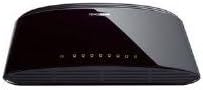
รูปที่ 2: ด้านหลัง view of the D-Link DES-1008D (Black model) showing Ethernet ports and power input.
The switch will automatically detect the speed and duplex mode of the connected devices. No further configuration is required for basic operation.
4. คู่มือการใช้งาน
The D-Link DES-1008D is an unmanaged switch, meaning it operates automatically without user configuration. Once powered on and devices are connected, it functions as a central hub for your network traffic.
ไฟ LED แสดงสถานะ:
สวิตช์นี้มีไฟ LED แสดงสถานะ:
- กำลังไฟ LED: ไฟจะสว่างขึ้นเมื่อสวิตช์ได้รับพลังงาน
- ไฟ LED แสดงสถานะ Link/Act (ต่อพอร์ต):
- สีเขียวทึบ: Indicates a valid network connection at 100 Mbps.
- สีเหลืองอำพันที่เป็นของแข็ง: Indicates a valid network connection at 10 Mbps.
- การกระพริบ: Indicates network activity (data transmission or reception) on that port.
- ปิด: ไม่มีอุปกรณ์ใดเชื่อมต่ออยู่ หรืออุปกรณ์ที่เชื่อมต่ออยู่ถูกปิดเครื่อง
การถ่ายโอนข้อมูล:
The switch facilitates data transfer between connected devices. Each port supports auto-negotiation for speed (10/100 Mbps) and duplex mode (full/half-duplex), ensuring optimal performance for each connection. In full-duplex mode, a workstation can achieve up to 200 Mbps data transfer rate.
5. การบำรุงรักษา
To ensure optimal performance and longevity of your D-Link DES-1008D switch, consider the following maintenance guidelines:
- สิ่งแวดล้อม: Operate the switch within its specified temperature range (up to 40°C). Avoid placing it in direct sunlight or near heat sources.
- การระบายอากาศ : ตรวจสอบให้แน่ใจว่าช่องระบายอากาศบนสวิตช์ไม่ถูกปิดกั้น การไหลเวียนของอากาศที่เหมาะสมมีความสำคัญอย่างยิ่งต่อการระบายความร้อน
- การทำความสะอาด: รักษาสวิตช์ให้สะอาดและปราศจากฝุ่น ใช้ผ้าแห้งนุ่มๆ ในการทำความสะอาด ห้ามใช้น้ำยาทำความสะอาดหรือสเปรย์กระป๋อง
- แหล่งจ่ายไฟ: Use only the power adapter supplied with the device. Using an incorrect power adapter may damage the switch and void the warranty.
- การจัดการสายเคเบิล: จัดระเบียบสายเคเบิลเครือข่ายเพื่อป้องกันความเครียดบนพอร์ตและเพื่อรักษาการตั้งค่าให้เป็นระเบียบ
6 การแก้ไขปัญหา
If you encounter issues with your D-Link DES-1008D switch, refer to the following troubleshooting tips:
- ไม่มีไฟ LED แสดงสถานะ:
- ตรวจสอบให้แน่ใจว่าอะแดปเตอร์แปลงไฟเชื่อมต่อกับสวิตช์และเต้ารับไฟฟ้าที่ใช้งานได้แน่นหนาแล้ว
- ตรวจสอบว่าเต้ารับไฟฟ้าใช้งานได้โดยเสียบอุปกรณ์อื่น
- No Link/Act LED for a Connected Device:
- ตรวจสอบให้แน่ใจว่าเสียบสายอีเธอร์เน็ตเข้ากับพอร์ตของสวิตช์และอุปกรณ์เครือข่ายอย่างแน่นหนาแล้ว
- ตรวจสอบให้แน่ใจว่าอุปกรณ์เครือข่ายที่เชื่อมต่อเปิดอยู่และทำงานถูกต้อง
- ลองใช้สายเคเบิลอีเทอร์เน็ตอื่น
- ลองเชื่อมต่อกับพอร์ตอื่นบนสวิตช์
- Verify that the cable length does not exceed the maximum recommended length for Ethernet (100 meters).
- ประสิทธิภาพเครือข่ายช้า:
- Ensure all connected devices are operating at their optimal speed. The Link/Act LED color indicates the connection speed (Green for 100 Mbps, Amber for 10 Mbps).
- Check for excessive network traffic or bandwidth-intensive applications on your network.
- Verify that your network cables are not damaged.
- การเชื่อมต่อไม่ต่อเนื่อง:
- ตรวจสอบการเชื่อมต่อสายเคเบิลหลวม
- Ensure the switch is placed in an area with good ventilation to prevent overheating.
- Test with different cables and devices to isolate the issue.
If problems persist after following these steps, contact D-Link technical support for further assistance.
7. ข้อมูลจำเพาะ
| คุณสมบัติ | รายละเอียด |
|---|---|
| หมายเลขรุ่น | DES-1008D |
| จำนวนพอร์ต | 8 |
| ประเภทอินเทอร์เฟซ | RJ45 |
| อัตราการถ่ายโอนข้อมูล | 10/100 Megabits Per Second (Mbps) |
| ความสามารถในการสลับ | 1.6 Gbps (ไม่ปิดกั้น) |
| มาตรฐาน | IEEE 802.3 10BASE-T Ethernet, IEEE 802.3u 100BASE-TX Fast Ethernet, IEEE 802.3x Flow Control |
| อัตโนมัติ MDI/MDIX | รองรับทุกพอร์ต |
| กำลังไฟเข้า | 230 Volts (AC) (via external power adapter) |
| การใช้พลังงาน | Low power consumption (fanless design) |
| ขนาด (กว้าง x ยาว x สูง) | ขนาด 6.5" x 4.41" x 1.42" (ประมาณ 165 มม. x 112 มม. x 36 มม.) |
| น้ำหนักสินค้า | 8.9 ออนซ์ (252 กรัม) |
| วัสดุตัวเรือน | พลาสติก |
| อุณหภูมิในการทำงาน | 0°C ถึง 40°C (32°F ถึง 104°F) |
| อุณหภูมิในการจัดเก็บ | -10°C ถึง 70°C (14°F ถึง 158°F) |
| ความชื้นในการทำงาน | 10% ถึง 90% ไม่มีการควบแน่น |
| การรับรอง | FCC Class B, CE Class B, VCCI Class B, C-Tick, RoHS |
8. การรับประกันและการสนับสนุน
The D-Link DES-1008D switch comes with a limited 2-year warranty. For specific terms and conditions, please refer to the warranty documentation included with your product or visit the official D-Link webเว็บไซต์.
For technical support, product registration, or to download the latest firmware and documentation, please visit the D-Link support portal:
When contacting support, please have your product model number (DES-1008D) and serial number ready.