
1. บทนำ
Welcome to the world of Spyro: Enter the Dragonfly. This manual provides essential information to help you get started and enjoy your gaming experience on the Nintendo GameCube. In this adventure, the evil Ripto has stolen all of the dragonflies, which are the source of all dragon magic. Your mission as Spyro is to recover them and restore balance to the Dragon Realms.
This game features Spyro's enhanced abilities, including new breath weapons like fire, ice, and electricity, across more than 25 diverse levels. Prepare to explore unique lands and weather environments as you confront Ripto and his minions.
2. การตั้งค่า
2.1 เนื้อหาบรรจุภัณฑ์
- Spyro: Enter the Dragonfly Game Disc (Nintendo GameCube)
- Instruction Booklet (Physical or Digital)
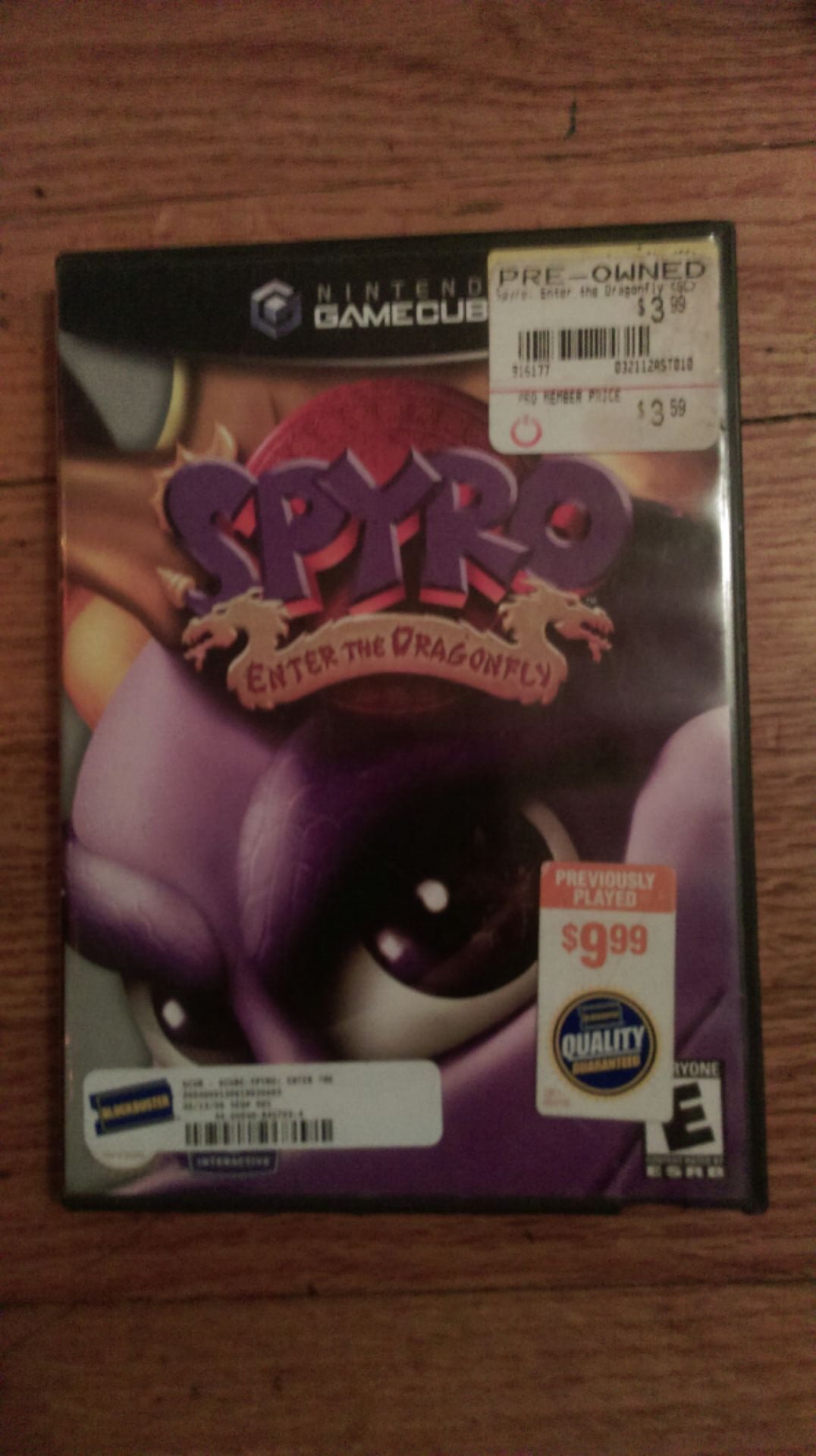
Figure 2.1: The Spyro: Enter the Dragonfly game case opened, displaying the game's instruction booklet on the left side and the game disc securely held on the right side. The disc features the game's title and rating information.
2.2 ข้อกำหนดของระบบ
- Nintendo GameCube console
- Nintendo GameCube controller
- Television or display device with appropriate AV input
- Memory Card (optional, for saving game progress)
2.3 การตั้งค่าเริ่มต้น
- Connect your Nintendo GameCube: Ensure your GameCube console is properly connected to your television and power supply according to its own instruction manual.
- ใส่แผ่นเกม: Open the GameCube disc tray. Carefully place the Spyro: Enter the Dragonfly game disc onto the spindle with the label facing up. Close the disc tray.
- เชื่อมต่อคอนโทรลเลอร์: Plug your GameCube controller(s) into the controller ports on the front of the console.
- เปิดเครื่อง: Turn on your television and select the correct input channel. Then, press the POWER button on your Nintendo GameCube console.
- เริ่มเกม: The game should load automatically. If not, navigate to the game icon on the GameCube menu and select it.
3. การดำเนินงานของเกม
3.1 การควบคุมขั้นพื้นฐาน
Familiarize yourself with the GameCube controller layout for optimal gameplay.
- จอยสติ๊กควบคุม: Move Spyro.
- C Stick: Control camera movement.
- ปุ่ม: Jump, Glide (hold after jump).
- ปุ่ม B: Charge (while moving), Headbash (while jumping).
- ปุ่ม X/Y: Cycle through breath weapons (Fire, Ice, Electric, Bubble).
- ปุ่ม Z: มุมมองบุคคลที่หนึ่ง view.
- ปุ่ม L/R: Roll left/right.
- ปุ่มเริ่ม/หยุดชั่วคราว: Access the pause menu, view inventory, save game.
3.2 Gameplay Mechanics
- Collecting Dragonflies: The primary objective is to rescue the stolen dragonflies. Each dragonfly you collect contributes to restoring magic to the Dragon Realms.
- Breath Weapons: Spyro can utilize various breath attacks.
- Fire Breath: Standard attack, effective against many enemies and for lighting objects.
- Ice Breath: Freezes enemies, allowing Spyro to push them or use them as platforms.
- Electric Breath: Stuns enemies and can activate certain mechanisms.
- Bubble Breath: Used to capture small creatures or collect items underwater.
- Gems: Collect gems scattered throughout the levels. These are used for various purposes, including unlocking new areas or abilities.
- การบันทึกความคืบหน้า: To save your game, access the pause menu using the Start/Pause button and select the "Save Game" option. A Memory Card is required for saving.
4. การบำรุงรักษา
4.1 Game Disc Care
- การจัดการ: Always hold the game disc by its edges to avoid touching the playing surface.
- การทำความสะอาด: หากแผ่นดิสก์สกปรก ให้เช็ดเบาๆ ด้วยผ้าเนื้อนุ่มที่ไม่เป็นขุย โดยเช็ดจากตรงกลางออกไปด้านนอก ห้ามใช้สารทำความสะอาดที่มีฤทธิ์กัดกร่อนหรือตัวทำละลาย
- พื้นที่จัดเก็บ: ควรเก็บแผ่นดิสก์ไว้ในกล่องเดิมเมื่อไม่ได้ใช้งาน เพื่อป้องกันฝุ่น รอยขีดข่วน และแสงแดดโดยตรง
4.2 Console and Controller Care
- การป้องกันฝุ่น: Keep your GameCube console in a clean, dust-free environment.
- การระบายอากาศ : Ensure the console's ventilation slots are not blocked to prevent overheating.
- การทำความสะอาดคอนโทรลเลอร์: Wipe controllers with a dry, soft cloth. Avoid liquid cleaners near electronic components.
5 การแก้ไขปัญหา
5.1 ปัญหาทั่วไปและแนวทางแก้ไข
- Game Does Not Load:
- ตรวจสอบให้แน่ใจว่าแผ่นเกมสะอาดและไม่มีรอยขีดข่วน
- Verify the disc is inserted correctly into the GameCube tray.
- Check that your GameCube console is powered on and connected to the TV.
- Game Freezes During Play:
- Clean the game disc thoroughly.
- Ensure the GameCube console has adequate ventilation and is not overheating.
- Try restarting the console.
- คอนโทรลเลอร์ไม่ตอบสนอง:
- Check that the controller is securely plugged into the correct port.
- Try a different controller port or a different controller if available.
- ไม่มีเสียงหรือภาพ:
- Verify all AV cables are securely connected between the GameCube and your television.
- Ensure your television is set to the correct input channel.
- Check your TV's volume settings.
6. ข้อมูลจำเพาะ
| ชื่อ | Spyro: Enter the Dragonfly |
| ยี่ห้อ | แอคติวิชั่น |
| หมายเลขรุ่น | 020626718516 |
| แพลตฟอร์ม | นินเทนโด เกมคิวบ์ |
| วันที่วางจำหน่าย | 19 พฤศจิกายน 2002 |
| เรตติ้ง ESRB | ทุกคน |
| ขนาดสินค้า | 7.5 x 5.2 x 0.6 inches (Game Case) |
| น้ำหนักสินค้า | 2.88 ออนซ์ |
7. การสนับสนุนและการรับประกัน
7.1 การสนับสนุนลูกค้า
For further assistance with gameplay or technical issues not covered in this manual, please refer to the official ACTIVISION support channels or the Nintendo GameCube support resources. As this is a legacy product, direct manufacturer support may be limited.
You may find helpful communities and fan-made guides online for classic GameCube titles like Spyro: Enter the Dragonfly.
7.2 ข้อมูลการรับประกัน
This product was originally released in 2002. Any manufacturer's warranty that may have applied at the time of original purchase has likely expired. Please consult your retailer's return policy if you purchased a used copy and encounter issues shortly after purchase.